text multiplies when editing it (Qtranslate-XT plugin)
-
I'm having a weird problem with a clients website:
The clients website has the newest versions of everything: wordpress, lay theme, qtranslate xt plugin, they are all auto-updated. The website has three active languages, which always worked fine. There are buttons above the headline and the gridder, that let you toggle between the languages.
I tried to edit a headline just now and suddenly, I can't toogle between the languages anymore. Instead all three languages are displayed inside the text area, only seperated by the qtranslate language codes ( like [:en] or [:de] ). Let's say I'm trying to edit the german text (everything after [:de] and before the next language code) and click "ok" when I'm done, the textblock suddenly displays my new text, but also the old text underneath!
So after the edit its:
[:de] NEW GERMAN HEADLINE
[:en] OLD ENGLISH HEADLINE
[:zh] OLD CHINESE HEADLINE[:de] NOLD GERMAN HEADLINE
[:en] OLD ENGLISH HEADLINE
[:zh] OLD CHINESE HEADLINEI tried re-installing q-translate and the lay theme, but no luck.
How can I fix this?
Thanks for any help in advance
Caro -
ah ok Can you please send:
- a link to this forum topic
- your website address
- /wp-admin/ username and password
to: info@laytheme.com
-
https://github.com/qtranslate/qtranslate-xt/tree/master
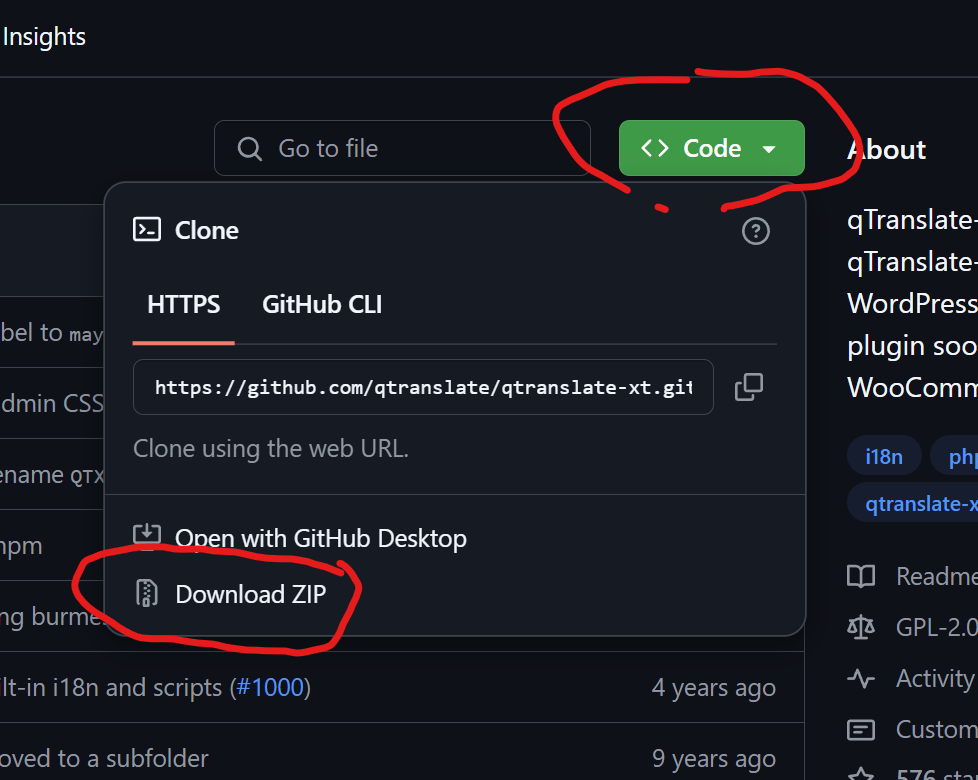
i downloaded the latest qtranslate-xt version from here and installed it and now it works
somehow you had version 3.7.2
but the latest version seems to be 3.15.3
actually im not sure where u got that version from
-
can u check if it works? im not entirely sure, it just looks like its working from my first impression
-

Hello! It looks like you're interested in this conversation, but you don't have an account yet.
Getting fed up of having to scroll through the same posts each visit? When you register for an account, you'll always come back to exactly where you were before, and choose to be notified of new replies (either via email, or push notification). You'll also be able to save bookmarks and upvote posts to show your appreciation to other community members.
With your input, this post could be even better 💗
Register Login