Skip to content
  • Recent
  • Tags
  • Popular
  • Users
  • Search
Skins
  • Light
  • Brite
  • Cerulean
  • Cosmo
  • Flatly
  • Journal
  • Litera
  • Lumen
  • Lux
  • Materia
  • Minty
  • Morph
  • Pulse
  • Sandstone
  • Simplex
  • Sketchy
  • Spacelab
  • United
  • Yeti
  • Zephyr
  • Dark
  • Cyborg
  • Darkly
  • Quartz
  • Slate
  • Solar
  • Superhero
  • Vapor

  • Default (No Skin)
  • No Skin
Collapse

Lay Theme Forum

  1. Home
  2. General Discussion
  3. Project index – categories separator

Project index – categories separator

Scheduled Pinned Locked Moved General Discussion
27 Posts 3 Posters 6.1k Views 2 Watching
  • Oldest to Newest
  • Newest to Oldest
  • Most Votes
Reply
  • Reply as topic
Log in to reply
This topic has been deleted. Only users with topic management privileges can see it.
  • mppM
    mppM
    mpp
    wrote on last edited by
    #1

    Hello,
    looking for an implementation of a replacement in the "category" column – separator. By default it is "," but for the design it seems like it could be a "–".

    Is this possible to replace? As it is generated within a single div .lay-projectindex-col-categories .lay-projectindex-col ?

    Best regards for Warsaw!

    1 Reply Last reply
    0
    • mppM
      mppM
      mpp
      wrote on last edited by mpp
      #2

      Custom <head> element won't work?

      <script>
      var elem = document.getElementsByClassName("lay-projectindex-col-categories lay-projectindex-col last-visible-projectindex-col")
      elem.textContent = elem.textContent.replace(",", "–");
      </script>
      
      1 Reply Last reply
      0
      • mppM
        mppM
        mpp
        wrote on last edited by
        #3

        Found that option in "Edit Project Index" > "Style".
        Thanks!

        Any way to change the z-index of the image that appears on hover at Project Index?

        1 Reply Last reply
        0
        • arminunruhA
          arminunruhA
          arminunruh
          Global Moderator
          wrote on last edited by
          #4

          you can change it in lay options -> imagehover addon
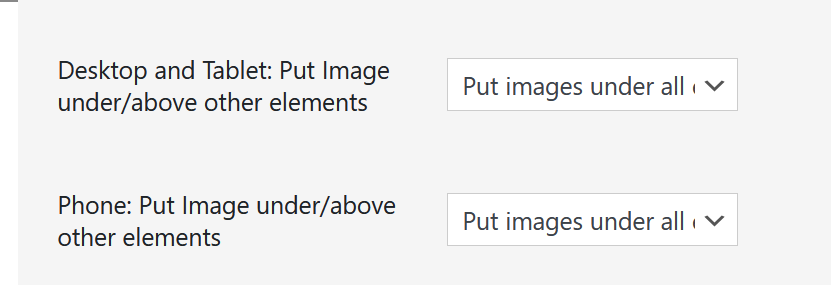
          image.png

          1 Reply Last reply
          0
          • arminunruhA
            arminunruhA
            arminunruh
            Global Moderator
            wrote on last edited by arminunruh
            #5

            if u want to do it with css:

            image.png

            image.png

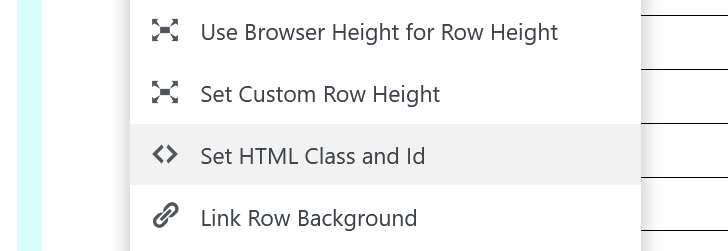
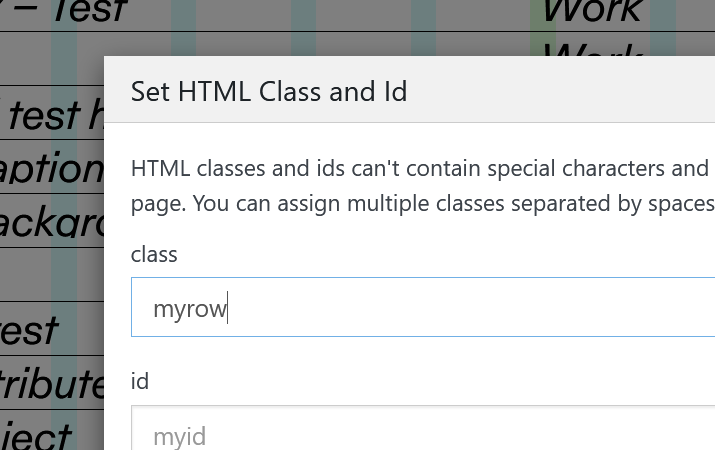
            Right click an empty part of a row in the Gridder that contains your project index element.
            Click "Set HTML Class & Id"

            Then for class enter:
            myrow

            add this in:
            lay options -> custom css & html -> custom css

            .myrow .lay-imagehover-on-element{
                z-index: 99;
            }
            
            1 Reply Last reply
            0
            • mppM
              mppM
              mpp
              wrote on last edited by mpp
              #6

              Perfect, thanks!

              Also, maybe an idea for a feature – I was looking at implementing a gallery.
              Would be amazing to have Thumbnail Grid features – Filters, Tags, Categories in Elementor Grid – gallery of images with Lightbox – and not separate project pages.

              For a preview:

              A website currently built on Elementor Grid + Lightbox:
              https://polczynski.info/paintings

              A website I'm building up using Thumbnail Grid:
              https://polczynski.info/paintings_test/

              1 Reply Last reply
              0
              • arminunruhA
                arminunruhA
                arminunruh
                Global Moderator
                wrote on last edited by
                #7

                ah i thought ure talking about the elementor plugin
                https://elementor.com/

                you want filtering for a lightbox?
                im not sure if i understand

                1 Reply Last reply
                0
                • mppM
                  mppM
                  mpp
                  wrote on last edited by
                  #8

                  It's a typo!

                  A Element Grid with Images that can be view with the Lightbox and filtered as in the Thumbnail Grid.

                  1 Reply Last reply
                  0
                  • arminunruhA
                    arminunruhA
                    arminunruh
                    Global Moderator
                    wrote on last edited by
                    #9

                    ah
                    so you want to be able to filter images

                    1 Reply Last reply
                    0
                    • mppM
                      mppM
                      mpp
                      wrote on last edited by
                      #10

                      Thank you for the incredible tool.
                      Will work it out with the possibilities you have already created!

                      1 Reply Last reply
                      1
                      • A
                        A
                        alasdair17
                        Global Moderator
                        wrote on last edited by alasdair17
                        #11

                        Being able to filter images would be so amazing!

                        Would happily pay for this feature.

                        1 Reply Last reply
                        0
                        • arminunruhA
                          arminunruhA
                          arminunruh
                          Global Moderator
                          wrote on last edited by
                          #12

                          image.png

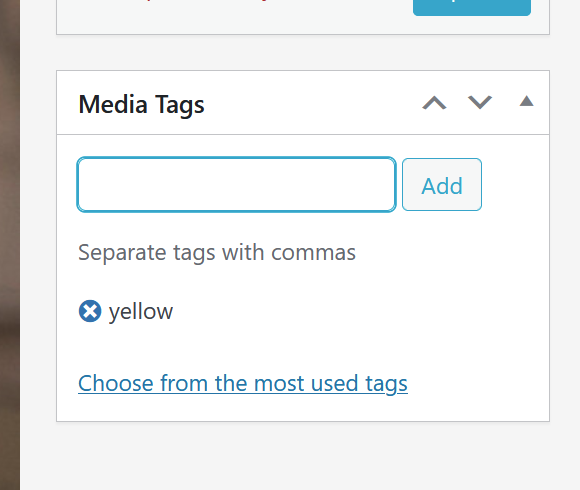
                          it seems that i can pretty easily add a tag box to a media library item edit page.
                          would tag filtering be enough or would you also need categories, like we have for thumbnailgrid?

                          A 2 Replies Last reply
                          0
                          • arminunruhA arminunruh

                            image.png

                            it seems that i can pretty easily add a tag box to a media library item edit page.
                            would tag filtering be enough or would you also need categories, like we have for thumbnailgrid?

                            A
                            A
                            alasdair17
                            Global Moderator
                            wrote on last edited by
                            #13

                            @arminunruh If it can work with images inside an element grid that would be amazing, categories would be great but just tags would do a good job too.

                            1 Reply Last reply
                            0
                            • arminunruhA
                              arminunruhA
                              arminunruh
                              Global Moderator
                              wrote on last edited by
                              #14

                              ok!! i understand

                              1 Reply Last reply
                              1
                              • mppM
                                mppM
                                mpp
                                wrote on last edited by
                                #15

                                Here's something maybe that you could consider.

                                I'm using Element Grid on a Project page to add Project thumbnails "related-like". Could use a search bar on that.

                                1 Reply Last reply
                                0
                                • arminunruhA
                                  arminunruhA
                                  arminunruh
                                  Global Moderator
                                  wrote on last edited by
                                  #16

                                  ah you mean you would like a search bar in here?

                                  image.png

                                  so its easier to find projects?

                                  mppM 1 Reply Last reply
                                  0
                                  • arminunruhA
                                    arminunruhA
                                    arminunruh
                                    Global Moderator
                                    wrote on last edited by
                                    #17

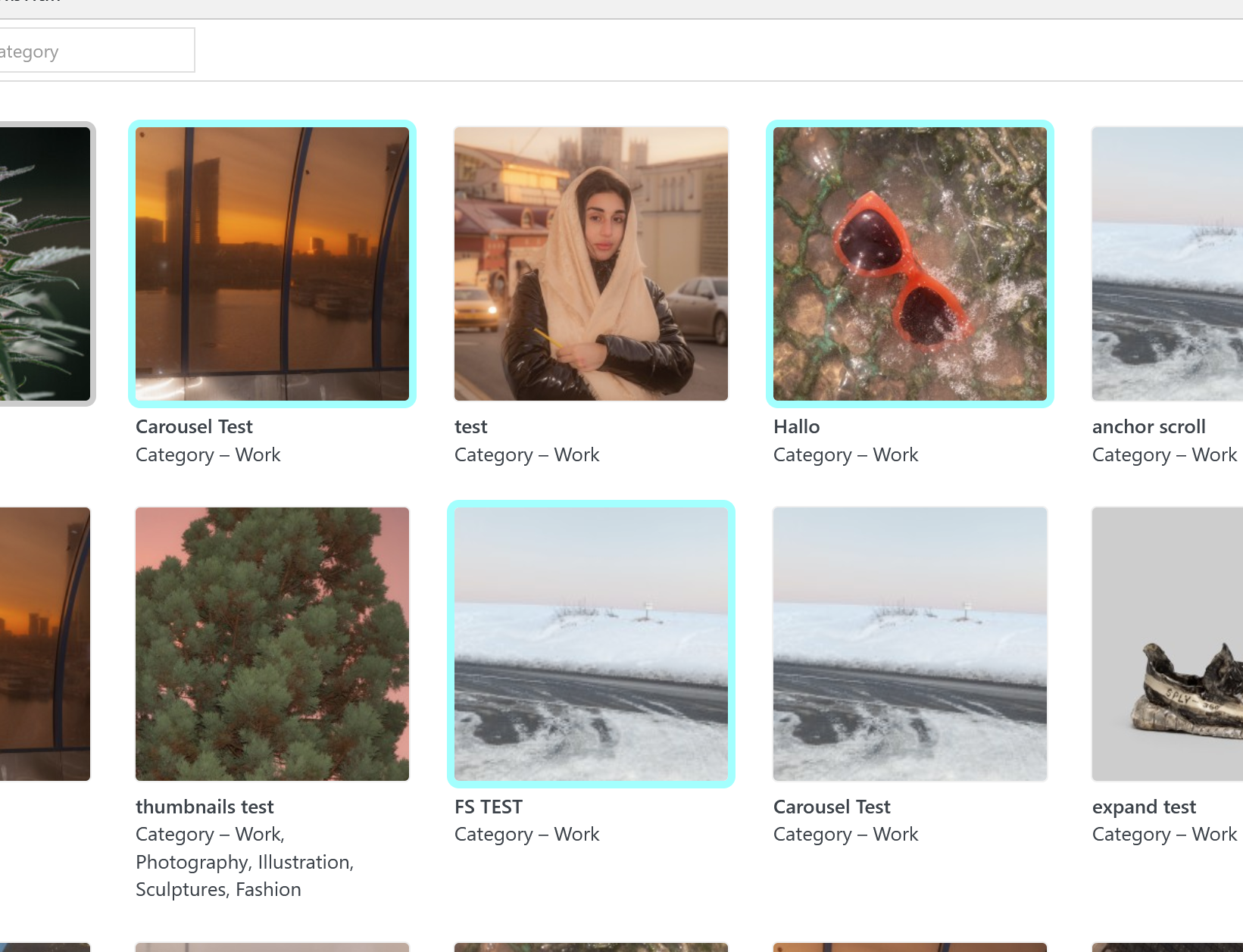
                                    next update will include a searchbar:

                                    image.png

                                    mppM 1 Reply Last reply
                                    0
                                    • arminunruhA arminunruh

                                      next update will include a searchbar:

                                      image.png

                                      mppM
                                      mppM
                                      mpp
                                      wrote on last edited by
                                      #18

                                      @arminunruh

                                      Thank you!

                                      1 Reply Last reply
                                      1
                                      • arminunruhA arminunruh

                                        ah you mean you would like a search bar in here?

                                        image.png

                                        so its easier to find projects?

                                        mppM
                                        mppM
                                        mpp
                                        wrote on last edited by
                                        #19

                                        @arminunruh also you could maybe change selecting multiple? Now it just grabs the whole row (when using shift)

                                        1 Reply Last reply
                                        0
                                        • arminunruhA
                                          arminunruhA
                                          arminunruh
                                          Global Moderator
                                          wrote on last edited by
                                          #20

                                          image.png

                                          you can press ctrl on windows
                                          or cmd on mac

                                          then you can choose multiple projects without selecting a whole row of project as you would when using shift

                                          thats the normal way it works even in finder on mac and explorer on windows

                                          mppM 1 Reply Last reply
                                          0

                                          Hello! It looks like you're interested in this conversation, but you don't have an account yet.

                                          Getting fed up of having to scroll through the same posts each visit? When you register for an account, you'll always come back to exactly where you were before, and choose to be notified of new replies (either via email, or push notification). You'll also be able to save bookmarks and upvote posts to show your appreciation to other community members.

                                          With your input, this post could be even better 💗

                                          Register Login
                                          Reply
                                          • Reply as topic
                                          Log in to reply
                                          • Oldest to Newest
                                          • Newest to Oldest
                                          • Most Votes


                                          Online Users
                                          I
                                          itsbadjujuju
                                          Forgot your key, lost your files, need a previous Lay Theme or Addon version? Go to www.laykeymanager.com
                                          laytheme.com
                                          • Login

                                          • Don't have an account? Register

                                          • Login or register to search.
                                          • First post
                                            Last post
                                          0
                                          • Recent
                                          • Tags
                                          • Popular
                                          • Users
                                          • Search