Skip to content
  • Recent
  • Tags
  • Popular
  • Users
  • Search
Skins
  • Light
  • Brite
  • Cerulean
  • Cosmo
  • Flatly
  • Journal
  • Litera
  • Lumen
  • Lux
  • Materia
  • Minty
  • Morph
  • Pulse
  • Sandstone
  • Simplex
  • Sketchy
  • Spacelab
  • United
  • Yeti
  • Zephyr
  • Dark
  • Cyborg
  • Darkly
  • Quartz
  • Slate
  • Solar
  • Superhero
  • Vapor

  • Default (No Skin)
  • No Skin
Collapse

Lay Theme Forum

  1. Home
  2. Addons
  3. Can I display project titles below the carousel instead of on it ?

Can I display project titles below the carousel instead of on it ?

Scheduled Pinned Locked Moved Addons
10 Posts 2 Posters 149 Views 2 Watching
  • Oldest to Newest
  • Newest to Oldest
  • Most Votes
Reply
  • Reply as topic
Log in to reply
This topic has been deleted. Only users with topic management privileges can see it.
  • P Offline
    P Offline
    PépiteWorld
    wrote last edited by
    #1

    Hello !

    I'm considering purchasing LayTheme and the Carousel Addon. I have a question about caption positioning.

    I want to display the project title BELOW the carousel image (like https://weberruss.com/en), not overlaid on top of the image (like https://andreaguccini.com/).

    Does the Carousel Addon's "below Carousel" setting place the caption :

    • Outside/below the image (vertically separated from the carousel) (what I want)
    • OR just at the bottom but still overlaid on the image?

    Is this possible with the Carousel Addon?
    Thanks for your help !
    Bastien

    1 Reply Last reply
    0
    • arminunruhA Offline
      arminunruhA Offline
      arminunruh
      Global Moderator
      wrote last edited by
      #2

      hey!

      yes you can do that. actually thats the default way captions are placed.

      1 Reply Last reply
      0
      • arminunruhA Offline
        arminunruhA Offline
        arminunruh
        Global Moderator
        wrote last edited by arminunruh
        #3

        image.png
        when u use these settings in a carousel, the captions can even be under each slide:
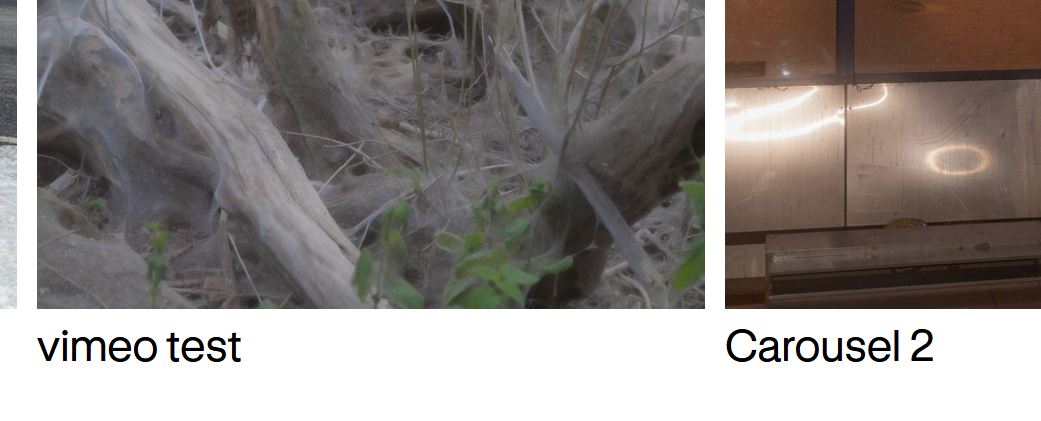
        90133239-31b9-4826-ab06-ea7273e8dff1-image.png

        the placement of the captions is done in:
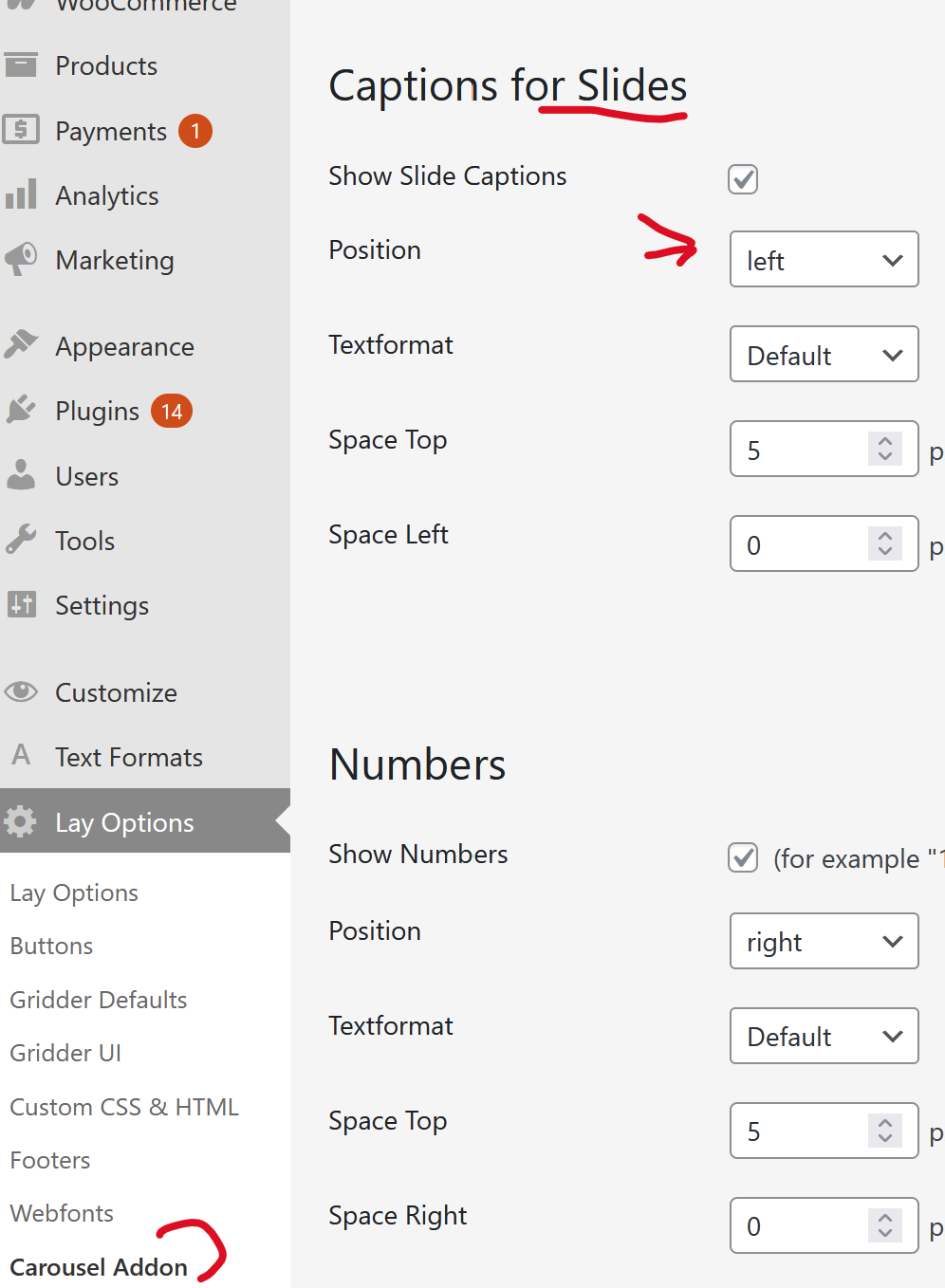
        image.png

        1 Reply Last reply
        0
        • arminunruhA Offline
          arminunruhA Offline
          arminunruh
          Global Moderator
          wrote last edited by
          #4

          and with the default settings enabled, the caption is just under a slide like so:
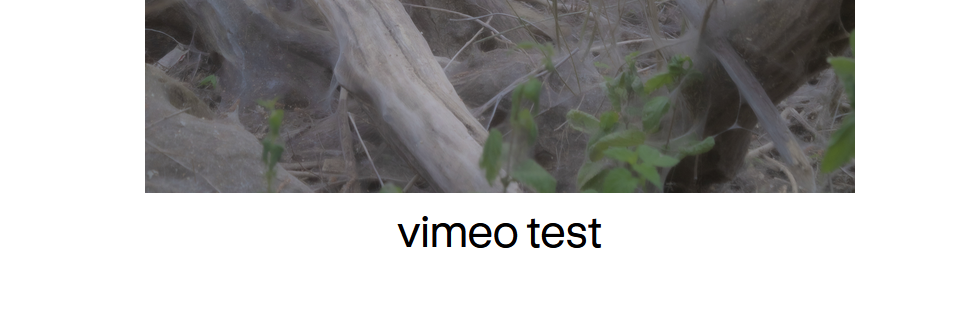
          image.png

          1 Reply Last reply
          0
          • P Offline
            P Offline
            PépiteWorld
            wrote last edited by
            #5

            Perfect, thank you for confirming !
            One more question: when the caption is positioned below the carousel, are both the image AND the caption/title clickable to open the project ?
            Or is only the image clickable ?
            Thanks again !

            1 Reply Last reply
            0
            • arminunruhA Offline
              arminunruhA Offline
              arminunruh
              Global Moderator
              wrote last edited by
              #6

              by default, only the image is clickable.

              however, when u edit the carousel, you can click on the image:
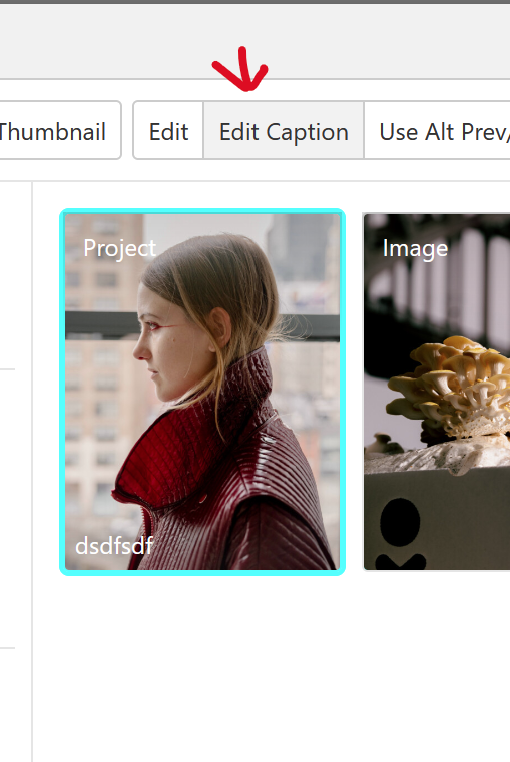
              image.png

              then click "edit caption"

              and in here, you can link the text using the link button when u select the text
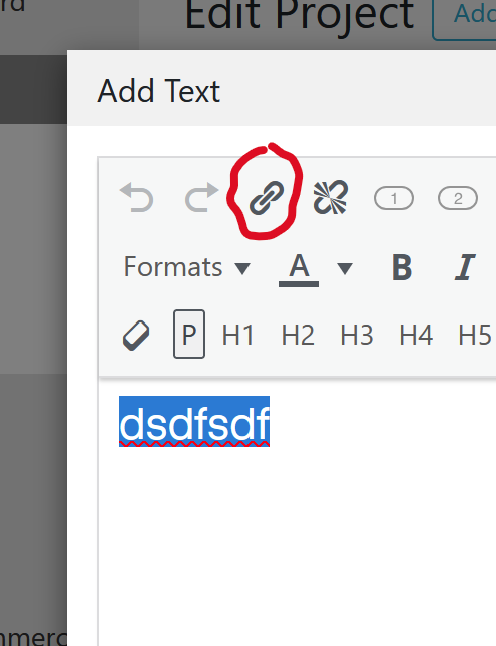
              image.png

              1 Reply Last reply
              0
              • P Offline
                P Offline
                PépiteWorld
                wrote last edited by
                #7

                Thanks! That's perfect :)

                I have juste another question about the carousel setup
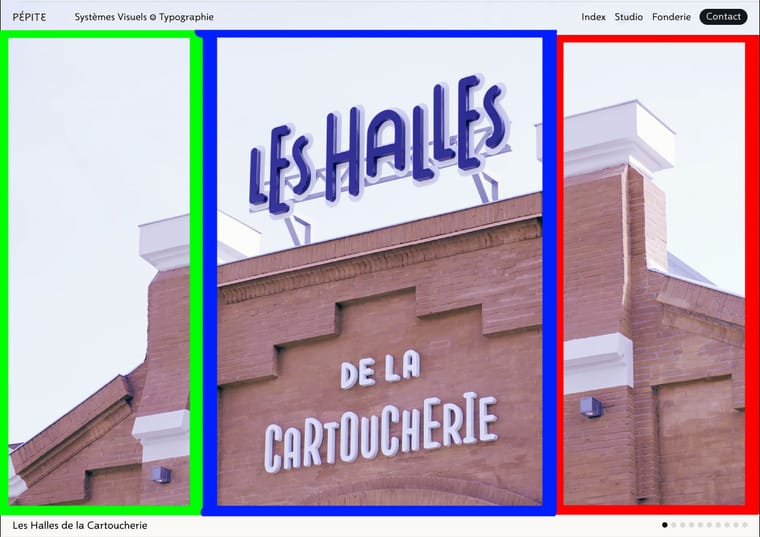
                I would like three click zones : (see attached images)

                • Center zone (blue): Click on the carousel center OR on the title below → opens the project

                • Left zone (green): Click → show previous slide

                • Right zone (red): Click → show next slide

                Cursor: Use mouse cursor as navigation arrows (previous/next)

                Is this possible with the Carousel Addon settings? Can I define custom click zones like this, or would I need custom CSS/JavaScript?

                If this isn't possible, I'll use the navigation buttons instead.

                Thanks again for your help!
                Capture-d’écran-2025-11-26-à-09.25.20.jpg

                1 Reply Last reply
                0
                • arminunruhA Offline
                  arminunruhA Offline
                  arminunruh
                  Global Moderator
                  wrote last edited by
                  #8

                  looking at your design, lets first talk about the sizing and placement of the carousel.
                  i would suggest you set the page's frame top space to 0:
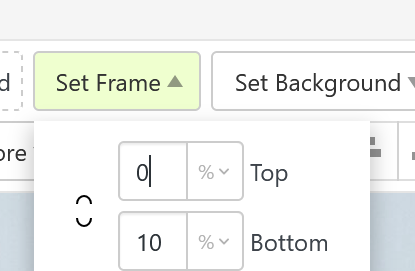
                  image.png

                  this way you have no space between the top of the browser and the carousel.

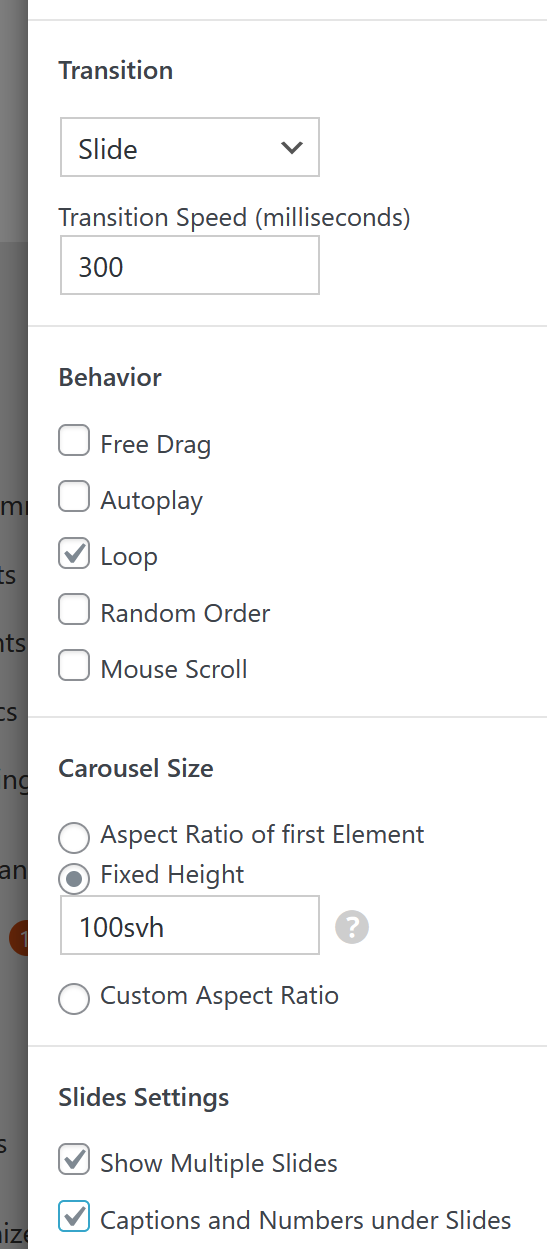
                  when creating the carousel use a fixed height setting like this:
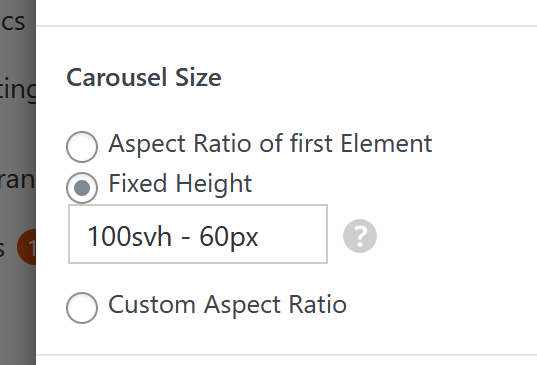
                  image.png

                  it will make sure your carousel is browser height (100svh) minus a pixel value.
                  this pixel value will be the white bar at the bottom where your caption is (under the image)

                  then u might also want to choose "fill slides"
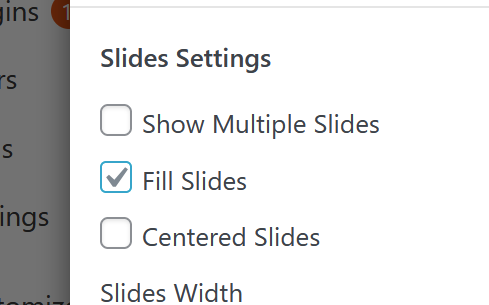
                  image.png

                  1 Reply Last reply
                  0
                  • arminunruhA Offline
                    arminunruhA Offline
                    arminunruh
                    Global Moderator
                    wrote last edited by
                    #9

                    ok now about your click zones and mouse cursor.

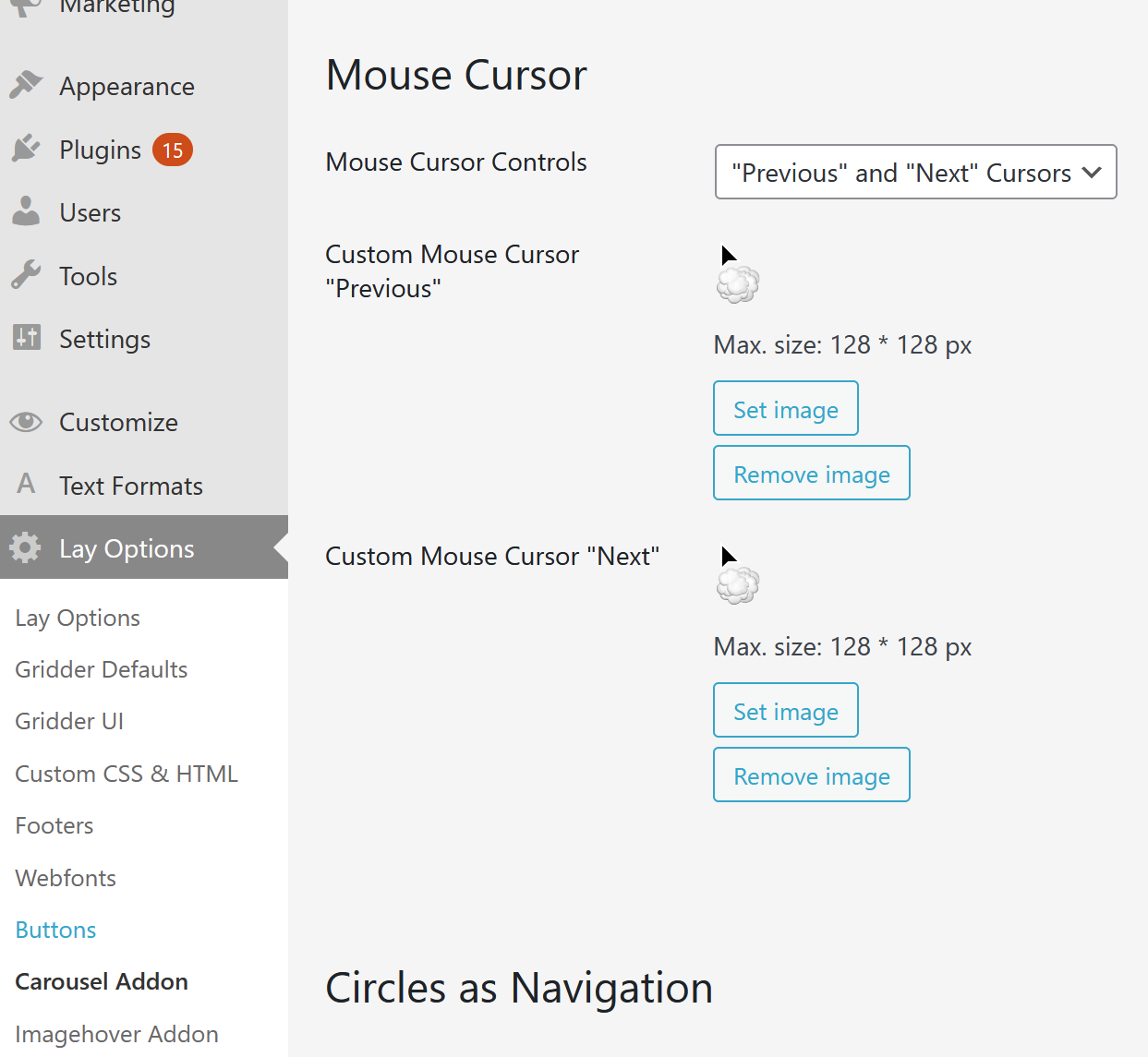
                    mouse cursor:
                    in lay options -> carousel addon

                    you can set the mouse cursor:

                    image.png

                    1 Reply Last reply
                    0
                    • arminunruhA Offline
                      arminunruhA Offline
                      arminunruh
                      Global Moderator
                      wrote last edited by arminunruh
                      #10

                      click zones: theres no such thing, but we have buttons:
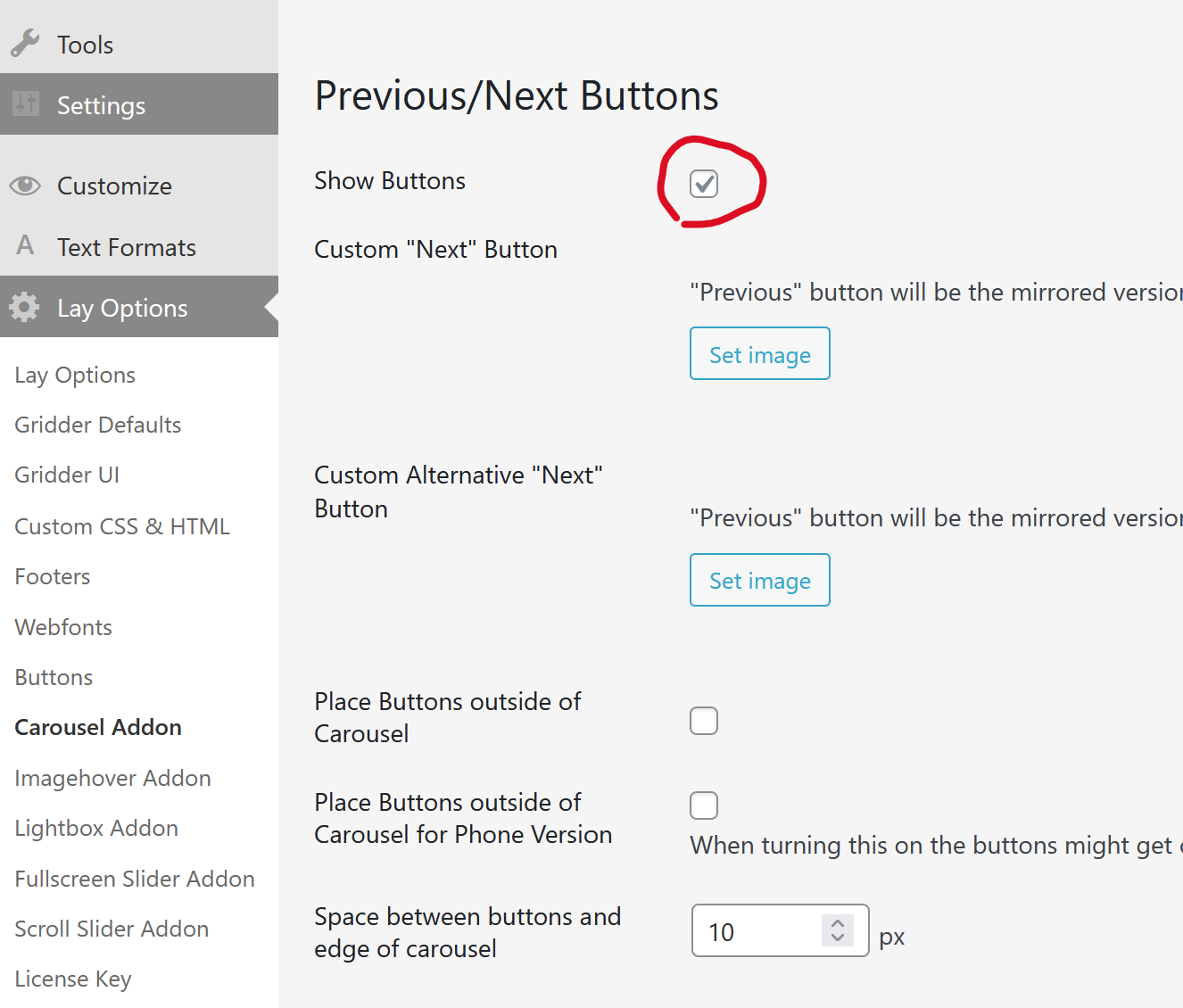
                      image.png

                      and then use css like

                      .flickity-prev-next-button.next{
                      height: 100%;
                      width: 20%;
                      right: 0!important;
                      cursor: e-resize!important;
                      }
                      .flickity-prev-next-button.next svg{
                      display: none;
                      }
                      
                      .flickity-prev-next-button.previous{
                      height: 100%;
                      width: 20%;
                      left: 0!important;
                      cursor: w-resize!important;
                      }
                      .flickity-prev-next-button.previous svg{
                      display: none;
                      }
                      

                      in add this in:
                      lay options -> custom css & html -> custom css

                      i added the cursor css, cause when i think about it, this mouse cursor setting
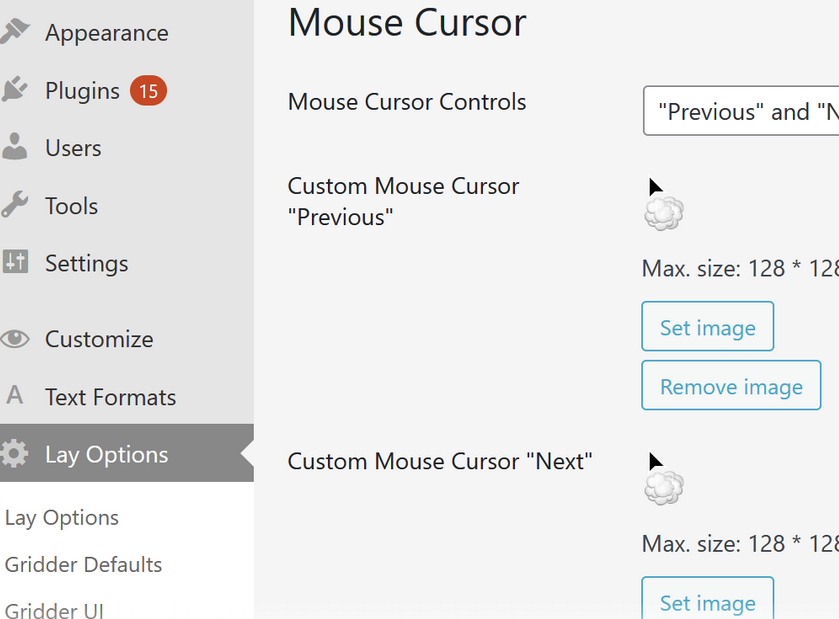
                      03d81d14-2445-4a76-ba96-78a8aca23e03-image.png

                      wont do anything cause when you have images that are links to a project, it wont show those mouse cursors but just a pointer instead, indicating that it is a clickable link

                      but with my css above, at least the prev / next areas will have cursors

                      1 Reply Last reply
                      0
                      Reply
                      • Reply as topic
                      Log in to reply
                      • Oldest to Newest
                      • Newest to Oldest
                      • Most Votes


                      I also code custom websites or custom Lay features.
                      💿 Email me here: 💿
                      info@laytheme.com

                      Our Web Development company: 100k.studio

                      Want to tip me? https://www.paypal.com/paypalme/arminunruh

                      Before you post:
                      1. When using a WordPress Cache plugin, disable it or clear your cache.
                      2. Update Lay Theme and all Lay Theme Addons
                      3. Disable all Plugins
                      4. Go to Lay Options → Custom CSS & HTML, click "Turn Off All Custom Code", click "Save Changes"

                      This often solves issues you might run into

                      When you post:
                      1. Post a link to where the problem is
                      2. Does the problem happen on Chrome, Firefox, Safari or iPhone or Android?
                      3. If the problem is difficult to explain, post screenshots / link to a video to explain it
                      Online Users
                      S
                      smartin
                      M
                      michael_vvc
                      T
                      timk
                      Forgot your key, lost your files, need a previous Lay Theme or Addon version? Go to www.laykeymanager.com
                      laytheme.com
                      • Login

                      • Don't have an account? Register

                      • Login or register to search.
                      • First post
                        Last post
                      0
                      • Recent
                      • Tags
                      • Popular
                      • Users
                      • Search