Skip to content
  • Recent
  • Tags
  • Popular
  • Users
  • Search
Skins
  • Light
  • Brite
  • Cerulean
  • Cosmo
  • Flatly
  • Journal
  • Litera
  • Lumen
  • Lux
  • Materia
  • Minty
  • Morph
  • Pulse
  • Sandstone
  • Simplex
  • Sketchy
  • Spacelab
  • United
  • Yeti
  • Zephyr
  • Dark
  • Cyborg
  • Darkly
  • Quartz
  • Slate
  • Solar
  • Superhero
  • Vapor

  • Default (No Skin)
  • No Skin
Collapse

Lay Theme Forum

  1. Home
  2. General Discussion
  3. change custom play icon

change custom play icon

Scheduled Pinned Locked Moved General Discussion
10 Posts 4 Posters 223 Views 1 Watching
  • Oldest to Newest
  • Newest to Oldest
  • Most Votes
Reply
  • Reply as topic
Log in to reply
This topic has been deleted. Only users with topic management privileges can see it.
  • H Offline
    H Offline
    Hadewych
    wrote on last edited by
    #1

    Hi,

    I'd like to change the custom play icon for a HTML5-video (because the text on my video is white, and the button also) in another svg-file (dark play button). But I don't know how to do it. Is it possible to help me a bit? :)

    1 Reply Last reply
    0
    • arminunruhA Offline
      arminunruhA Offline
      arminunruh
      Global Moderator
      wrote on last edited by
      #2

      go to lay options → scroll down to "appearance" section and here it is:
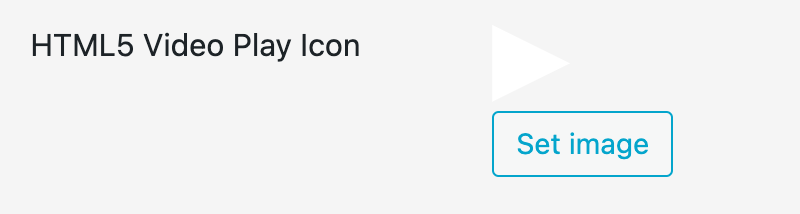
      Screenshot 2023-10-07 at 10.32.37.png

      1 Reply Last reply
      0
      • H Offline
        H Offline
        Hadewych
        wrote on last edited by
        #3

        @arminunruh THANKS!!

        1 Reply Last reply
        0
        • D Offline
          D Offline
          DGXY
          wrote on last edited by
          #4

          when I upload an svg file, it fills almost the entire video's area. Is it possible to adjust the icon size somehow, @arminunruh ? When using an image its properly sized, but kind of unsharp. Thanks in advance!

          1 Reply Last reply
          0
          • arminunruhA Offline
            arminunruhA Offline
            arminunruh
            Global Moderator
            wrote on last edited by
            #5

            hello!

            so make sure you have updated to the latest version of lay theme

            the svg used as the custom play icon just has the size of the svg that you upload

            but you can use custom css to change the size:

            lay options → custom css & html → custom css:

            img.html5video-customplayicon{
            width: 200px!important;
            }
            
            1 Reply Last reply
            0
            • N Online
              N Online
              Nzagamba
              wrote last edited by
              #6

              just trying to upload my own video play icon and have the same issue with svg. I set the css to:

              .lay-vimeo-playicon-custom img {
                width: 200px !important;
              }
              

              but the svg is still scaled up to the edge of the video.
              with png, I could set the image to 200x200px, but then the resolution of the icon looks pixel on retina displays

              what am I missing?

              1 Reply Last reply
              0
              • arminunruhA Offline
                arminunruhA Offline
                arminunruh
                Global Moderator
                wrote last edited by arminunruh
                #7

                hey!

                i think the svg itself needs to contain a width:

                https://laythemeforum.com/topic/5190/svg-cursors-fix

                basically, if you open the svg file with a texteditor, the svg tag needs to look like:

                <svg height="20" width="20">
                ...
                </svg>

                then the play icon is used on the video in that exact size by default.
                if that wont work you can post your website address here and i will take a look

                1 Reply Last reply
                0
                • N Online
                  N Online
                  Nzagamba
                  wrote last edited by
                  #8

                  Thanks Armin, my svg hav a size set already. and today suddently it worked, I think it was a cache issue of an old svg... glad it works now! Beautiful!

                  1 Reply Last reply
                  0
                  • N Online
                    N Online
                    Nzagamba
                    wrote last edited by
                    #9

                    Other question related to custom video button:
                    I am embedding videos in element grid here, using custom play button. I noticed an issue in chrome, that the sound is muted, even though in Laytheme I did not click the settings "mute". In safari, the sound seems to work. Also I tried to use the regular vimeo play button, and the sound also played in safari. Any tipps on how to solve this one?

                    1 Reply Last reply
                    0
                    • arminunruhA Offline
                      arminunruhA Offline
                      arminunruh
                      Global Moderator
                      wrote last edited by
                      #10

                      chrome does not support unmuting a iframe vimeo embed through a custom UI which the lay theme vimeo controls is.

                      nothing i can do here, its a browser restriction. you would need to use the default vimeo controls and disable the "lay custom controls" if you want to be able to unmute the video.

                      1 Reply Last reply
                      0
                      Reply
                      • Reply as topic
                      Log in to reply
                      • Oldest to Newest
                      • Newest to Oldest
                      • Most Votes


                      I also code custom websites or custom Lay features.
                      šŸ’æ Email me here: šŸ’æ
                      info@laytheme.com

                      Our Web Development company: 100k.studio

                      Want to tip me? https://www.paypal.com/paypalme/arminunruh

                      Before you post:
                      1. When using a WordPress Cache plugin, disable it or clear your cache.
                      2. Update Lay Theme and all Lay Theme Addons
                      3. Disable all Plugins
                      4. Go to Lay Options → Custom CSS & HTML, click "Turn Off All Custom Code", click "Save Changes"

                      This often solves issues you might run into

                      When you post:
                      1. Post a link to where the problem is
                      2. Does the problem happen on Chrome, Firefox, Safari or iPhone or Android?
                      3. If the problem is difficult to explain, post screenshots / link to a video to explain it
                      Online Users
                      F
                      fernandol97
                      A
                      alasdair17
                      N
                      Nzagamba
                      Forgot your key, lost your files, need a previous Lay Theme or Addon version? Go to www.laykeymanager.com
                      laytheme.com
                      • Login

                      • Don't have an account? Register

                      • Login or register to search.
                      • First post
                        Last post
                      0
                      • Recent
                      • Tags
                      • Popular
                      • Users
                      • Search