Project thumbnails same height
-
Hi Armin,
maybe this has already been asked and answered somewhere. If so, I’d appreciate a link.
Otherwise, my question is:
how can I make all project thumbnails the same height, even if the titles have different lengths? Sometimes the titles are one line, sometimes two lines, which makes the thumbnails different heights. Since I’m using a background color for the entire project thumbnail, it would be great if they were all the same height.
Is there a way to do this with custom CSS? I just can’t figure it out. I’ve tried all sorts of things, but nothing seems to work. :-/
All best
Aleks -
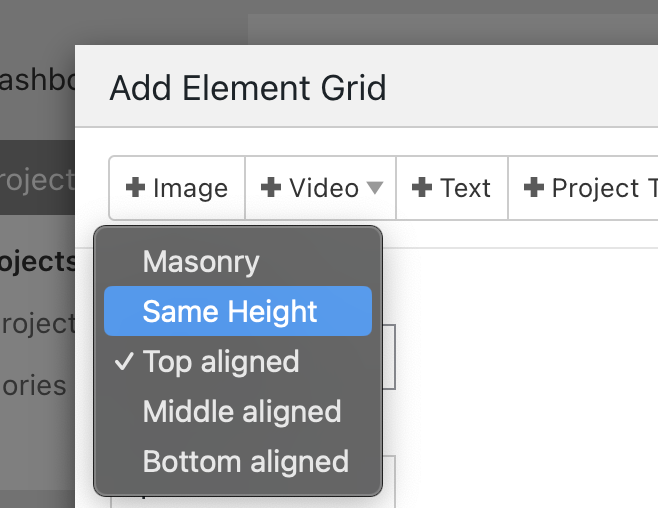
hey at the moment, only the elementgrid has the same height setting layout type.
if you want to use the thumbnailgrid and have images be the same height, you could use:
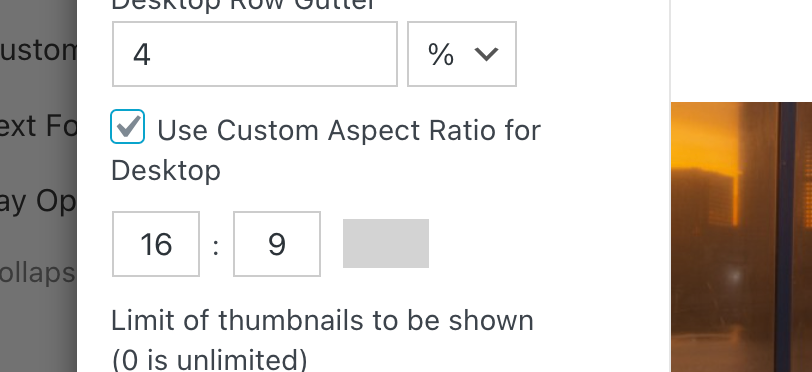
making the images be the same aspect ratio will of course also make them the same height
-
if the issue is just that your project titles are different lengths, you could try:
use a smaller font size, or in textformats, use a vw font size which scales with the browser width:

(clicking px will make it vw)
OR,
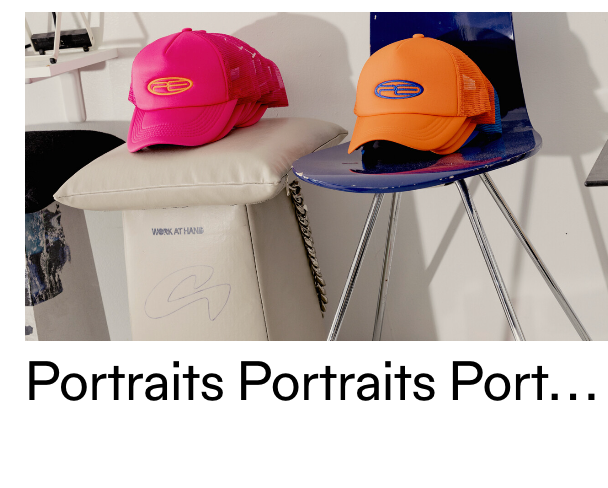
this css will make the title get ... instead of a linebreak.thumbnail-wrap .title{
overflow: hidden;
text-overflow: ellipsis;
white-space: nowrap;
}
PS:
please always post a link to where the issue is, so next time i can more easily check out what solution would fit your situation best instead of suggesting 3 different solutions :D:D -
Hey Armin, thank you very much! Last CSS version is completely fine! Thank you very much! And YES, next time I'm posting a link. :-)
Merry Christmas and guten Rutsch! :-D

Hello! It looks like you're interested in this conversation, but you don't have an account yet.
Getting fed up of having to scroll through the same posts each visit? When you register for an account, you'll always come back to exactly where you were before, and choose to be notified of new replies (either via email, or push notification). You'll also be able to save bookmarks and upvote posts to show your appreciation to other community members.
With your input, this post could be even better 💗
Register Login