»update« and »previews« won‘t work since last update
-
hello.
tried in safari + chrome.
all plugins deactivated — tried with turned off custom code.but still:
cannot make any changes since last update. (gregorschreiter.com)
button »preview changes« does not work — shows: »preview save failed. please try again« — every time.
button »update« throws me out of the editing interface and shows website without any changes.any ideas?
would be great.thanks like always and best.
XG -
Can you please send:
- a link to this forum topic
- your website address
- /wp-admin/ username and password
to: info@laytheme.com
sorry this happened. I cant actually recreate this in any way so i would need to take a look at your site
-
… just did.
thanks for quick reply.
and no big deal.
XG -
with the next update, enabling this setting will make it work:
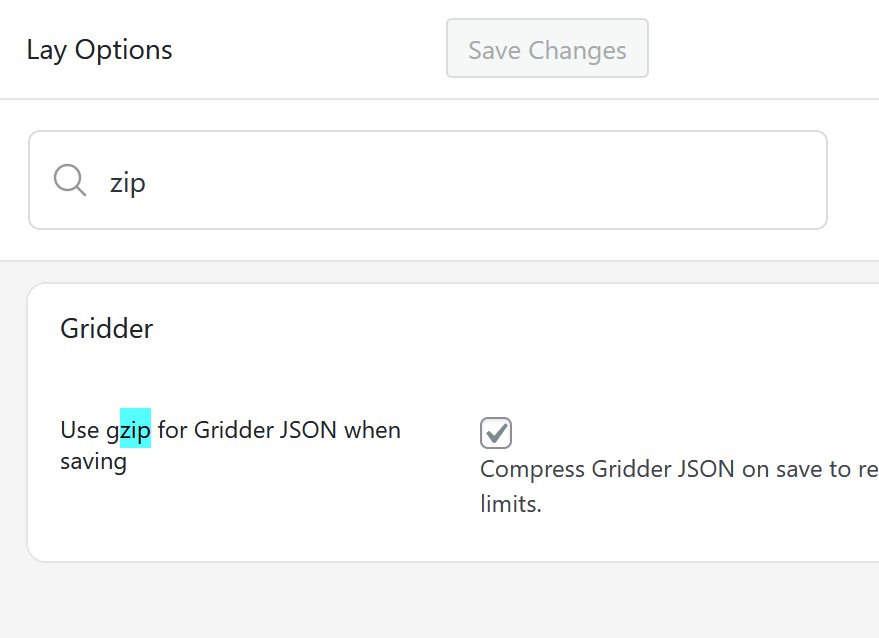
reason was the layout is really big and the server seems to have limitations that prevented the layout from being saved

Hello! It looks like you're interested in this conversation, but you don't have an account yet.
Getting fed up of having to scroll through the same posts each visit? When you register for an account, you'll always come back to exactly where you were before, and choose to be notified of new replies (either via email, or push notification). You'll also be able to save bookmarks and upvote posts to show your appreciation to other community members.
With your input, this post could be even better 💗
Register Login