Skip to content
  • Recent
  • Tags
  • Popular
  • Users
  • Search
Skins
  • Light
  • Brite
  • Cerulean
  • Cosmo
  • Flatly
  • Journal
  • Litera
  • Lumen
  • Lux
  • Materia
  • Minty
  • Morph
  • Pulse
  • Sandstone
  • Simplex
  • Sketchy
  • Spacelab
  • United
  • Yeti
  • Zephyr
  • Dark
  • Cyborg
  • Darkly
  • Quartz
  • Slate
  • Solar
  • Superhero
  • Vapor

  • Default (No Skin)
  • No Skin
Collapse

Lay Theme Forum

  1. Home
  2. Bug Reports
  3. Text max width and cover function

Text max width and cover function

Scheduled Pinned Locked Moved Bug Reports
7 Posts 2 Posters 98 Views 1 Watching
  • Oldest to Newest
  • Newest to Oldest
  • Most Votes
Reply
  • Reply as topic
Log in to reply
This topic has been deleted. Only users with topic management privileges can see it.
  • StarcS Offline
    StarcS Offline
    Starc
    wrote last edited by
    #1

    Hi Armin,

    The max width of the text element does not work if the element is placed in the first row set to 100% height with the “cover” functionality enabled.

    1 Reply Last reply
    0
    • arminunruhA Offline
      arminunruhA Offline
      arminunruh
      Global Moderator
      wrote last edited by
      #2

      ah yes will be fixed with the next update

      1 Reply Last reply
      0
      • StarcS Offline
        StarcS Offline
        Starc
        wrote last edited by
        #3

        It’s possible to set a specific smallwidth or all the rows of the website and have only certain rows behave differently?

        For example, with carousels that stretch to the edges of the screen, so I wouldn’t want those to follow a maxwidt.

        I tried assign a class to a row to manage the maxwidth with css but not working

        1 Reply Last reply
        0
        • arminunruhA Offline
          arminunruhA Offline
          arminunruh
          Global Moderator
          wrote last edited by
          #4

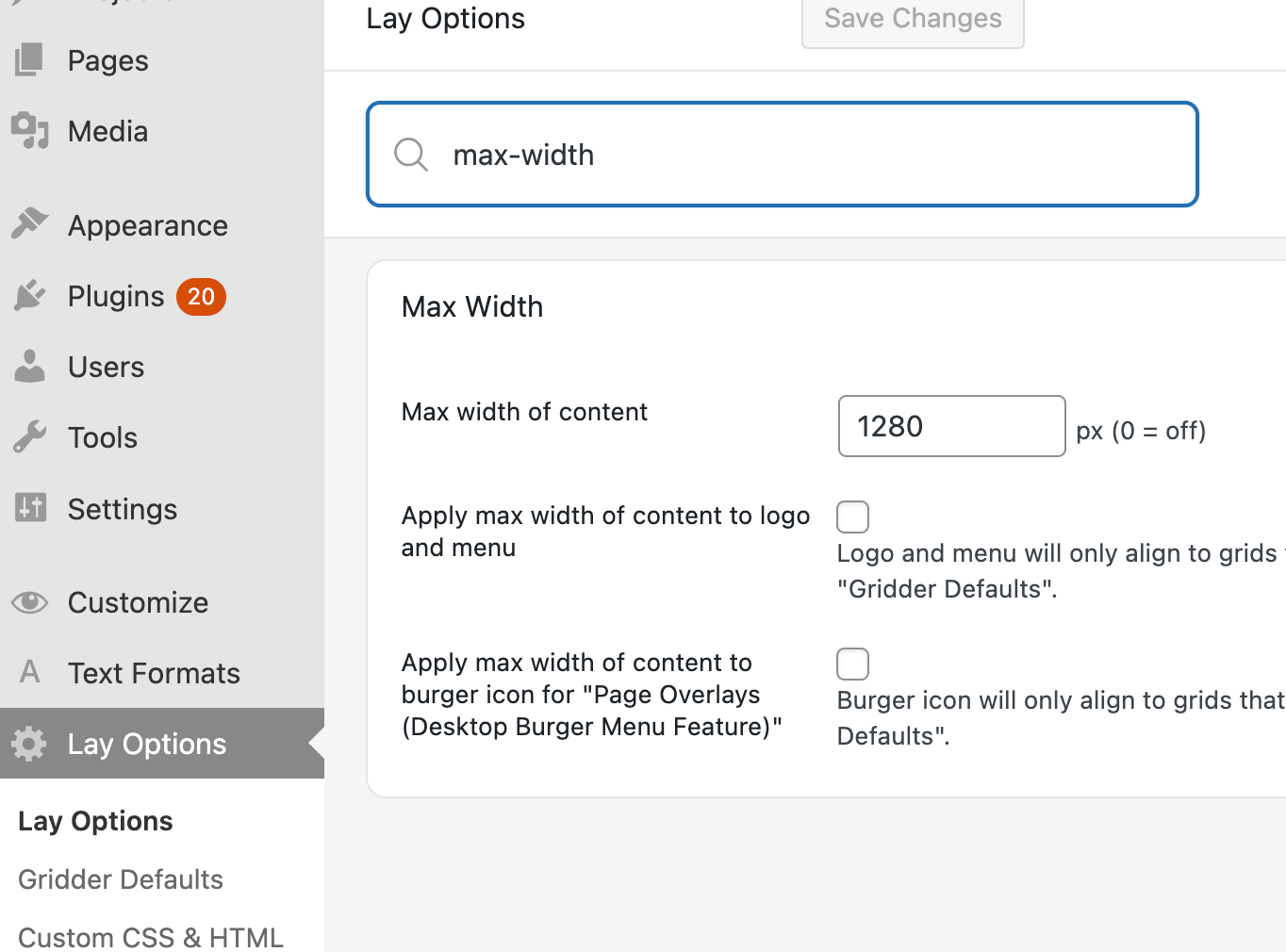
          youre talking about

          max width?

          Screenshot 2026-02-26 at 16.32.28.png

          .row-inner:has(.frame-overflow-both){
              max-width: none!important;
          }
          

          Enter this css in "lay options" -> "custom css & html" -> "custom css"

          Screenshot 2026-02-26 at 16.38.00.png

          this targets elements like the one above where you resized them to go to the edges

          1 Reply Last reply
          0
          • StarcS Offline
            StarcS Offline
            Starc
            wrote last edited by
            #5

            I tried your CSS, but it does not work.

            After setting a specific max width, some rows that contain elements such as a carousel which I want to occupy the entire screen and ignoring the max width as if no max width had been assigned.I would like to exclude some specific row from this limitation.

            Video recording
            https://www.dropbox.com/scl/fi/vg90xpkg9wt7k9c83ngyd/Excluding-a-row-from-max-width.mp4?rlkey=royws33tmse1b7nypo4xrbf2p&dl=0

            1 Reply Last reply
            0
            • arminunruhA Offline
              arminunruhA Offline
              arminunruh
              Global Moderator
              wrote last edited by
              #6

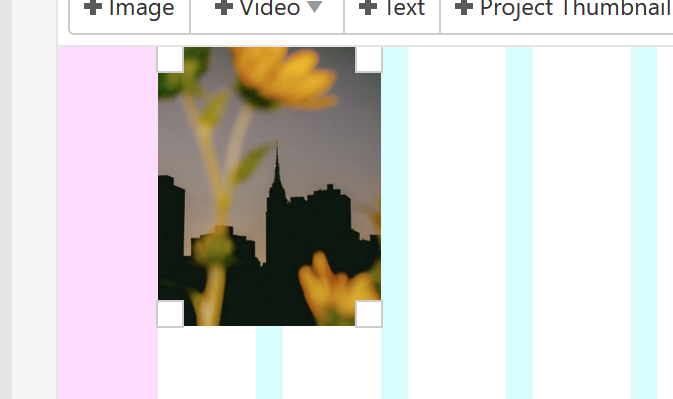
              image.png

              image.png

              are u sure you resized the element all the way to the sides, overlapping the outer frame?

              if u want you can send me the URL here or by email info@laytheme.com

              1 Reply Last reply
              0
              • StarcS Offline
                StarcS Offline
                Starc
                wrote last edited by
                #7

                ok good, my bad : )

                1 Reply Last reply
                0
                Reply
                • Reply as topic
                Log in to reply
                • Oldest to Newest
                • Newest to Oldest
                • Most Votes


                I also code custom websites or custom Lay features.
                💿 Email me here: 💿
                info@laytheme.com

                Our Web Development company: 100k.studio

                Want to tip me? https://www.paypal.com/paypalme/arminunruh

                Before you post:
                1. When using a WordPress Cache plugin, disable it or clear your cache.
                2. Update Lay Theme and all Lay Theme Addons
                3. Disable all Plugins
                4. Go to Lay Options → Custom CSS & HTML, click "Turn Off All Custom Code", click "Save Changes"

                This often solves issues you might run into

                When you post:
                1. Post a link to where the problem is
                2. Does the problem happen on Chrome, Firefox, Safari or iPhone or Android?
                3. If the problem is difficult to explain, post screenshots / link to a video to explain it
                Online Users
                R
                rw
                5
                5a5uke
                Forgot your key, lost your files, need a previous Lay Theme or Addon version? Go to www.laykeymanager.com
                laytheme.com
                • Login

                • Don't have an account? Register

                • Login or register to search.
                • First post
                  Last post
                0
                • Recent
                • Tags
                • Popular
                • Users
                • Search