Skip to content
  • Recent
  • Tags
  • Popular
  • Users
  • Search
Skins
  • Light
  • Brite
  • Cerulean
  • Cosmo
  • Flatly
  • Journal
  • Litera
  • Lumen
  • Lux
  • Materia
  • Minty
  • Morph
  • Pulse
  • Sandstone
  • Simplex
  • Sketchy
  • Spacelab
  • United
  • Yeti
  • Zephyr
  • Dark
  • Cyborg
  • Darkly
  • Quartz
  • Slate
  • Solar
  • Superhero
  • Vapor

  • Default (No Skin)
  • No Skin
Collapse

Lay Theme Forum

  1. Home
  2. Bug Reports
  3. Element Grid displaying images in wrong order and misaligned
Element Grid displaying images in wrong order and misaligned
Scheduled Pinned Locked Moved Bug Reports
6 Posts 2 Posters 139 Views 2 Watching
  • Oldest to Newest
  • Newest to Oldest
  • Most Votes
Reply
  • Reply as topic
Log in to reply
This topic has been deleted. Only users with topic management privileges can see it.
  • M Offline
    M Offline
    MWPA
    wrote last edited by
    #1

    Since yesterday, after duplicating a series of images on a project page on one of my client’s websites, I’ve been experiencing several issues with the “Element Grid” module.

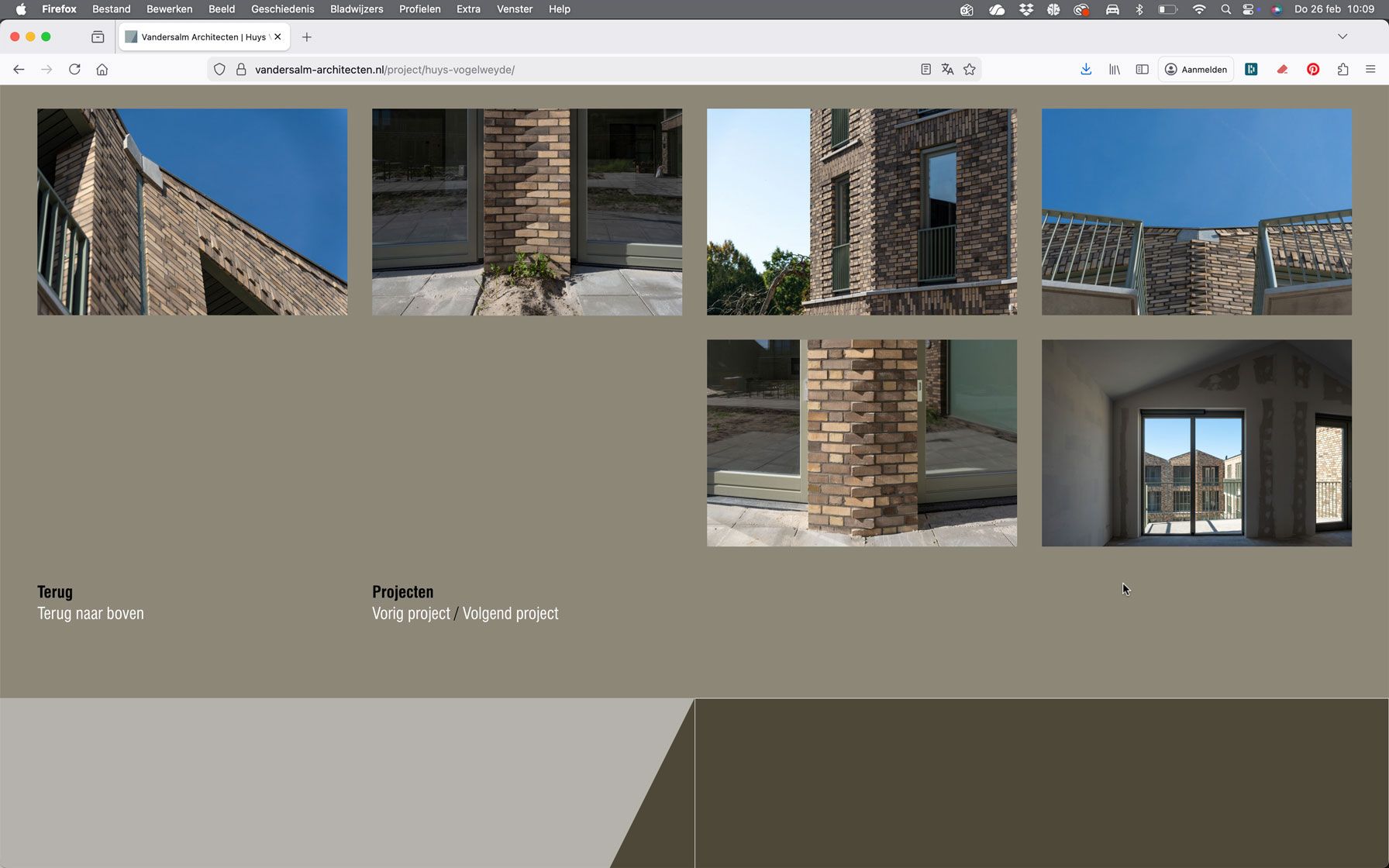
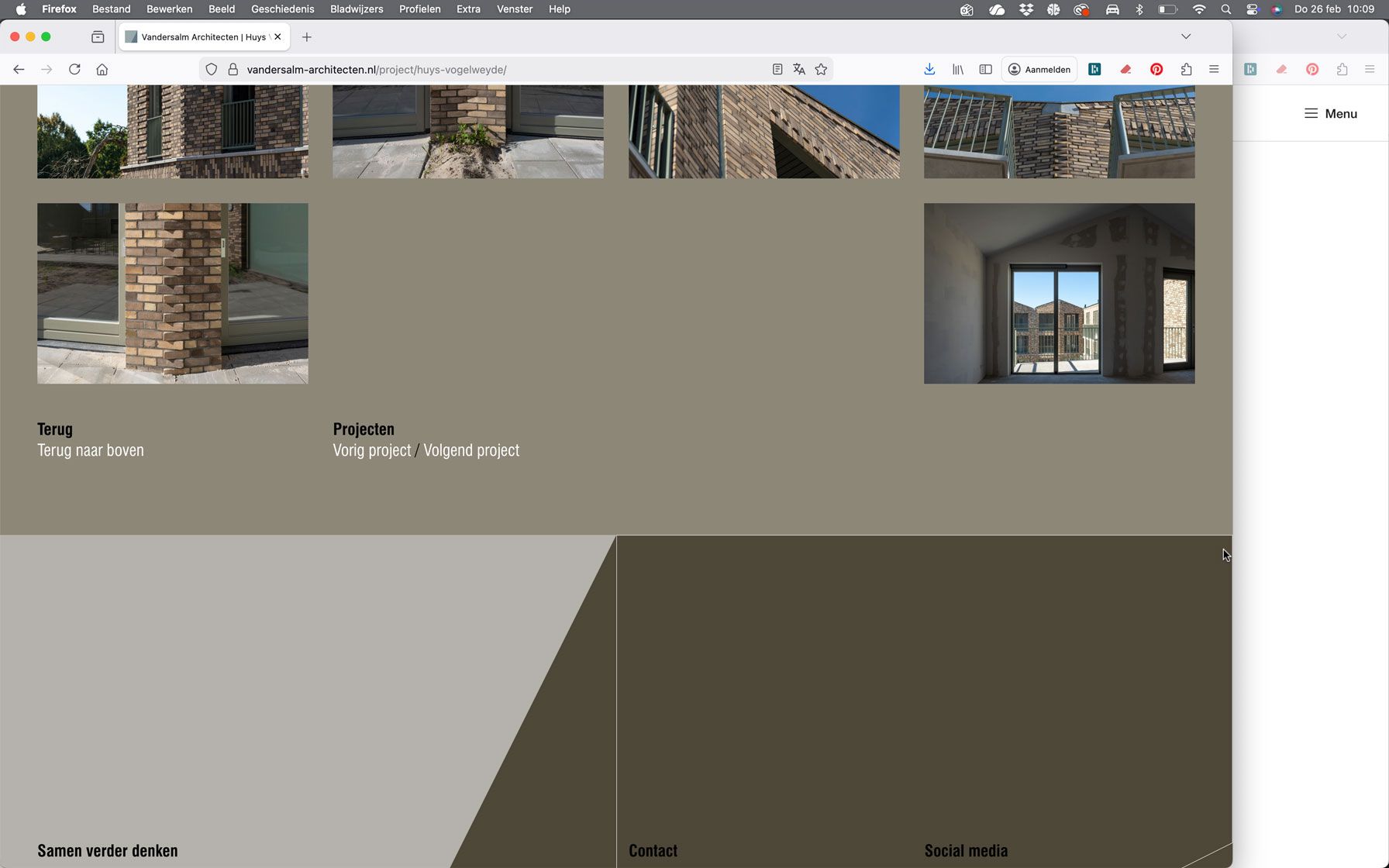
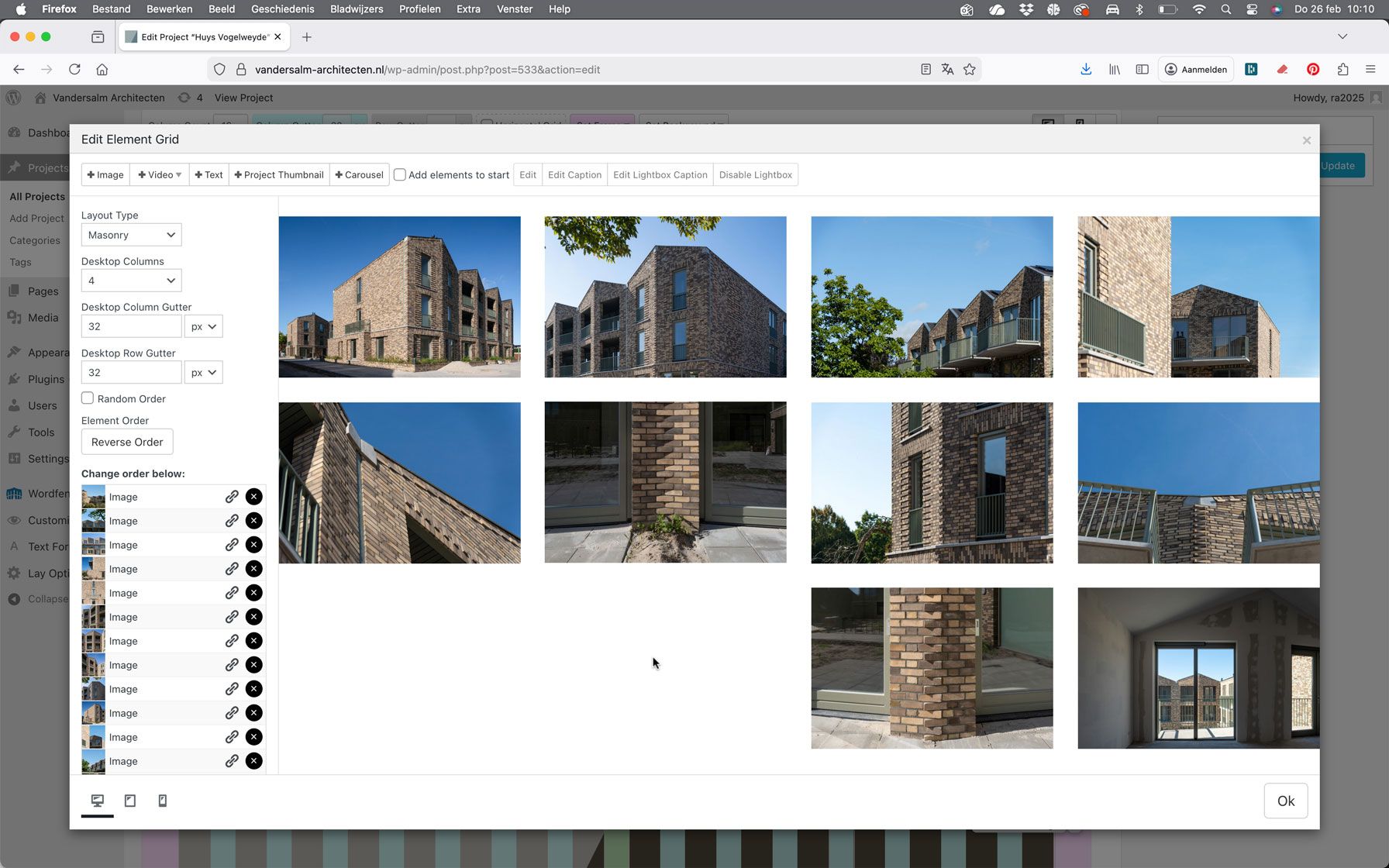
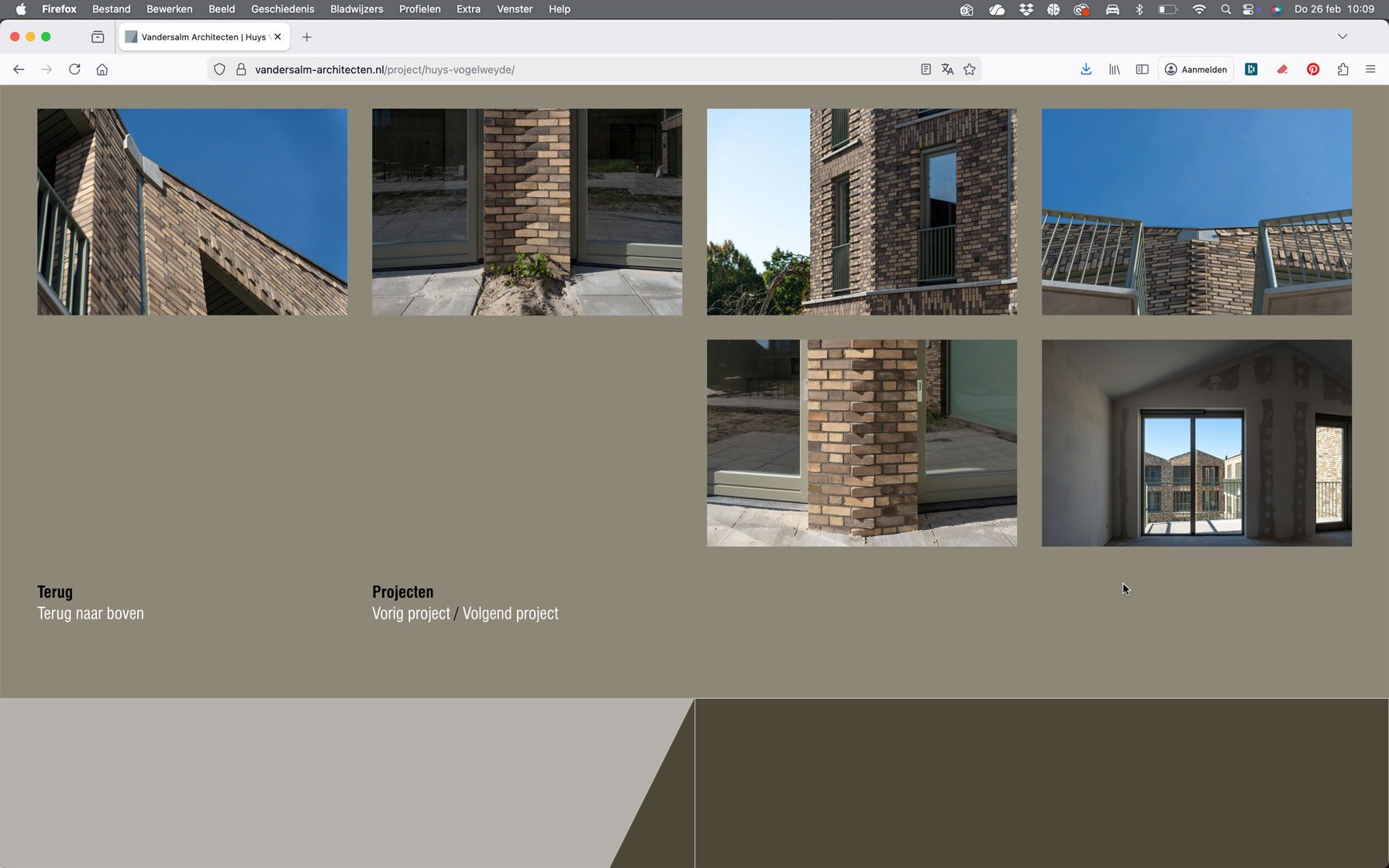
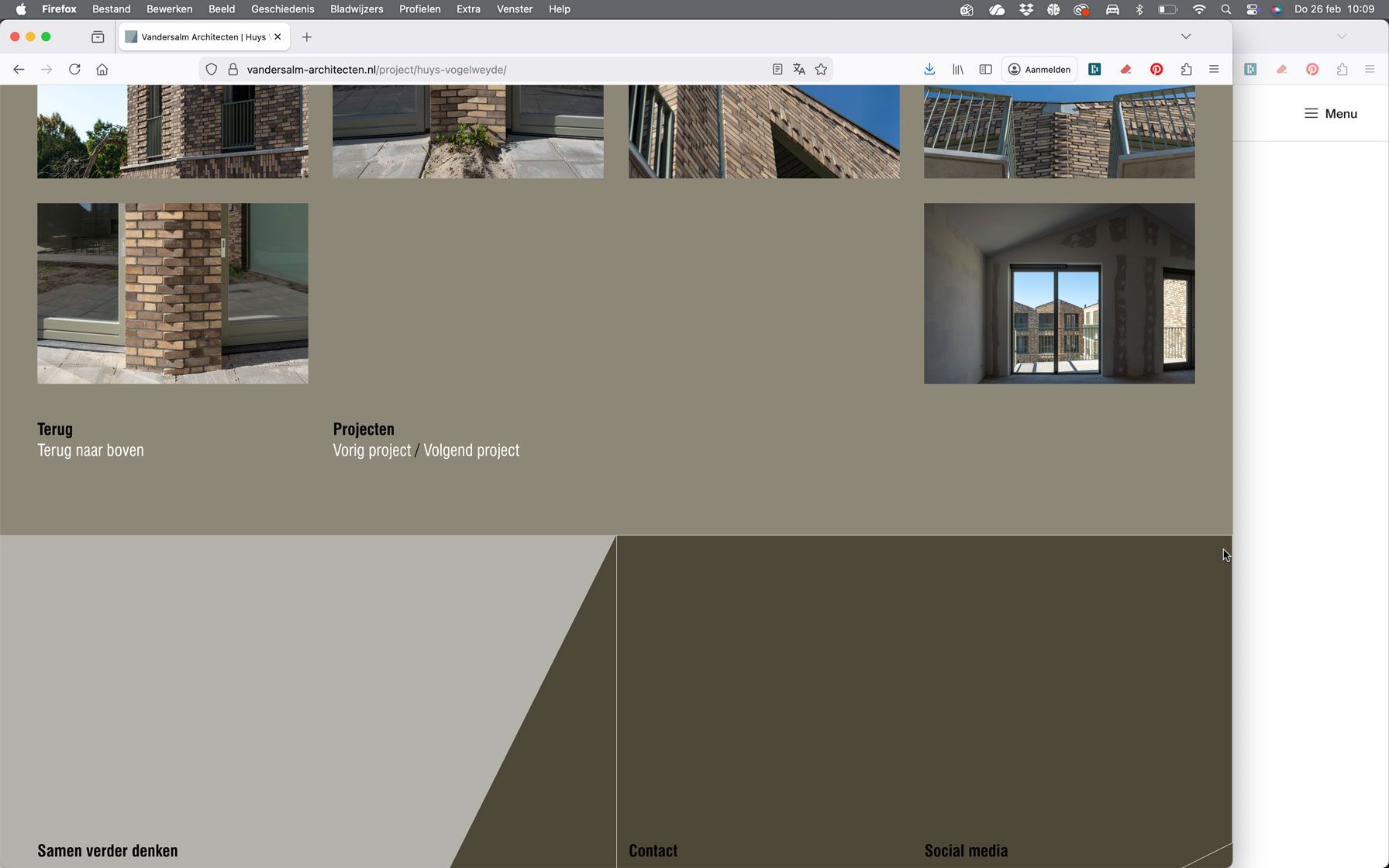
    The order of the images in the grid no longer matches the order shown in the list on the left side.

    In addition, the last images are displayed with incorrect alignment. Depending on the screen size, they either align to the far right or appear randomly distributed across the four-column layout. The order of the images also seems to be changing unexpectedly.

    Does anyone have an idea what might be causing this? Everything was working perfectly before, and no updates have been performed.

    Here is the URL:

    https://vandersalm-architecten.nl/project/huys-vogelweyde/

    Some screenshots:
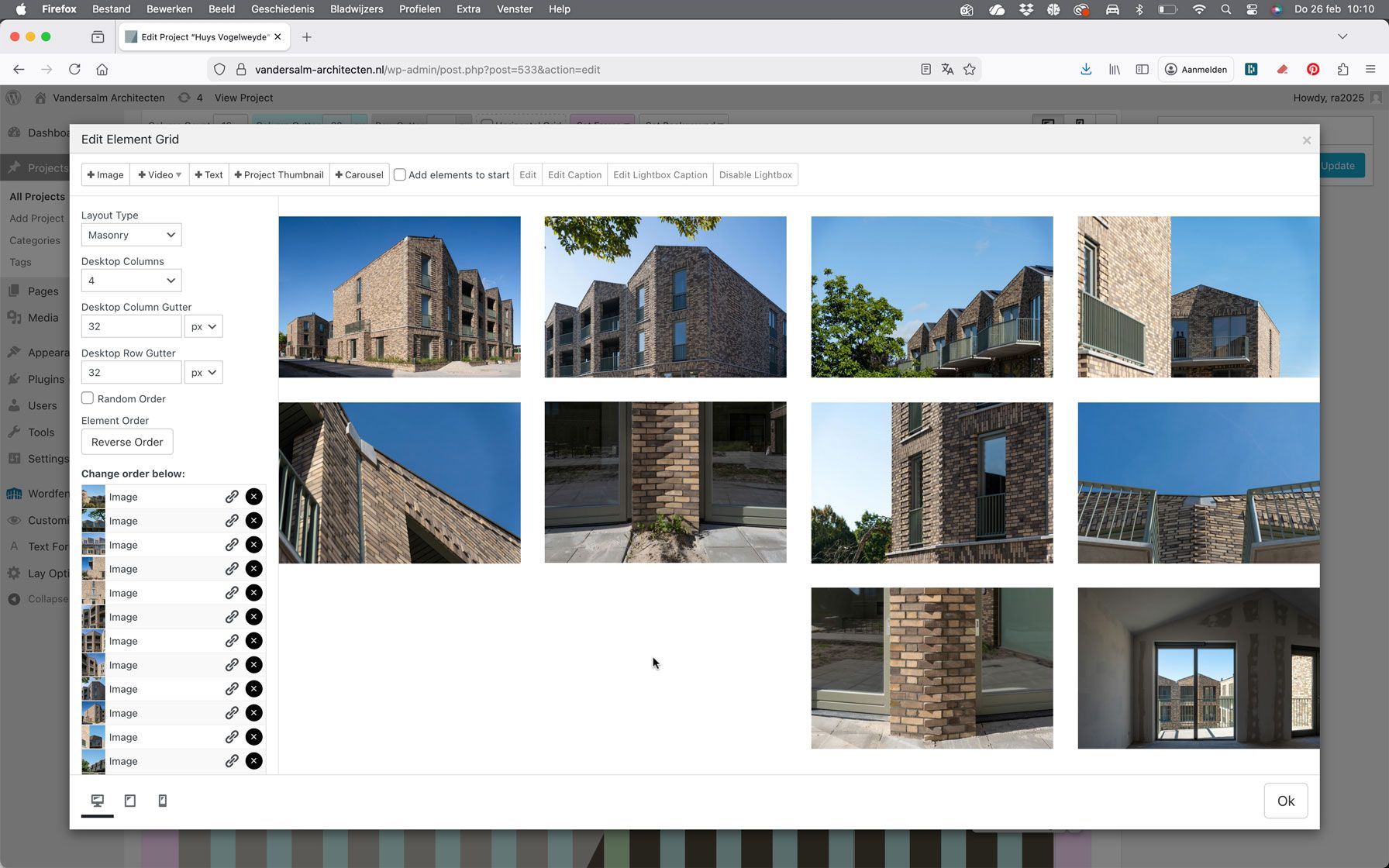
    Scherm­afbeelding-2026-02-26-om-10.10.15.jpg Scherm­afbeelding-2026-02-26-om-10.09.01.jpg Scherm­afbeelding-2026-02-26-om-10.09.13.jpg

    1 Reply Last reply
    0
    • arminunruhA Offline
      arminunruhA Offline
      arminunruh
      Global Moderator
      wrote last edited by
      #2

      hey this is because of "layout type masonry"

      can you change this to a different one

      1 Reply Last reply
      0
      • arminunruhA Offline
        arminunruhA Offline
        arminunruh
        Global Moderator
        wrote last edited by
        #3

        masonry is for this type of layout:
        https://masonry.desandro.com/

        if all elements are the same aspect ratio it can get confused i guess

        1 Reply Last reply
        0
        • M Offline
          M Offline
          MWPA
          wrote last edited by
          #4

          That is quite strange, because on all the other 23 projects it has always worked perfectly with the exact same settings.

          For example, here we deliberately chose the masonry layout and it works as expected:

          https://vandersalm-architecten.nl/project/rijksmonument-havelte/

          1 Reply Last reply
          0
          • M Offline
            M Offline
            MWPA
            wrote last edited by
            #5

            Here is an example, on a page where all elements have the same aspect ratio, and the masonry layout is also working correctly:

            https://vandersalm-architecten.nl/project/woonensemble-homeruskwartier/

            1 Reply Last reply
            0
            • arminunruhA Offline
              arminunruhA Offline
              arminunruh
              Global Moderator
              wrote last edited by
              #6

              hello!

              ok, but did you try my suggestion and did it fix the issue?
              i cant change how masonry works :/, its a quite complicated library.

              not sure why it would work for some of your elementgrids and for this one not.

              1 Reply Last reply
              0
              Reply
              • Reply as topic
              Log in to reply
              • Oldest to Newest
              • Newest to Oldest
              • Most Votes


              I also code custom websites or custom Lay features.
              💿 Email me here: 💿
              info@laytheme.com

              Our Web Development company: 100k.studio

              Want to tip me? https://www.paypal.com/paypalme/arminunruh

              Before you post:
              1. When using a WordPress Cache plugin, disable it or clear your cache.
              2. Update Lay Theme and all Lay Theme Addons
              3. Disable all Plugins
              4. Go to Lay Options → Custom CSS & HTML, click "Turn Off All Custom Code", click "Save Changes"

              This often solves issues you might run into

              When you post:
              1. Post a link to where the problem is
              2. Does the problem happen on Chrome, Firefox, Safari or iPhone or Android?
              3. If the problem is difficult to explain, post screenshots / link to a video to explain it
              Online Users
              Forgot your key, lost your files, need a previous Lay Theme or Addon version? Go to www.laykeymanager.com
              laytheme.com
              • Login

              • Don't have an account? Register

              • Login or register to search.
              • First post
                Last post
              0
              • Recent
              • Tags
              • Popular
              • Users
              • Search