"Sorry, you are not allowed to access this page."
-
Hey guys, getting "Sorry, you are not allowed to access this page" when attempting to update my Laytheme? Only have two logins for the site, and both are labeled as administrator.
Also if i try to update a design on a page I'm working on and press "update" it takes me straight to the page but wihtout the updates? any idea whats going on?
Any guidance? thanks
-
can you go to lay options, search for gzip and enable it?
then check if at least you can update a page / project afterwards
-
can you go to lay options, search for gzip and enable it?
then check if at least you can update a page / project afterwards
@arminunruh said in "Sorry, you are not allowed to access this page.":
gzip
am i being real stupid, but i type in gzip hit enter and nothing shows up?
-
can you go to lay options, search for gzip and enable it?
then check if at least you can update a page / project afterwards
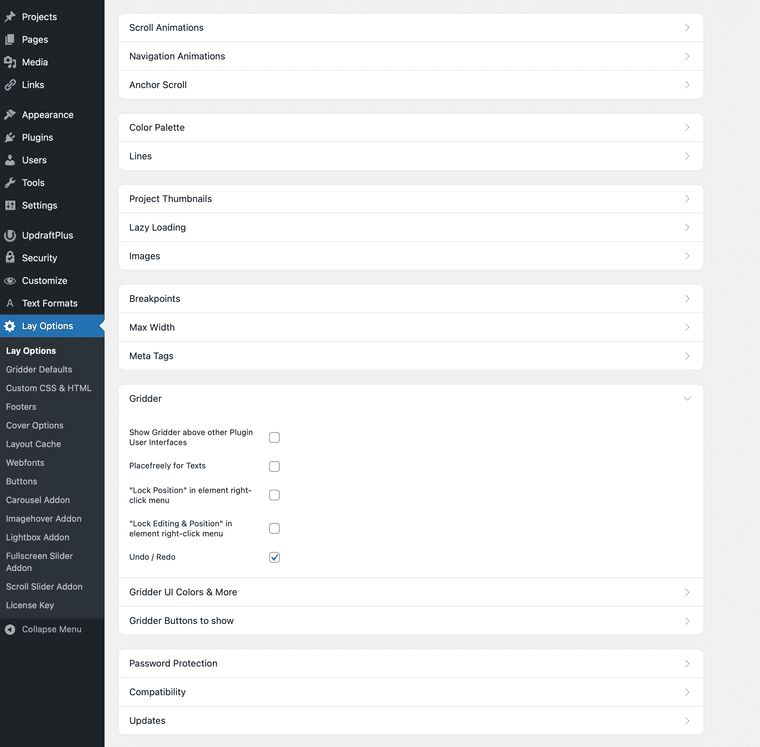
@arminunruh and i dont see it in the gridder options? the troubleshooting guide points me here?
-
@arminunruh and i dont see it in the gridder options? the troubleshooting guide points me here?
im curreently on Version: 10.1.6 if it makes a difference
-
hey, in Lay Options, there is a search bar at the top. Just enter GZIP there. Yeah, maybe that makes a difference. I'm not sure. Maybe try to update to the latest version.
-
hey, in Lay Options, there is a search bar at the top. Just enter GZIP there. Yeah, maybe that makes a difference. I'm not sure. Maybe try to update to the latest version.
@arminunruh yeah I can’t update to the newest version, it won’t let me that’s why I’m trying to find GZIP option. Searching the search bar doesn’t do anything :( any idea?
-
can u send your wp-admin login to info@laytheme.com please
-
can u send your wp-admin login to info@laytheme.com please
@arminunruh sure will do, thanks!!
