Full screen slider + Project overlay issues
-
I am redoing my website and there are 2 issues I am encountering (video attached):
- Whenever I open a project overlay from the full screen slider, then close the overlay, the links no longer show up on each slider section - the dot navigation disappears - and the ability to click back "up" with the slider is unavailable.
- More often than not the images in my project overlay will not load. But the times they do load, it will be super fast. I did almost all the site speed recommends, but I am happy to explore other options if available.
Link to this page can be found here:
https://www.willtuddenham.com/selected/Thank you for any help here!
-
thanks for the great explanation and video! ok i see multiple issues here, will be fixed with the next update
-
just one thing you can do: can you make sure to click layers and then make sure you move the texts on top of your images?
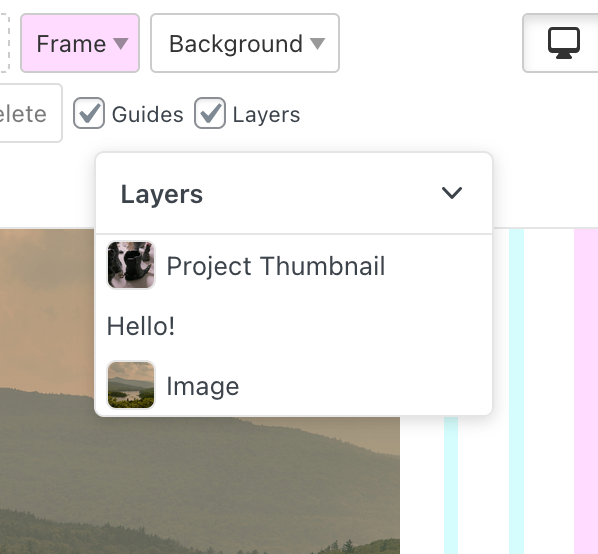
cause some links in your texts are not clickable because of this
-
ok if u update lay theme now and the addons it could work lmk please <3
-

Hello! It looks like you're interested in this conversation, but you don't have an account yet.
Getting fed up of having to scroll through the same posts each visit? When you register for an account, you'll always come back to exactly where you were before, and choose to be notified of new replies (either via email, or push notification). You'll also be able to save bookmarks and upvote posts to show your appreciation to other community members.
With your input, this post could be even better 💗
Register Login