Skip to content
  • Recent
  • Tags
  • Popular
  • Users
  • Search
Skins
  • Light
  • Brite
  • Cerulean
  • Cosmo
  • Flatly
  • Journal
  • Litera
  • Lumen
  • Lux
  • Materia
  • Minty
  • Morph
  • Pulse
  • Sandstone
  • Simplex
  • Sketchy
  • Spacelab
  • United
  • Yeti
  • Zephyr
  • Dark
  • Cyborg
  • Darkly
  • Quartz
  • Slate
  • Solar
  • Superhero
  • Vapor

  • Default (No Skin)
  • No Skin
Collapse

Lay Theme Forum

  1. Home
  2. Bug Reports
  3. SVGs in Stack not loading

SVGs in Stack not loading

Scheduled Pinned Locked Moved Bug Reports
10 Posts 2 Posters 107 Views 2 Watching
  • Oldest to Newest
  • Newest to Oldest
  • Most Votes
Reply
  • Reply as topic
Log in to reply
This topic has been deleted. Only users with topic management privileges can see it.
  • A Offline
    A Offline
    ac-rosebud
    wrote last edited by
    #1

    Hi,

    I’m not quite sure whether this is a bug caused by the new update. I think it might be, because I didn’t have this issue yesterday.

    The SVGs on my page are not loading today. They only appear when I add an animation to them and scroll to that section.

    It also seems to be related to the SVGs being inside a stack. When I try the same SVGs outside of a stack, the issue does not occur.

    I’m currently working in a local environment, so unfortunately I can’t send a link.

    Best wishes,

    Annija

    1 Reply Last reply
    0
    • arminunruhA Offline
      arminunruhA Offline
      arminunruh
      Global Moderator
      wrote last edited by
      #2

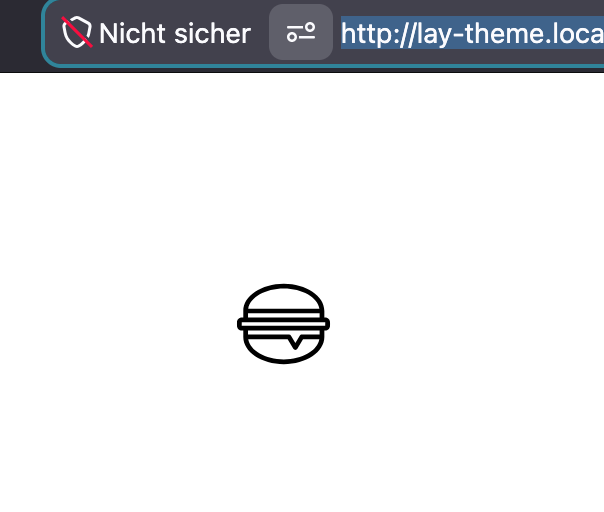
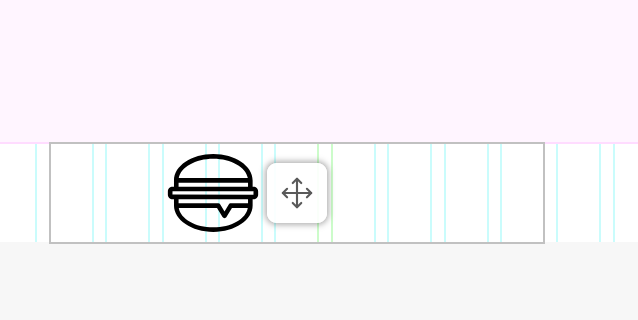
      Hello, so SVG in a stack: I just put an SVG inside of a stack, and it looks completely normal to me:
      grafik.png

      grafik.png

      That's really weird.

      Can you download one of these SVGs and try with them?

      https://www.svgrepo.com/collection/bakery-education-line-icons/

      Maybe something's wrong with your SVG?
      Can you post a screenshot here so I can see how you set up your stacks so I can try to recreate it?

      1 Reply Last reply
      0
      • A Offline
        A Offline
        ac-rosebud
        wrote last edited by
        #3

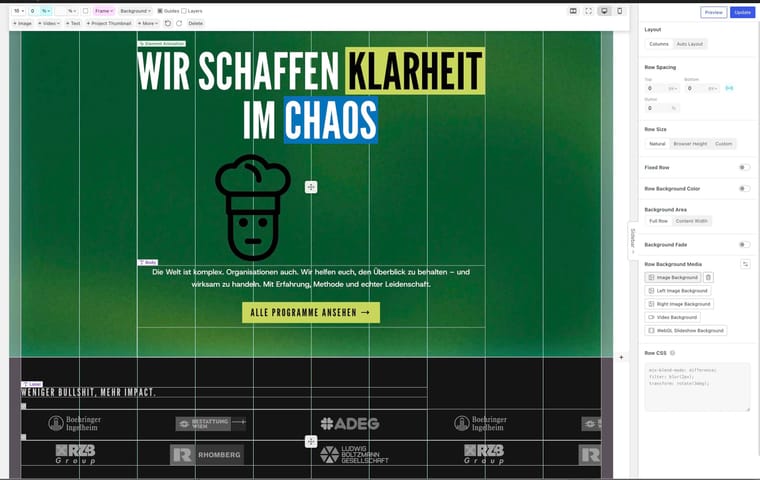
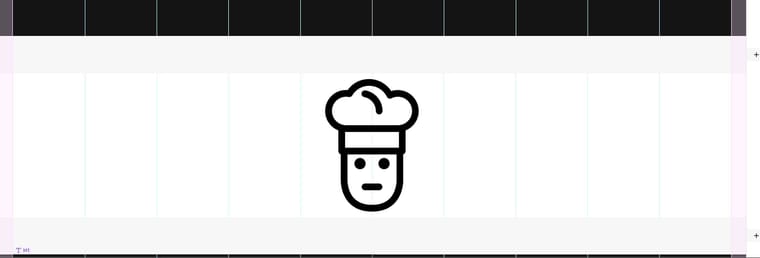
        When I add the SVG you sent me, I have the same problem, no matter where I place it. SVGs only load when animation is enabled.

        As I mentioned, it was still working yesterday. I’ve attached screenshots.

        If no one else is having this issue, we can just ignore it. I have a vibe-coded plugin in my setup, but it only links from the page to another location. Maybe that plugin is causing the issue.

        Thank you!

        Bildschirmfoto 2026-07-03 um 14.54.39.jpg
        Bildschirmfoto 2026-07-03 um 14.55.18.jpg
        Bildschirmfoto 2026-07-03 um 14.56.55.jpg
        Bildschirmfoto 2026-07-03 um 14.56.58.jpg

        1 Reply Last reply
        0
        • A Offline
          A Offline
          ac-rosebud
          wrote last edited by
          #4

          The logos are also SVGs, and they are working, even when I place them somewhere else. Very weird.

          1 Reply Last reply
          0
          • arminunruhA Offline
            arminunruhA Offline
            arminunruh
            Global Moderator
            wrote last edited by
            #5

            I mean, can you? Can't really fix this. I can't look at it. If you could upload it somewhere, that would be cool, or can you right-click on the stack element, click Inspect Element? Then, in the DOM, search for the SVG, click it, then show me what it says in the style tab on the right side.

            If you don't know what I'm talking about, I don't really have the time to explain how to do this, but yeah, that's what I would do to check why it doesn't show up. Yeah, but probably it will be easiest if you could upload the site somewhere, and then I will check it out.

            1 Reply Last reply
            0
            • A Offline
              A Offline
              ac-rosebud
              wrote last edited by
              #6

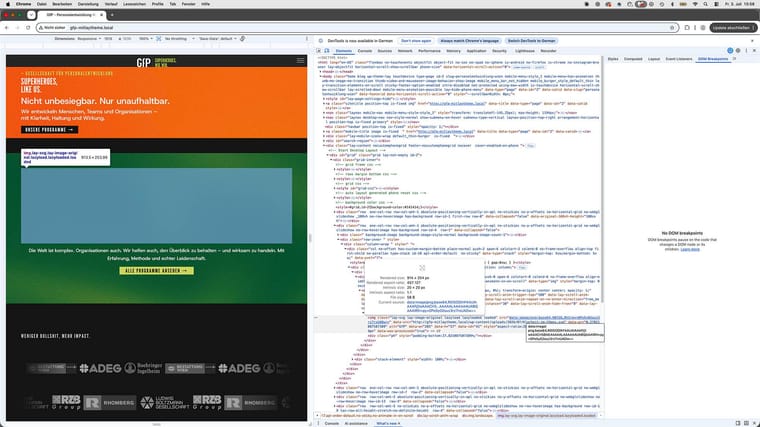
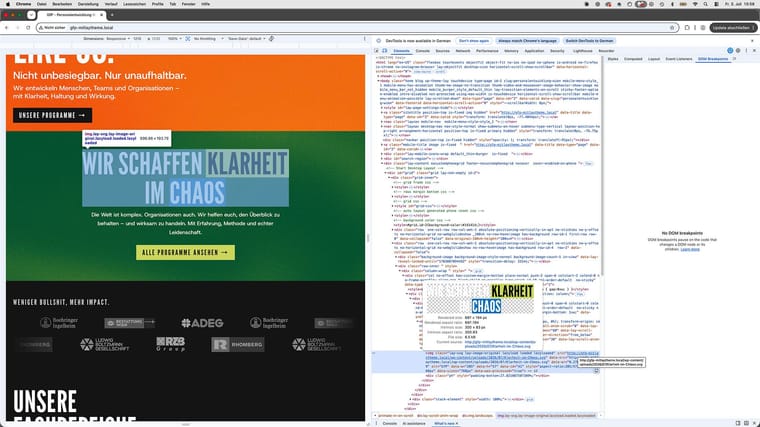
              Here are screenshots from the inspector.

              I figured out that it has something to do with lazy loading. If I refresh the page on the section where the SVG should appear, it does not load. If I turn lazy loading off, it becomes visible.

              I will put it on a staging environment next week and can send you the link if the issue still occurs.

              Thank you! :)
              Bildschirmfoto 2026-07-03 um 15.58.22 Kopie-4.jpg
              Bildschirmfoto 2026-07-03 um 15.58.00 Kopie-6.jpg

              1 Reply Last reply
              0
              • arminunruhA Offline
                arminunruhA Offline
                arminunruh
                Global Moderator
                wrote last edited by
                #7

                thank you! yes you found it very good!
                the only thing that is left now, is to click on "Styles" tab

                i see you have a text in your svg.

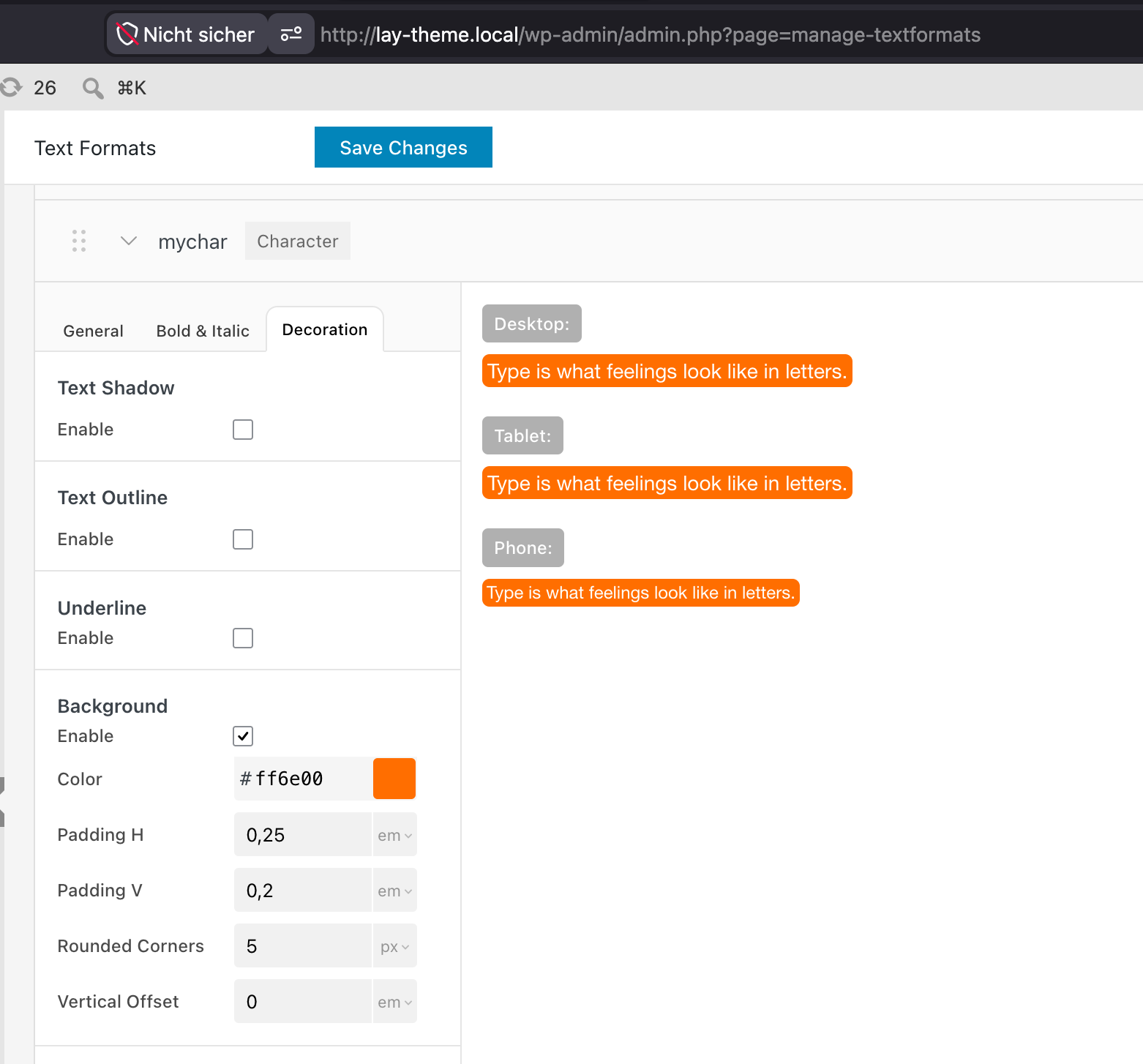
                by the way, if you create a textformat, then create character textformats, you can rebuild the text you have in your SVG with real text if you like:
                grafik.png

                1 Reply Last reply
                1
                • A Offline
                  A Offline
                  ac-rosebud
                  wrote last edited by
                  #8

                  Ah, perfect. Thank you! I didn't know that :)

                  1 Reply Last reply
                  0
                  • arminunruhA Offline
                    arminunruhA Offline
                    arminunruh
                    Global Moderator
                    wrote last edited by
                    #9

                    aha yes :))

                    if you want to, you can still send me the screenshot.
                    you had it almost right, the one thing that was missing was to click the style tab and send the screenshot.

                    on the top right!

                    grafik.png

                    1 Reply Last reply
                    0
                    • A Offline
                      A Offline
                      ac-rosebud
                      wrote last edited by
                      #10

                      I rebuilt it with the text and haven’t had this problem again. (I think there was also a new update in the meantime.) Thank you for your support! 🙂

                      1 Reply Last reply
                      0
                      Reply
                      • Reply as topic
                      Log in to reply
                      • Oldest to Newest
                      • Newest to Oldest
                      • Most Votes


                      For paid 1-on-1 Lay Theme Coaching, contact Audrey (audrey@cyberslayers.work) or me (info@laytheme.com).

                      We also code custom websites or bespoke Lay features. Drop me a line at info@laytheme.com or check out my work at arminunruh.com.

                      Want to support my work? paypal.me/arminunruh

                      Before you post:
                      1. When using a WordPress Cache plugin, disable it or clear your cache.
                      2. Update Lay Theme and all Lay Theme Addons
                      3. Disable all Plugins
                      4. Go to Lay Options → Custom CSS & HTML, click "Turn Off All Custom Code", click "Save Changes"

                      This often solves issues you might run into

                      When you post:
                      1. Post a link to where the problem is
                      2. Does the problem happen on Chrome, Firefox, Safari or iPhone or Android?
                      3. If the problem is difficult to explain, post screenshots / link to a video to explain it
                      Online Users
                      Forgot your key, lost your files, need a previous Lay Theme or Addon version? Go to www.laykeymanager.com
                      laytheme.com
                      • Login

                      • Don't have an account? Register

                      • Login or register to search.
                      • First post
                        Last post
                      0
                      • Recent
                      • Tags
                      • Popular
                      • Users
                      • Search