mobile menu, style 2, blur
-
Hi there,
on my website I use: mobile menu, style 2 with blur. In any browser on my mobile device iPhone 13 and when clicking the burger icon I see a rectangle (see screenshots) that I don`t know why its there.
The position of the rectangle also changes when selecting "About" instead of "work".
thanks for your help!
best, annette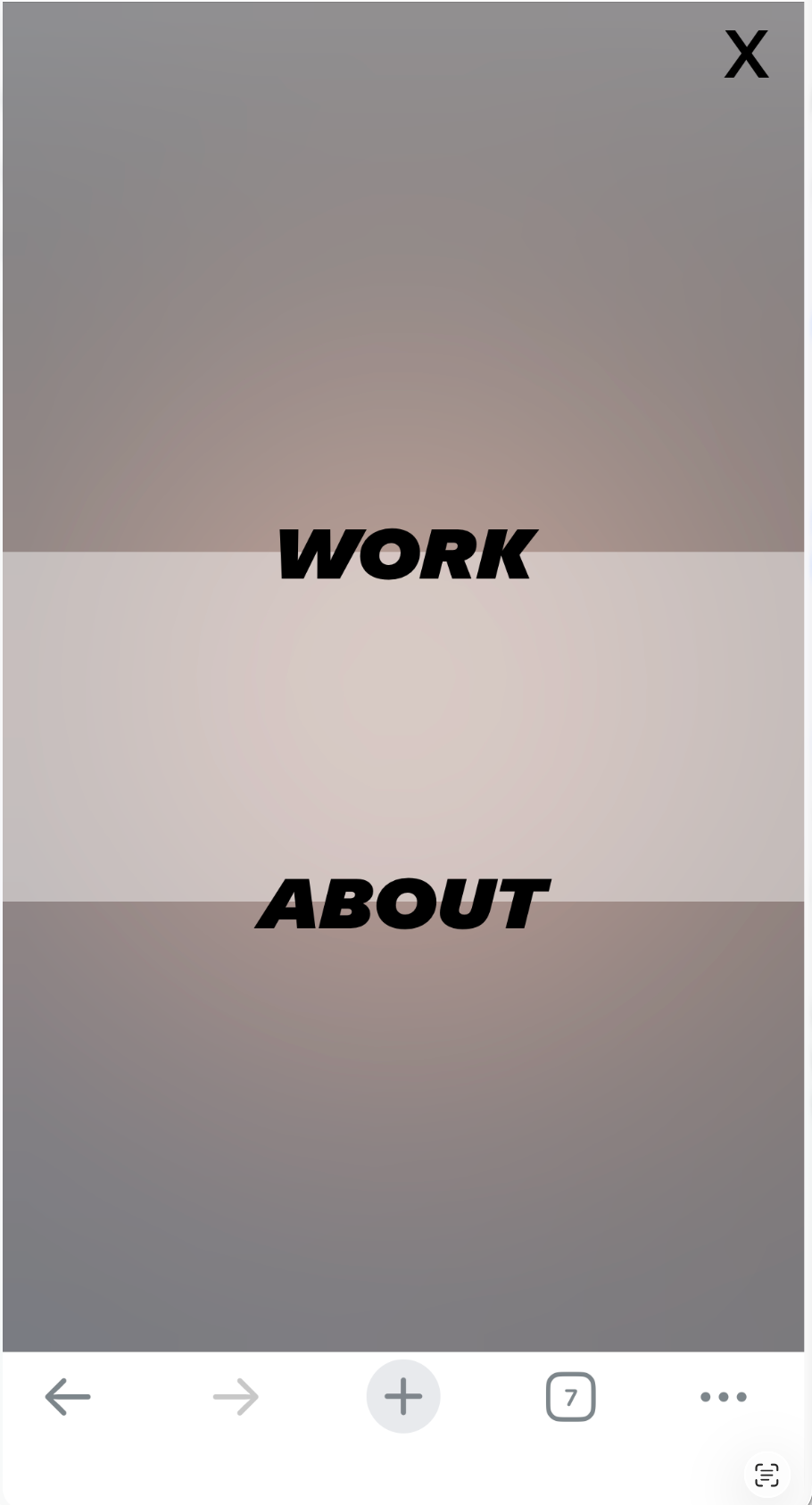
-
hello what is the link to your website?
-
Hi Armin, https://www.annette-fischer.com
-
Ah now I see!
Can you please:
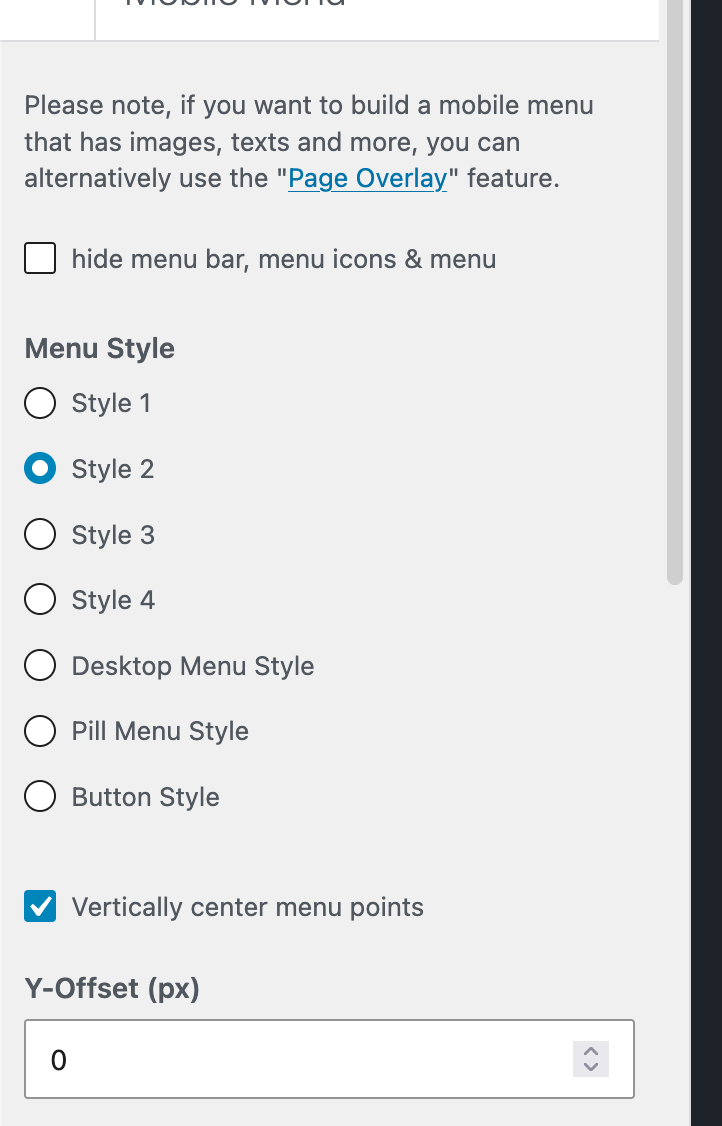
In customize -> mobile -> mobile menu
enable "vertically center menu points"
Then, set menu point padding top and padding bottom to the same values like 30,
and padding left and right to like 20: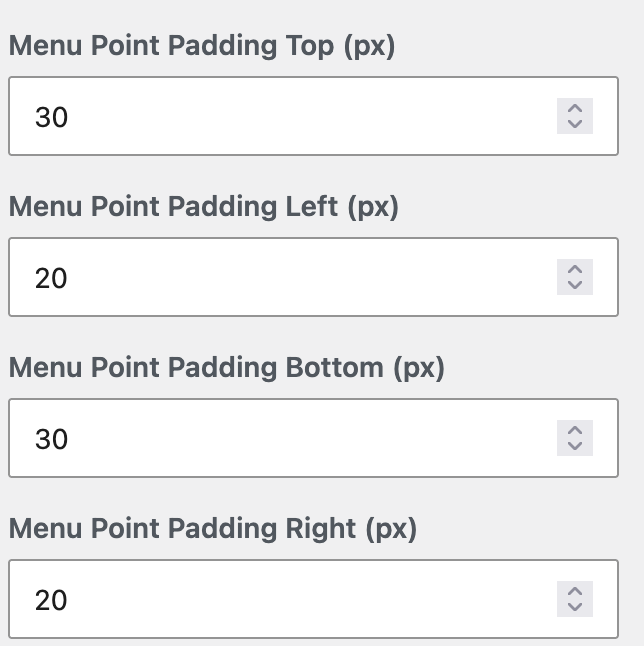
This will look weird in the preview, im fixing this with the next lay version, but on the website it will look correct.
Now about the rectangle you see.
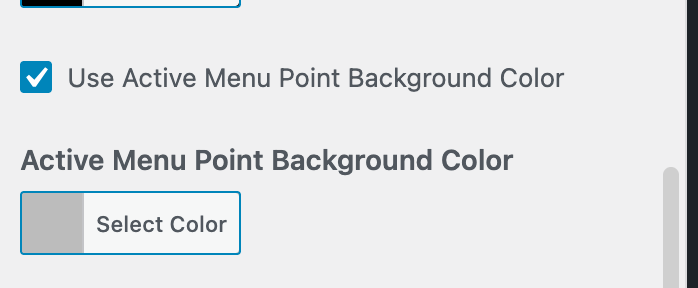
This is actually this setting when you scroll down a little:
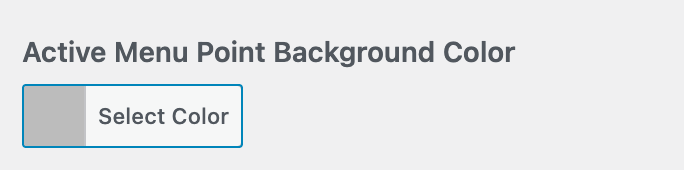
You can change the color there.
It is the background of the currently activated menupoint.The rectangle that you see is actually just this: the background color of the currently activated menu point.
However, I see that your menu point top and bottom paddings are quite big, and they push the text outside of its menu point box. The active background color of the menu point looks displaced.Probably you put this heading there to vertically center the menu. But I think using the setting for that and configuring it in the way I described above will do the trick.
-
-
yes there will be a checkbox for that with the next lay theme update
-

Hello! It looks like you're interested in this conversation, but you don't have an account yet.
Getting fed up of having to scroll through the same posts each visit? When you register for an account, you'll always come back to exactly where you were before, and choose to be notified of new replies (either via email, or push notification). You'll also be able to save bookmarks and upvote posts to show your appreciation to other community members.
With your input, this post could be even better 💗
Register Login