Skip to content
  • Recent
  • Tags
  • Popular
  • Users
  • Search
Skins
  • Light
  • Brite
  • Cerulean
  • Cosmo
  • Flatly
  • Journal
  • Litera
  • Lumen
  • Lux
  • Materia
  • Minty
  • Morph
  • Pulse
  • Sandstone
  • Simplex
  • Sketchy
  • Spacelab
  • United
  • Yeti
  • Zephyr
  • Dark
  • Cyborg
  • Darkly
  • Quartz
  • Slate
  • Solar
  • Superhero
  • Vapor

  • Default (No Skin)
  • No Skin
Collapse

Lay Theme Forum

  1. Home
  2. Bug Reports
  3. footer – misbehaviour sites vs projects

footer – misbehaviour sites vs projects

Scheduled Pinned Locked Moved Bug Reports
5 Posts 2 Posters 162 Views 2 Watching
  • Oldest to Newest
  • Newest to Oldest
  • Most Votes
Reply
  • Reply as topic
Log in to reply
This topic has been deleted. Only users with topic management privileges can see it.
  • A Offline
    A Offline
    afb
    wrote last edited by
    #1

    Hi Armin, me again :)

    The footer links behave correctly on all sites (Seiten), but NOT on the project (Projekt) pages.
    Same behavior for desktop/tablet/mobile & every browser.

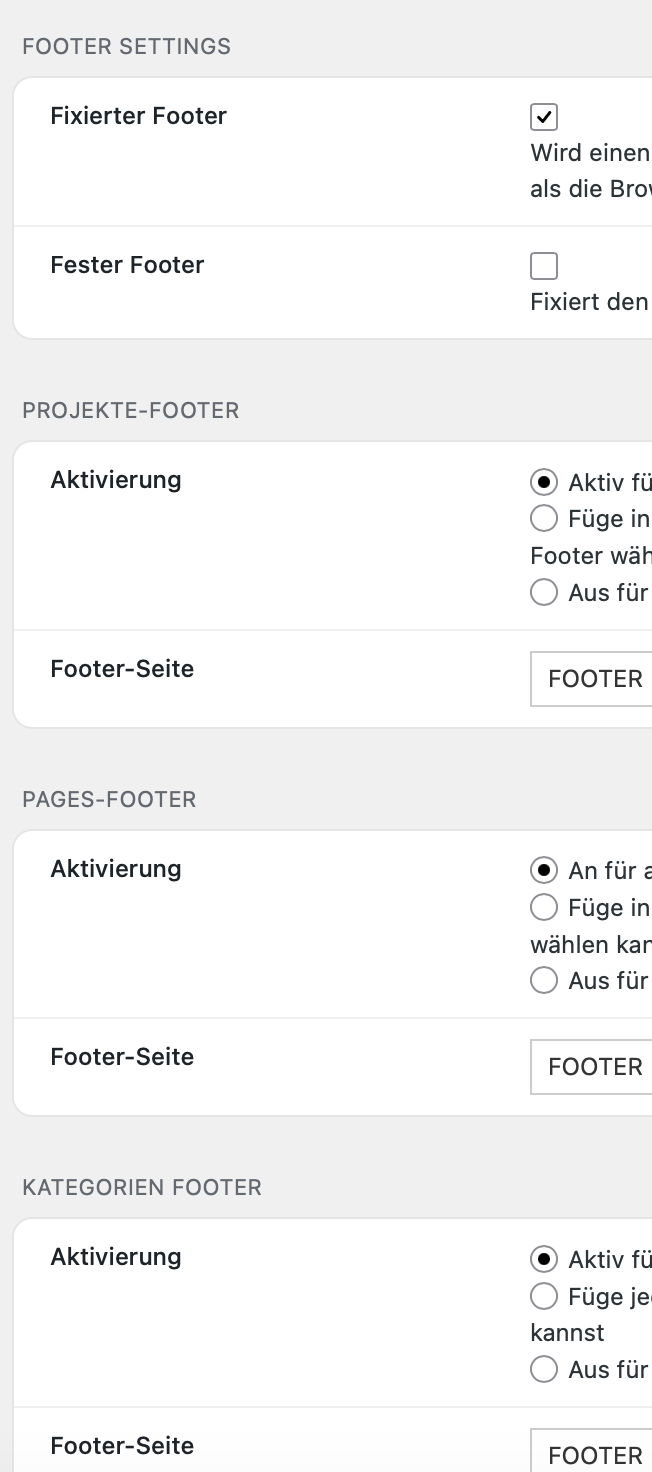
    These are my footer settings:
    Bildschirmfoto 2026-07-18 um 17.25.56.png

    Footer desktop/tablet looks the same.
    Footer mobile has just a different background.

    Same footer links for all devices:
    The buttons are linked to a calendar and my email and work fine on the sites like HOME, ABOUT, WORK, test here: https://www.annette-fischer.com

    BUT

    when I am on a project detail page, the links behave differently
    test here: https://www.annette-fischer.com/swiss-glioma-foundation/

    WHY? :-)

    thanks

    1 Reply Last reply
    0
    • A Offline
      A Offline
      afb
      wrote last edited by
      #2

      Update: changed the layout, but problem of linked button not behaving like it should is still existent... thank you Armin...

      1 Reply Last reply
      0
      • arminunruhA Offline
        arminunruhA Offline
        arminunruh
        Global Moderator
        wrote last edited by
        #3

        the “book fit call” button still has an old “previous project” link setting attached to it, so lay theme replaces the calendar link whenever you opened a project.
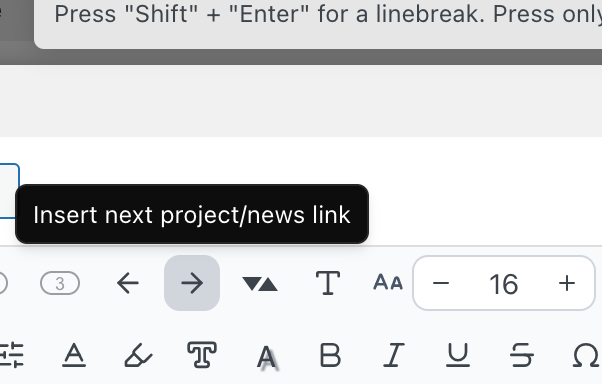
        grafik.png

        at one point you may have clicked this button here to make this link a next project link

        1 Reply Last reply
        0
        • arminunruhA Offline
          arminunruhA Offline
          arminunruh
          Global Moderator
          wrote last edited by arminunruh
          #4

          in the next update, I will make it so if you create a link, then behavior like this will be automatically removed from the link. The fix right now for you would be to just delete this link and recreate it again without clicking on "Insert next project link".

          Just updating Lay Theme won't fix this. You will need to recreate the link to make it work.

          1 Reply Last reply
          0
          • A Offline
            A Offline
            afb
            wrote last edited by
            #5

            Awesome! Changed it, fixed it! Solved.
            (Maybe too many buttons for me ;-))

            1 Reply Last reply
            0
            Reply
            • Reply as topic
            Log in to reply
            • Oldest to Newest
            • Newest to Oldest
            • Most Votes


            We also code custom websites or bespoke Lay features. Drop me a line at info@laytheme.com or check out my work at arminunruh.com.

            Want to support my work? paypal.me/arminunruh

            Before you post:
            1. When using a WordPress Cache plugin, disable it or clear your cache.
            2. Update Lay Theme and all Lay Theme Addons
            3. Disable all Plugins
            4. Go to Lay Options → Custom CSS & HTML, click "Turn Off All Custom Code", click "Save Changes"

            This often solves issues you might run into

            When you post:
            1. Post a link to where the problem is
            2. Does the problem happen on Chrome, Firefox, Safari or iPhone or Android?
            3. If the problem is difficult to explain, post screenshots / link to a video to explain it
            Online Users
            Forgot your key, lost your files, need a previous Lay Theme or Addon version? Go to www.laykeymanager.com
            laytheme.com
            • Login

            • Don't have an account? Register

            • Login or register to search.
            • First post
              Last post
            0
            • Recent
            • Tags
            • Popular
            • Users
            • Search