desktop version - mobile version - unlink with one klick?
-
THE PAGE <- I am referring to.
Hey Armin,
I have some questions about the current website.
-
The desktop version is basically finished, and now I’d like to work on the mobile layout. Since the site is very text-heavy, I’d prefer not to delete individual text boxes one by one. Is there a way to completely unlink the mobile layout from the desktop layout with one click? I’m wondering if there's a way to detach the entire mobile layout at once so I can redesign it independently.
-
Menu link “8. The Papers”:
I added images into a table using simple HTML code. Visually everything works fine, and I can style it with CSS. The only small issue is that in the backend the image positions remain absolute, which might be a bit confusing for the person who will take over the website later. It’s not a big problem, but I was wondering if there is an easy way to make the images behave relatively in the backend as well.
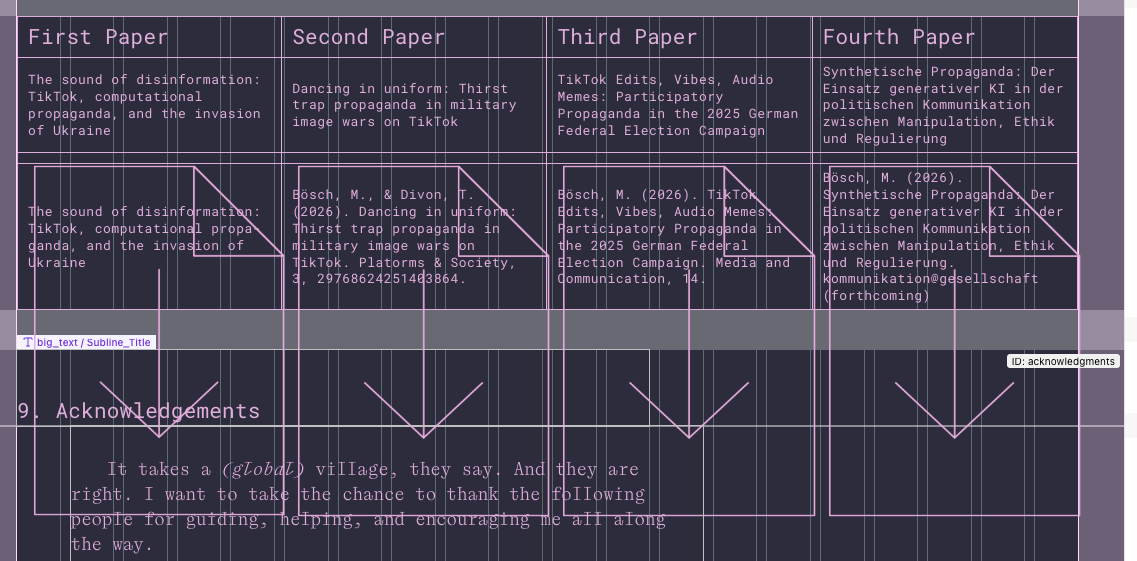
-
Menu link “8. The Papers”:
How can I align the text in the table to the top of each cell.? At the moment, all text is vertically centered. -
Another small issue: I split some of the longer texts and placed the hidden parts inside collapsible rows with a “Continue Reading” option to expand them. These hidden sections also have footnotes on the right side. However, when opening the collapsed text, the position of the footnotes flickers for a second before settling. I’m not sure if this is a bug or a browser-related issue (I’m using Brave right now), but maybe there is a way to fix it. It would be great if the footnotes could stay in their correct position while expanding, without this flickering effect.
All best
Aleks -
-
hi, thanks for the detailed report!
i’ve fixed the issues for the next update:- in the custom phone layout, you can now press cmd+a, right-click and choose “unsync element content” to unlink all synced elements at once.
- html images inside tables will now display correctly in the gridder.
- to align the table content at the top, double-click the table, open “text settings” and set “vertical text alignment” to “top”.
- i’ve also fixed the brief flickering of the sticky footnotes when expanding a row.

Hello! It looks like you're interested in this conversation, but you don't have an account yet.
Getting fed up of having to scroll through the same posts each visit? When you register for an account, you'll always come back to exactly where you were before, and choose to be notified of new replies (either via email, or push notification). You'll also be able to save bookmarks and upvote posts to show your appreciation to other community members.
With your input, this post could be even better 💗
Register Login