Skip to content
  • Recent
  • Tags
  • Popular
  • Users
  • Search
Skins
  • Light
  • Brite
  • Cerulean
  • Cosmo
  • Flatly
  • Journal
  • Litera
  • Lumen
  • Lux
  • Materia
  • Minty
  • Morph
  • Pulse
  • Sandstone
  • Simplex
  • Sketchy
  • Spacelab
  • United
  • Yeti
  • Zephyr
  • Dark
  • Cyborg
  • Darkly
  • Quartz
  • Slate
  • Solar
  • Superhero
  • Vapor

  • Default (No Skin)
  • No Skin
Collapse

Lay Theme Forum

  1. Home
  2. Addons
  3. images into accordion

images into accordion

Scheduled Pinned Locked Moved Addons
4 Posts 3 Posters 144 Views 2 Watching
  • Oldest to Newest
  • Newest to Oldest
  • Most Votes
Reply
  • Reply as topic
Log in to reply
This topic has been deleted. Only users with topic management privileges can see it.
  • A
    A
    AliceIuri
    wrote last edited by
    #1

    HI!
    is it possible to add an image in an accordion? I've seen some example in the showcase page (https://maler-palette.de/) but I can't understand how to do it.... Thanks!

    1 Reply Last reply
    • A
      A
      AliceIuri
      wrote last edited by
      #2

      Hi, any news about this topic?

      1 Reply Last reply
      • C
        C
        chris.vuko
        wrote last edited by
        #3

        @aliceiuri It's done with the collapse/expand row function!

        1 Reply Last reply
        • arminunruhA
          arminunruhA
          arminunruh
          Global Moderator
          wrote last edited by
          #4

          hey there!! so due to personal reasons i wont really have time to work on this this year. if you have a claude or chatgpt subscription however, you can let it build this type of element as a custom element as you can see here:

          https://laytheme.com/tutorials/ai-mode

          you do not need to use a figma design for it
          you can just simply describe what you want.
          its just that i described the figma -> ai -> lay workflow cause i think it makes a lot of sense

          you would then get a new element which you can add to the gridder with a + button like here:
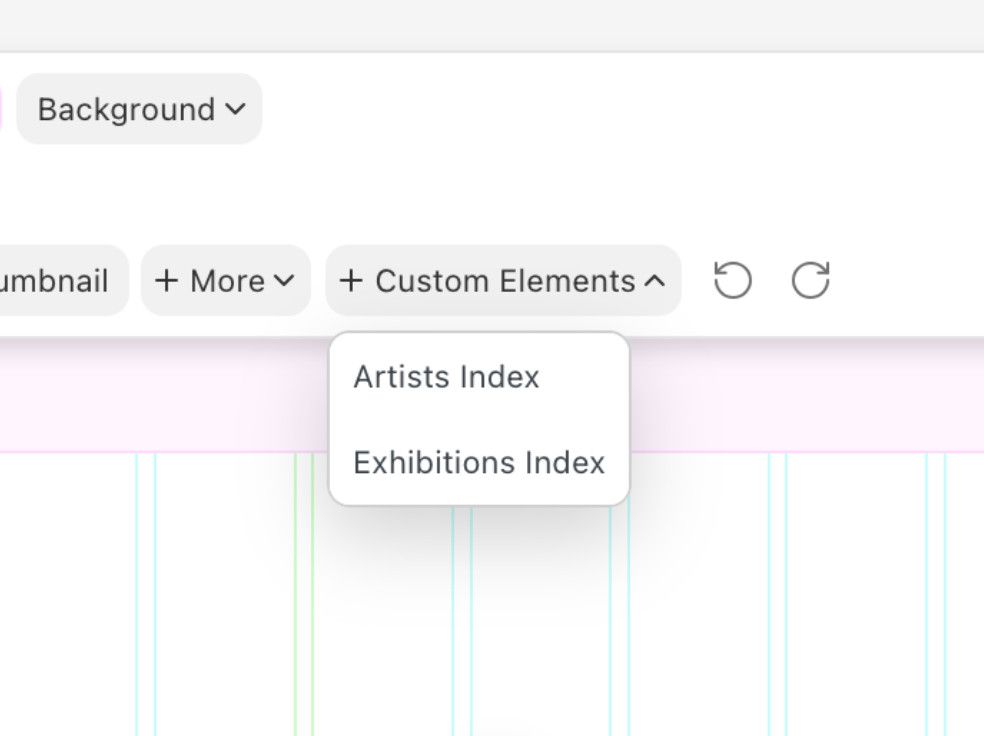
          grafik.jpeg

          and you can tell the AI that you want to use https://laytheme.com/tutorials/ai-mode/#field-repeater

          repeater fields for where you want to add the content:
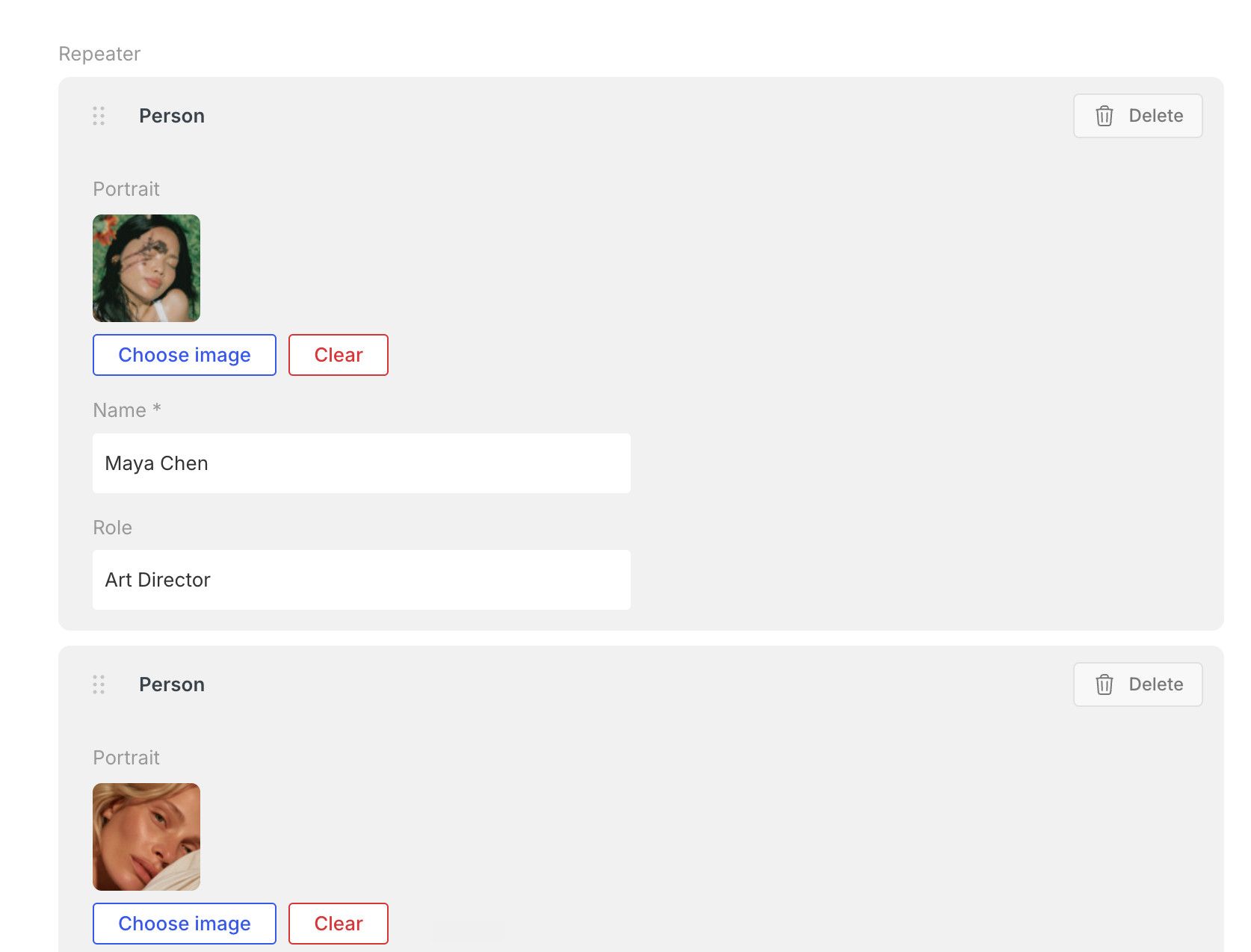
          grafik.jpeg

          1 Reply Last reply

          Hello! It looks like you're interested in this conversation, but you don't have an account yet.

          Getting fed up of having to scroll through the same posts each visit? When you register for an account, you'll always come back to exactly where you were before, and choose to be notified of new replies (either via email, or push notification). You'll also be able to save bookmarks and upvote posts to show your appreciation to other community members.

          With your input, this post could be even better 💗

          Register Login
          Reply
          • Reply as topic
          Log in to reply
          • Oldest to Newest
          • Newest to Oldest
          • Most Votes


          Online Users
          Forgot your key, lost your files, need a previous Lay Theme or Addon version? Go to www.laykeymanager.com
          laytheme.com
          • Login

          • Don't have an account? Register

          • Login or register to search.
          • First post
            Last post
          0
          • Recent
          • Tags
          • Popular
          • Users
          • Search