Footer alignment


-
Hi Armin
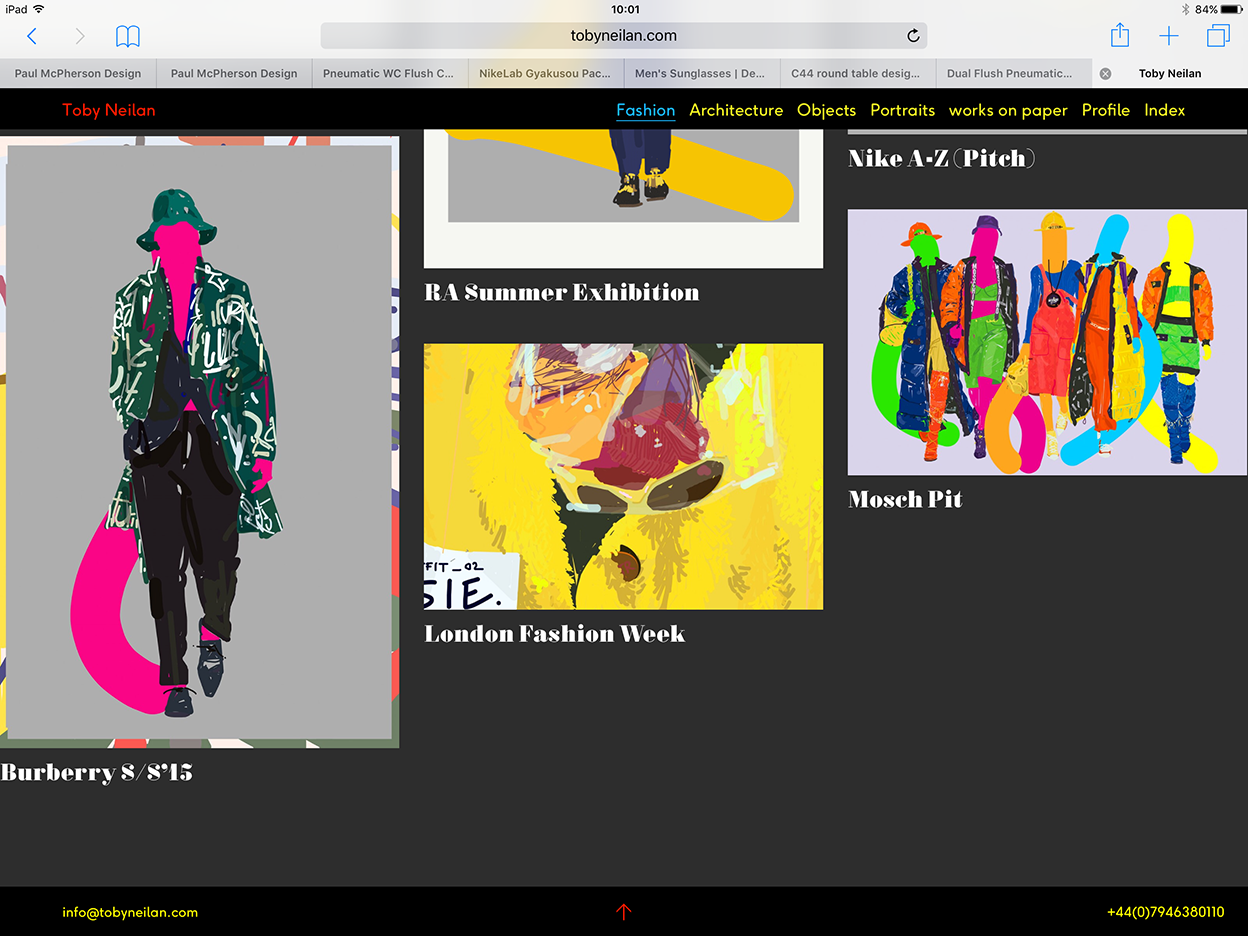
I've been made aware that my footer (that is made up of three text boxes) is being cropped on the iPad and spaced unevenly on smaller screens.
The left text box is aligned left the middle is centrally aligned and the third box which is the problematic text box is aligned right
Please see screen grabs
I have visited other sites and see that their footers resize correctly - what am I doing differently?


-
Hi Toby,
on your website I cannot see a footer when I open it on a big screen.
When I downsize the window the footer is centered completely now.
Are you aware that you have a mobile and desktop view for the gridder?
But normally that should work. The left box you but in the left third of the gridder. Text aligned to the left.
The middle box you put in the middle part of the gridder and center the text.
And the right box you put in the right third and align the text to the right.
On the mobile version you will need to adjust it probably.
Let me know how I can help.
Best!
Marius
-
-
Hi Toby,
ok. The desktop version works now! I also now see what you mean.
For example this:

Can you remove all the Custom CSS code to see if the problem remains?
If the problem remains send em an email marius@thepeople.world. with your login and password and I will have a look.
Best!
Marius
-
Hi Toby,
I actually just did what I wrote you above and it worked:

The footer_b is active by the way. You have many footers in your theme :-)
I hope that helped!
Best!
Marius

Hello! It looks like you're interested in this conversation, but you don't have an account yet.
Getting fed up of having to scroll through the same posts each visit? When you register for an account, you'll always come back to exactly where you were before, and choose to be notified of new replies (either via email, or push notification). You'll also be able to save bookmarks and upvote posts to show your appreciation to other community members.
With your input, this post could be even better 💗
Register Login