Change background color with fade animation as you scroll
-
I've set up the fullscreen slider add-on and I'd like to add some script so that as you scroll into each section the background color fades into a new color. I want the images to scroll as usual, though.
Example of fade effect here: https://concreterep.com/
Any hints of how to do this?
Thanks!
-
Hi @extra-vitamins
are you familiar with jQuery?Do you want to change the color on every slide or a slow transition when you scroll down?
Let me know :-)
Marius
-
Hi @extra-vitamins
are you familiar with jQuery?Do you want to change the color on every slide or a slow transition when you scroll down?
Let me know :-)
Marius
@mariusjopen Yeah, I can do some JQuery.
I want the color to change on every slide. Thanks! -
@mariusjopen im interested in a slow transition when you scroll down, would appreciate it if you could provide more info on that. Thank you!
-
Hi @extra-vitamins
I cannot write you the whole code because of time issues but I try to explain as best as I can.When you change a slide the BODY class changes the slide number:
fp-viewing-1 -> fp-viewing-2 -> fp-viewing-3.- So first you need to make an array of colors you want display.
Similar to this one:
var colors = ["#fff", '#000', '#f0f', '#0ff', '#00f', '#ff0', '#0f0']-
Then you need to find out which slide is activated.
-
Then you need to use the current slide to get the color you have in the array.
Somewhere here:
jQuery('body').css('background-color', color);I post you this example which generates a random background color. So you can sue it as a start.
<script>
var colors = ["#fff", '#000', '#f0f', '#0ff', '#00f', '#ff0', '#0f0']
window.laytheme.on("newpageshown", function(){
	var ix = getRandomInt(0, colors.length);
	var color = colors[ix];
	jQuery('body').css('background-color', color);
});

// https://developer.mozilla.org/en-US/docs/Web/JavaScript/Reference/Global_Objects/Math/random
// Returns a random integer between min (included) and max (excluded)
function getRandomInt(min, max) {
	min = Math.ceil(min);
	max = Math.floor(max);
	return Math.floor(Math.random() * (max - min)) + min;
}
</script>
I hope I could help!
Marius
- So first you need to make an array of colors you want display.
-
Hi @koliveros
there should be JS Fiddles and examples out there how to do that with jQuery.Just hook up your scroll position to an array of colors.
All the best!
Marius
-
Hi,
I guess I am trying to achieve the same as @koliveros before. Unfortunetly I am not very familiar with writing jQuery and could really need some help adjusting code to suit the lay theme.
I found this (https://codepen.io/Funsella/pen/dpRPYZ) which pretty much reflects what I have in mind, but I struggle with adjusting it to laytheme –
Can I use the background colors of rows in the gridder as a source for this jQuery code? If so, how would I have to change the code up. It would be very helpful if someone can give me detailed instructions, or a better solution on how to handle this… cheers
-
Dear @extra-vitamins
to rewrite this code goes a bit beyond the service we offer here in the forum.I hope you understand.
But have a look here for sure:
http://laytheme.com/documentation.html#custom-javascriptAlso consider that they use an extra library in the example of CodePen:
https://s3-us-west-2.amazonaws.com/s.cdpn.io/2542/in-view.min.js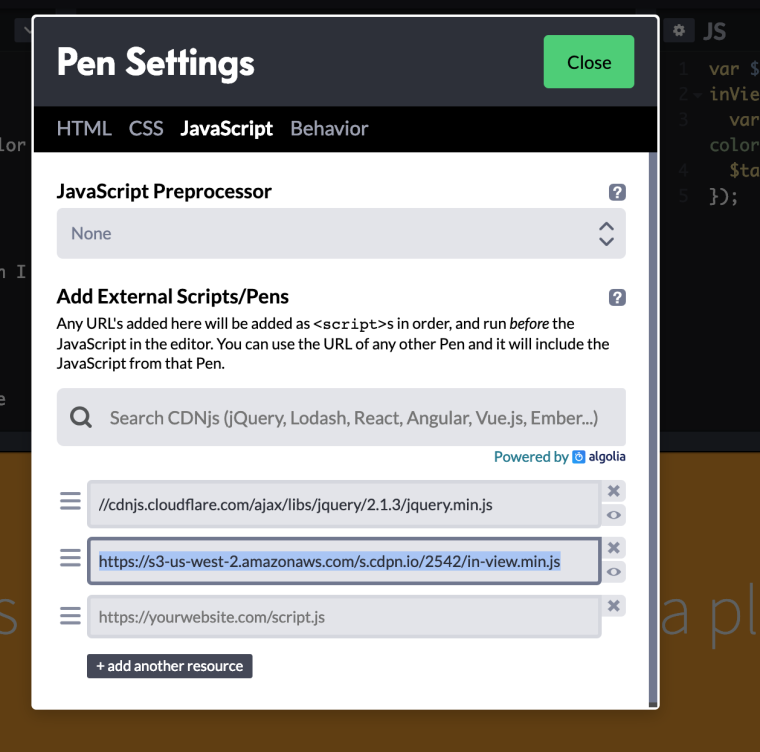
You can try to use it as well.
Let me know :-)
Best!
Marius
-
@koliveros @moritzmortimer Have you guys found a solution for this? :)

Hello! It looks like you're interested in this conversation, but you don't have an account yet.
Getting fed up of having to scroll through the same posts each visit? When you register for an account, you'll always come back to exactly where you were before, and choose to be notified of new replies (either via email, or push notification). You'll also be able to save bookmarks and upvote posts to show your appreciation to other community members.
With your input, this post could be even better 💗
Register Login