Can't see gridder after updating to the latest version of Laytheme
-
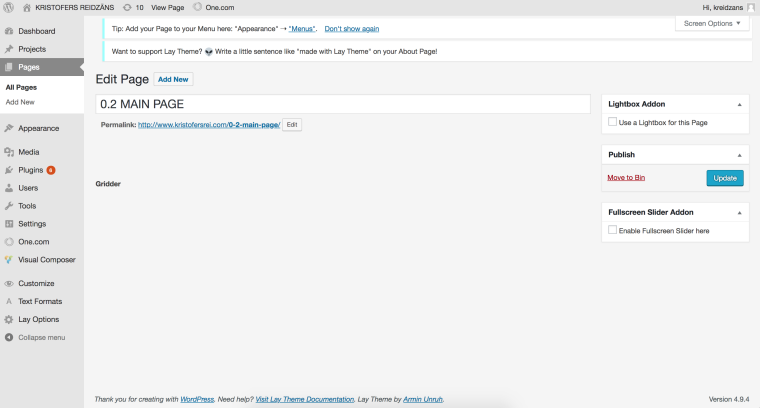
The moment I updated to the latest version, the gridder disappeared. I basically cannot work on my design no more. Any help?
-
The moment I updated to the latest version, the gridder disappeared. I basically cannot work on my design no more. Any help?
-
hey please send your /wp-admin/ login to info@laytheme.com
URL of your website
username
password -
oh wait
before you write an email to me, update all of the lay theme addons in "plugins"
then the gridder will maybe show up

Hello! It looks like you're interested in this conversation, but you don't have an account yet.
Getting fed up of having to scroll through the same posts each visit? When you register for an account, you'll always come back to exactly where you were before, and choose to be notified of new replies (either via email, or push notification). You'll also be able to save bookmarks and upvote posts to show your appreciation to other community members.
With your input, this post could be even better 💗
Register Login