Font-appearance in different Browser
-
Hi there,
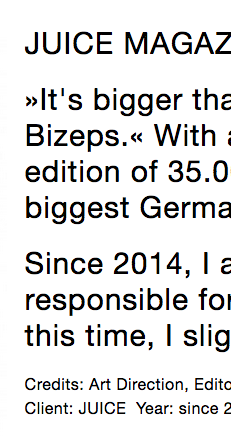
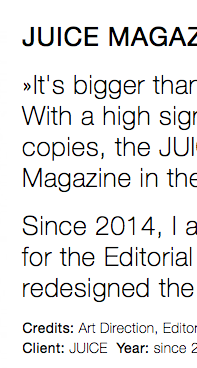
I noticed that the text formats I created for my website do not appear the same in different browsers.
I use Helvetica Neue Extra Light as my standard default type, but in Firefox or at Chrome on a PC it is Medium and bold characters are also just Medium. Is it possible to change that?Here a screenshot of my problem:
-
Hello Henriette!
Windows doesn't have Helvetica Neue pre-installed, so it will display Arial instead I think. If you want to use Helvetica Neue and have it work for all devices, you will need to upload helvetica neue as a webfont in "lay options" -> "webfonts". And then use that font for your textformats. You may need to buy the webfont for that.
Please note that at the moment you need to install the plugin "disable real mime check" because right now there is a bug in wordpress which will prevent you from uploading woff files. :/Still your font will display slightly different across browsers. Browsers just render fonts a bit differently, so this will be a problem that you cannot solve.

Hello! It looks like you're interested in this conversation, but you don't have an account yet.
Getting fed up of having to scroll through the same posts each visit? When you register for an account, you'll always come back to exactly where you were before, and choose to be notified of new replies (either via email, or push notification). You'll also be able to save bookmarks and upvote posts to show your appreciation to other community members.
With your input, this post could be even better 💗
Register Login