Footer
-
I am having trouble adding a footer link. I would like to know how I would add one link to the footer for all pages except the home page. if that's not possible, then on all pages in a small font size.
I tried to follow the video instructions, opening the home page and adding under 'more' >'text footer'. I add a link but can not choose 'footer' from the Textformat.
I save the page, but the link does not appear.
How can I resolve this? -
you create a page called "footer" in "pages"
then,
in lay options → footersyou select this page as a footer
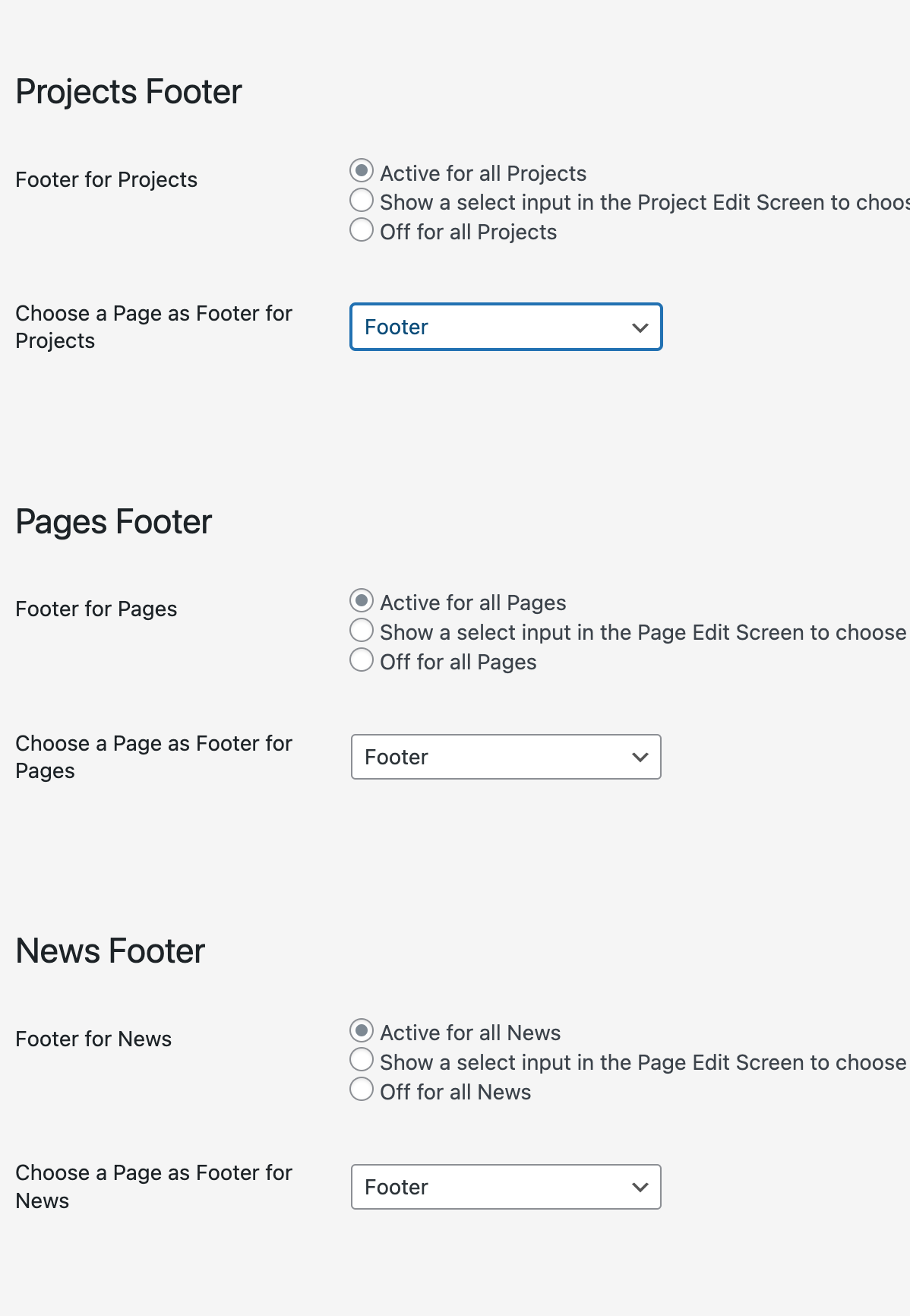
make sure it somehow looks like this
disable fullscreen slider addon
it hides the footer

Hello! It looks like you're interested in this conversation, but you don't have an account yet.
Getting fed up of having to scroll through the same posts each visit? When you register for an account, you'll always come back to exactly where you were before, and choose to be notified of new replies (either via email, or push notification). You'll also be able to save bookmarks and upvote posts to show your appreciation to other community members.
With your input, this post could be even better 💗
Register Login