Skip to content
  • Recent
  • Tags
  • Popular
  • Users
  • Search
Skins
  • Light
  • Brite
  • Cerulean
  • Cosmo
  • Flatly
  • Journal
  • Litera
  • Lumen
  • Lux
  • Materia
  • Minty
  • Morph
  • Pulse
  • Sandstone
  • Simplex
  • Sketchy
  • Spacelab
  • United
  • Yeti
  • Zephyr
  • Dark
  • Cyborg
  • Darkly
  • Quartz
  • Slate
  • Solar
  • Superhero
  • Vapor

  • Default (No Skin)
  • No Skin
Collapse

Lay Theme Forum

  1. Home
  2. Bug Reports
  3. gridder default are not saving

gridder default are not saving

Scheduled Pinned Locked Moved Bug Reports
6 Posts 2 Posters 845 Views 2 Watching
  • Oldest to Newest
  • Newest to Oldest
  • Most Votes
Reply
  • Reply as topic
Log in to reply
This topic has been deleted. Only users with topic management privileges can see it.
  • N
    N
    nic
    wrote on last edited by
    #1

    Hey, when adjusting the values for the Gridder Defaults and clicking save nothing happens. I initially thought, they might take some time to save but that is not the case. I've tried applying them to none, to just desktop or both. Would appreciate if someone could take a look. Thanks!

    1 Reply Last reply
    0
    • arminunruhA
      arminunruhA
      arminunruh
      Global Moderator
      wrote on last edited by
      #2

      When i change the column count to 20, and click save, the column count stays 20 here:
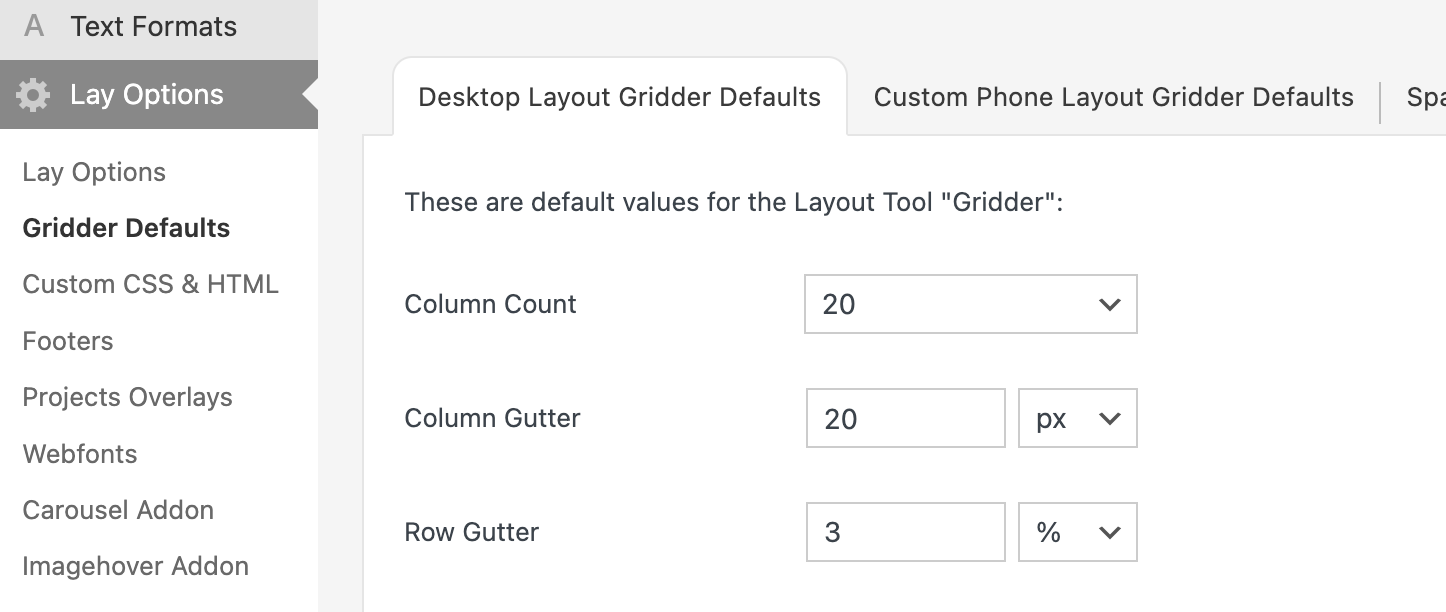
      Screenshot 2025-01-24 at 16.00.54.png
      (I didnt check "Apply values")

      When i then create a new project, the column count that is in use is then 20
      Screenshot 2025-01-24 at 16.01.08.png

      Can you confirm this?
      If so, it works as expected.

      If you change a value in "lay options -> gridder defaults", does it not stay when you after you click save and it goes back to the previous value?

      1 Reply Last reply
      0
      • N
        N
        nic
        wrote on last edited by
        #3

        Hey Armin, unfortunately for me no values get saved. This is what the button looks like after clikcing:

        Screenshot 2025-01-25 at 10.18.25.png

        1 Reply Last reply
        0
        • arminunruhA
          arminunruhA
          arminunruh
          Global Moderator
          wrote on last edited by arminunruh
          #4

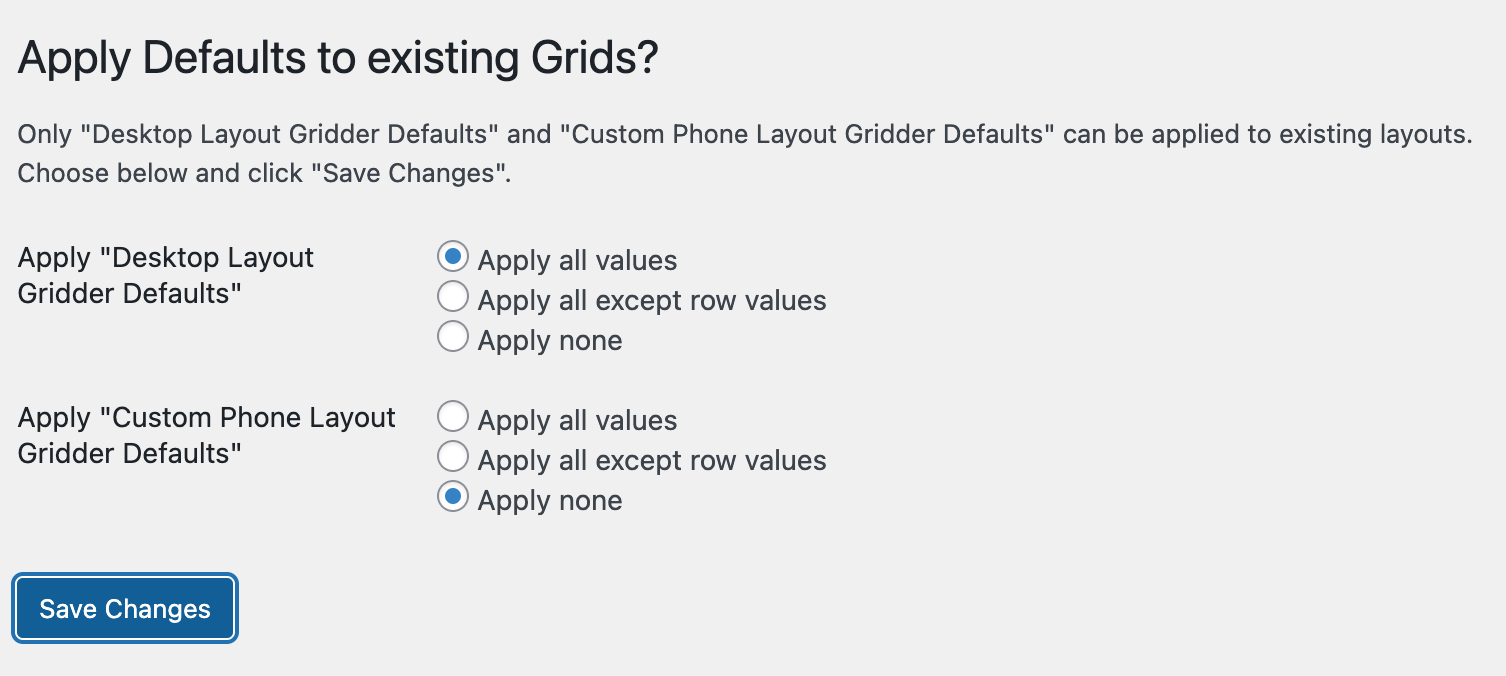
          what you chose for the "apply desktop layout gridder defaults" radio buttons and "apply custom phone layout gridder defaults" radio buttons doesn't get saved.

          thats just a setting for lay theme to know if it should apply the new gridder default values to all existing grids or not.

          the important thing is, are the values saved? like "column count"?

          ure sending a screenshot of the "save changes" button. im not sure why, is the button not working when you click it?

          maybe its easier if i take a look

          can you send your website address, /wp-admin/ username and password and a link to this topic to info@laytheme.com?

          1 Reply Last reply
          0
          • N
            N
            nic
            wrote on last edited by
            #5

            Hey Armin, sorry for being so cryptic! None of the values get saved. When I click "Save Changes" the page doesn't do anything. The buttons stays focused but there's no page reload or confirmation. When I reload the page manually, the values are reset to the previous ones.

            Let me know if that helps! Otherwise I'll send you an email with access. Thanks!

            1 Reply Last reply
            0
            • arminunruhA
              arminunruhA
              arminunruh
              Global Moderator
              wrote on last edited by
              #6

              thats weird! yes can u send the access please

              1 Reply Last reply
              1

              Hello! It looks like you're interested in this conversation, but you don't have an account yet.

              Getting fed up of having to scroll through the same posts each visit? When you register for an account, you'll always come back to exactly where you were before, and choose to be notified of new replies (either via email, or push notification). You'll also be able to save bookmarks and upvote posts to show your appreciation to other community members.

              With your input, this post could be even better 💗

              Register Login
              Reply
              • Reply as topic
              Log in to reply
              • Oldest to Newest
              • Newest to Oldest
              • Most Votes


              Online Users
              Forgot your key, lost your files, need a previous Lay Theme or Addon version? Go to www.laykeymanager.com
              laytheme.com
              • Login

              • Don't have an account? Register

              • Login or register to search.
              • First post
                Last post
              0
              • Recent
              • Tags
              • Popular
              • Users
              • Search