Space freely images don't work on mobile phone
-
Hello!
I just noticed that the photos that I "placed freely" do not work on the mobile phone version of my website :
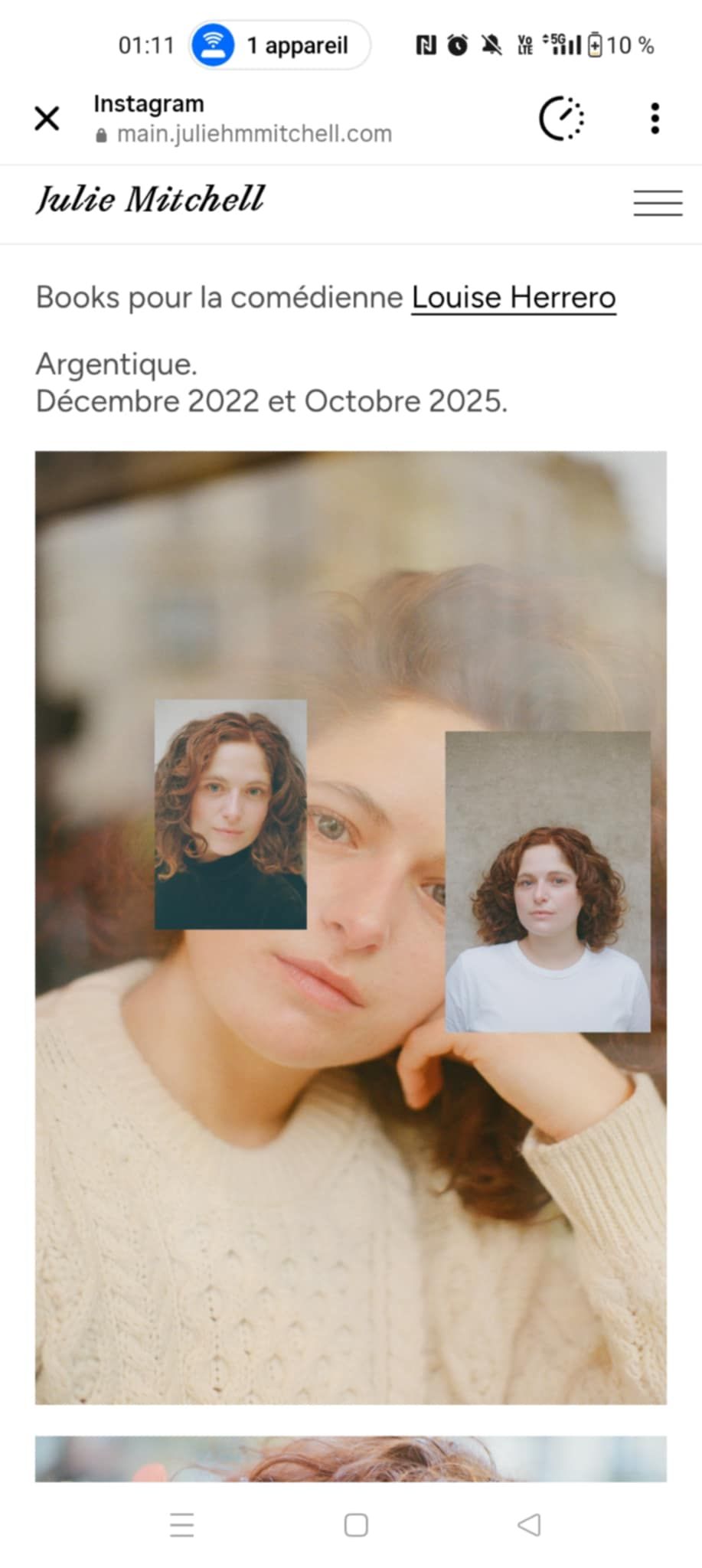
https://main.juliehmmitchell.com/louise-herrero/ the page is like that on the web
Could you please tell me what to do to solve this problem ?
Thank you very much in advance!Julie
-
hello!
how about you use the horizontal grid to place your images instead of place freely?
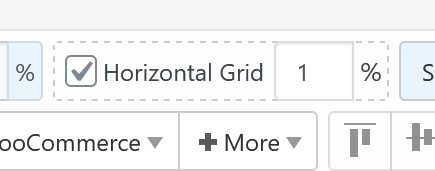
or
what if you create a custom phone layout for that page?
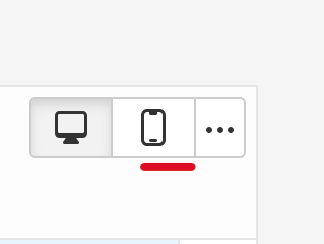
-
thanks!
I clicked on "copy same layout" and ajusted the photos on the gridder BUT now only this page looks like that on the phone version :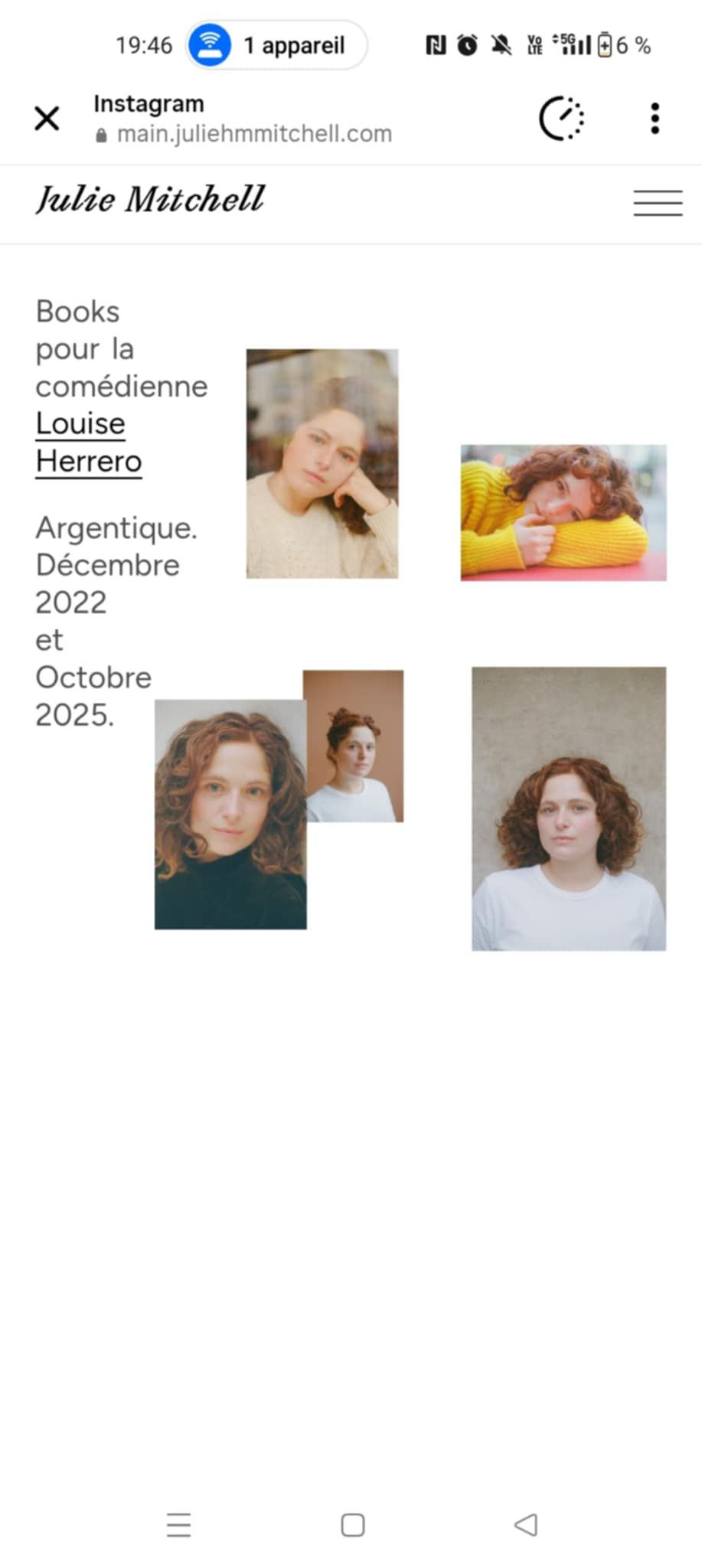
whereas the other pages all look like that :

I would like all the pages to look the same on the phone (like the second photo). What can I do to "stack elements on top of each other" once I clicked on "copy same layout"? I don't see this options anywhere!
Thank you in advance!
-
hey if you want all pages to look the same as in the desktop version
you need to go to:lay options
and then just set the phone layout breakpoint to 0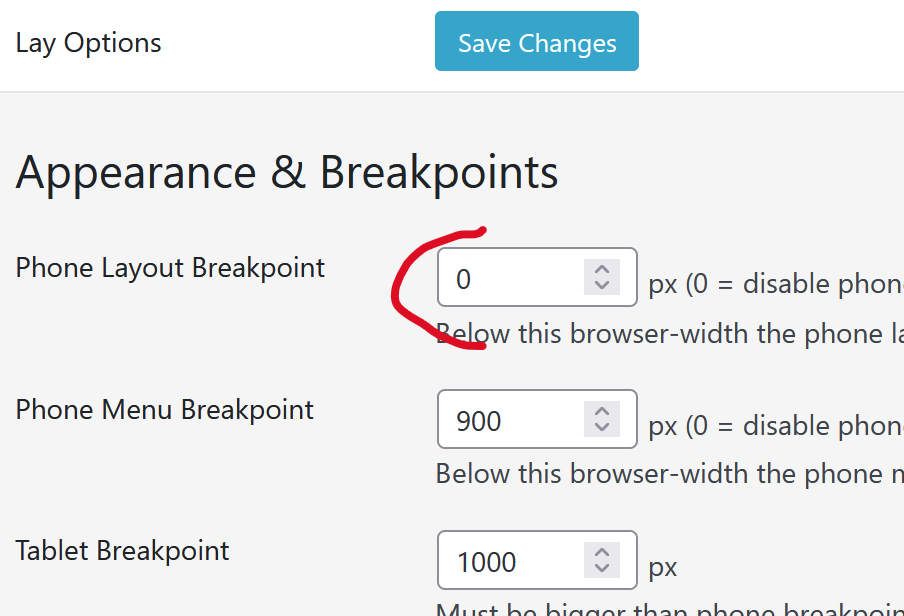
this way the phone layout wont ever be shown
phone layout basically just puts your content on top of another as in your last screenshot
-
Thanks ! But I would like to do the opposite.
I would like all my pages to have the "phone layout" with my content on top of another as in my last screenshot.
It is the case for all the website except for this page : https://main.juliehmmitchell.com/louise-herrero/ and this page : https://main.juliehmmitchell.com/marie-jocteur/ because I clicked on "copy same layout".
I would like these two pages to also have the phone layout but I don't know how to go backwards once I clicked on "copy same layout".
Thank you in advance ! -
ah i see.
instead of clicking on "copy same layout"
you'd need to click on "stack elements on top of each other"
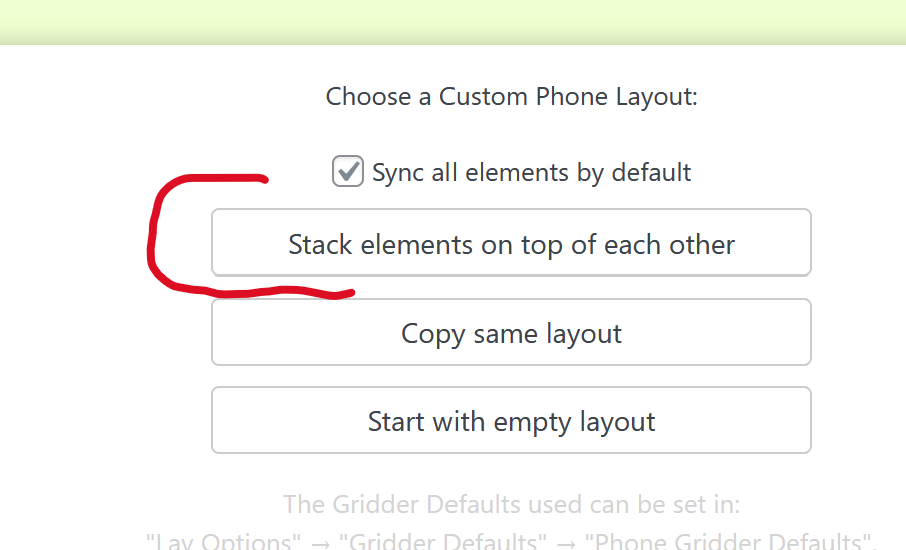
before that u need to click "delete phone layout"
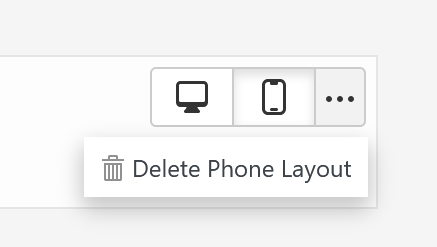
-
This post is deleted!
-
Edit: perfect thank you very much! problem solved!

Hello! It looks like you're interested in this conversation, but you don't have an account yet.
Getting fed up of having to scroll through the same posts each visit? When you register for an account, you'll always come back to exactly where you were before, and choose to be notified of new replies (either via email, or push notification). You'll also be able to save bookmarks and upvote posts to show your appreciation to other community members.
With your input, this post could be even better 💗
Register Login