MP4 Videos don't work in Safari but do work in Chrome and Firefox
-
@arminunruh Hi Thanks for your reply. all the videos are this format : MPEG-4 AAC, H.264 so that should not be the problem. Also regarding the low power mode, these videos not only not working on my safari but also on other peoples Safari.
-
hey!
https://test2.laytheme.com/video-element-test/
look, here this video works on safari (when u scroll down).
but on your website, the videos dont work on safari.like for example, the first one here:
https://www.mueller-brunke.com/category/fashion/can u make sure u have the latest lay theme version installed?
can u try just as a test, to use this video and see if it works on safari:
https://test2.laytheme.com/wp-content/uploads/2023/12/intro_schrauben.mp4 -
-
-
Sorry to ask, but is it a problem with the autoplay that is activated in your video? I also wonder why autoplay is there as a CSS class. Is that a Lay thing?
If you open the video via link it does not work on Safari (macOS) while it should at least here if I am correct. It almost seems like the video is not available while all the images are listed in "sources".
https://www.mueller-brunke.com/wp-content/uploads/2018/11/Vignette1.mp4
-
Hello! @emgeoffice has a point.
If i open one of your videos in safari, just by its URL, it doesn't work:
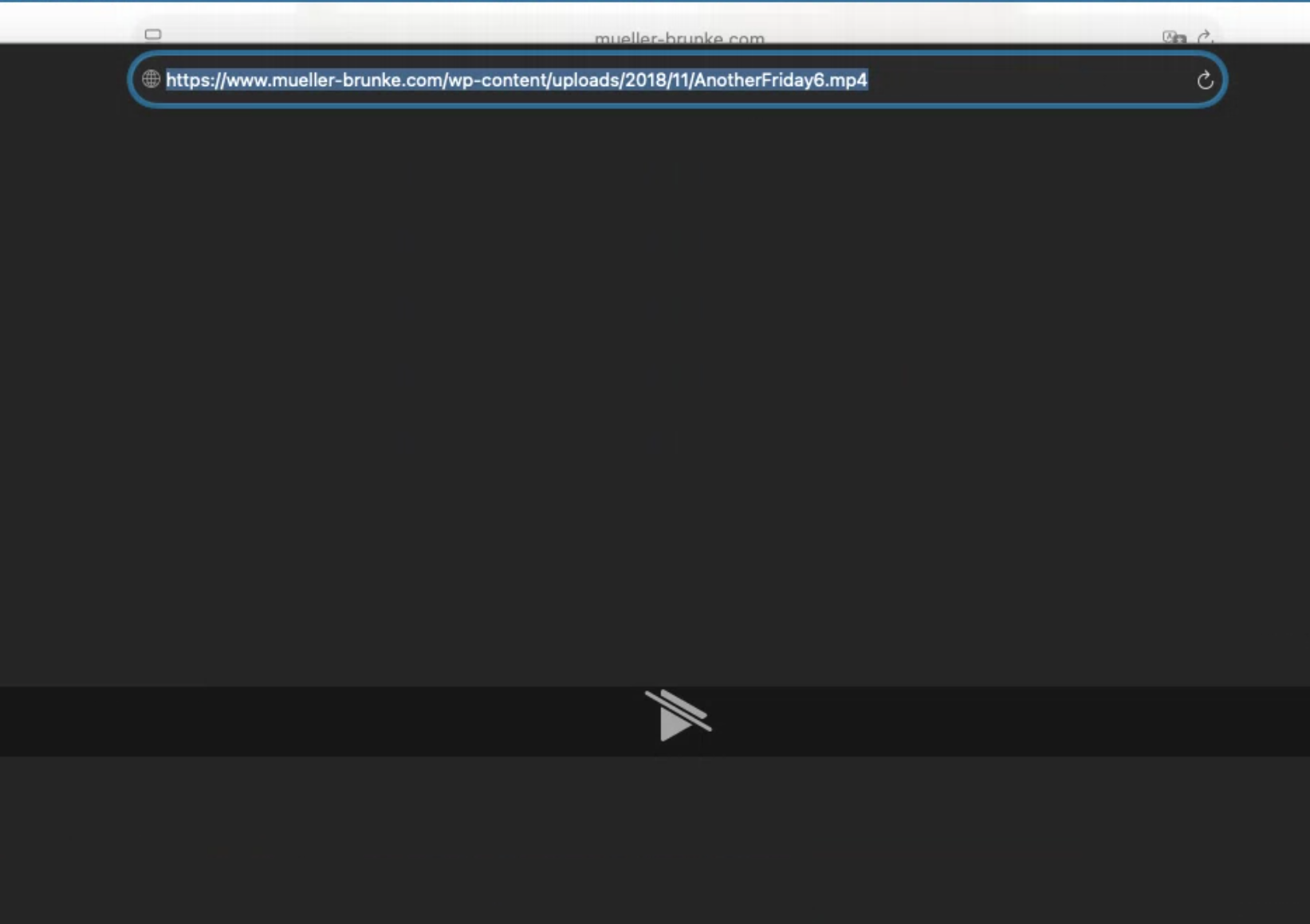
https://www.mueller-brunke.com/wp-content/uploads/2018/11/AnotherFriday6.mp4
This means there is likely an issue with the video itself.
You may want to use this free app:
https://handbrake.fr/And convert your video to a H.264 .mp4 video and then try that exported/converted video.
-
ps: the ai chatbot is good at finding the places of different settings, but its not really smart enough to do much more than that :O
-
-
-
-
hey playsinline is already enabled by default.
the problem is not lay theme. the issue is the video file itself.
it doesn't play back on safari, not matter if you use lay theme or not.
what you need to do is:"This means there is likely an issue with the video itself.
You may want to use this free app:
https://handbrake.fr/And convert your video to a H.264 .mp4 video and then try that exported/converted video."
if you did that, yes you can try to turn off lazyloading for videos by turning off both these checkboxes in lay options:
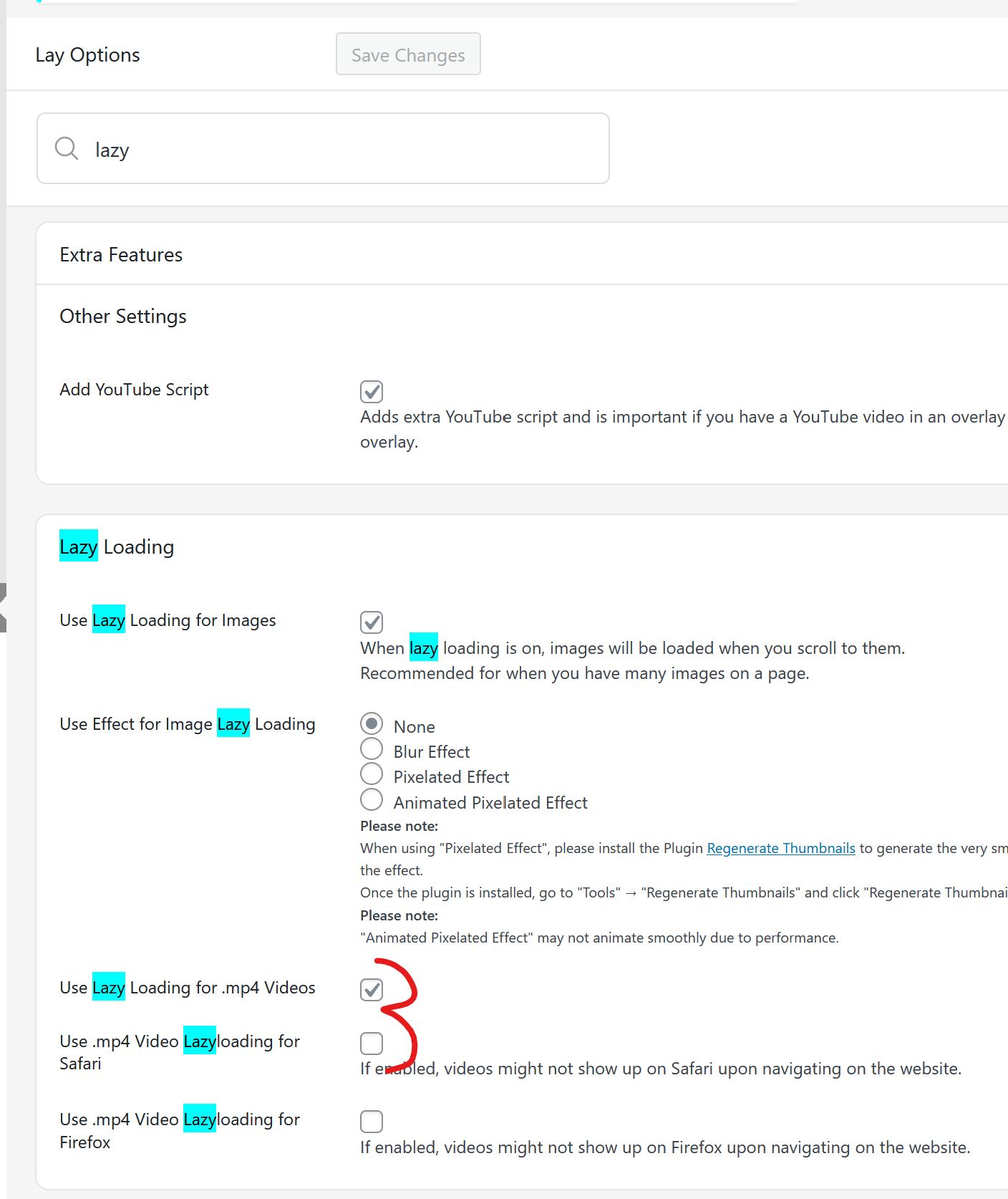
-
Hi, I had to get an expert in to look where the problem was. Because it was not the video file, i could pull all videos into Safari and they worked. The videos just did not work in Laytheme when opened with Safari.
Here is the reply of the expert who sorted the problem. His reply is in German. So just translate for those who cannot read it:
Letztendlich lag es daran, dass dieser byterange header nicht geschickt wurde.
Cloudflare hat den nicht wietergeleitet von HostEurope.
Die Lösung war jetzt extra für die videos eine neue subdomain zu machen (
https://videos.mueller-brunke.com/wp-content/uploads/2018/11/Video1.1.mp4).
Und dafür die ganzen Proxy's von Cloudflare abzuschalten.
In wordpress musste dann noch eine Weiterleitung eingerichtet werden, dass die Aufrufe der Videos dann dorthin geleitet werden. -
oh interesting, so it was a cloudflare related issue mmh


Hello! It looks like you're interested in this conversation, but you don't have an account yet.
Getting fed up of having to scroll through the same posts each visit? When you register for an account, you'll always come back to exactly where you were before, and choose to be notified of new replies (either via email, or push notification). You'll also be able to save bookmarks and upvote posts to show your appreciation to other community members.
With your input, this post could be even better 💗
Register Login