Overlay problem
-
Hi everyone,
I've posted this already and bug reports, but I hope someone here might have an idea how to help me, so I'm posting it again:
I'm currently working on the following website for a customer:
https://2026.preciflex.com/I have a problem with the Overlay function. In the menu, I have a contact button, which opens an overlay to a contact form. In my footer, I have another button to the same link, which should also open the overlay, but instead it opens the contact form regularly. It also doesn't work if I put a regular link on the main body of the side.
Additionally, I wanted to work on this page:
https://2026.preciflex.com/expertise-wip/Here I wanted to put grid of buttons, which should all open a different overlay, but I have here the same problem as before. For now I only created the overlay page for "Micromechnics". Does anyone of you know what I'm doing wrong or what I can do to make it work?
I hope someone has some helpful advice. All the best and have a beautiful rest of the week!
-
hello!

do you mean this button?
for me it does open the contact form in an overlay.if you create anchors in HTML yourself to open overlays.
you need to make sure they contain the correct data- attributes.for example. a link on lay theme to a internal page usually looks like this:
<a href="https://2026.preciflex.com/about-us/" data-id="708" data-type="page" data-title="ABOUT US"><span>ABOUT US</span></a>
it contains data-id and data-type
the code that check if a page should be open as an overlay only works when the data-id and data-type attributes are present
-
i think you did quite a great job with custom code on this website.
are you a programmer?would you be interested in me showing you a way to create custom lay theme elements? basically, its possible to create a wordpress plugin for lay theme.
and then using cmb2 and some filters, its possible to create custom lay elements:
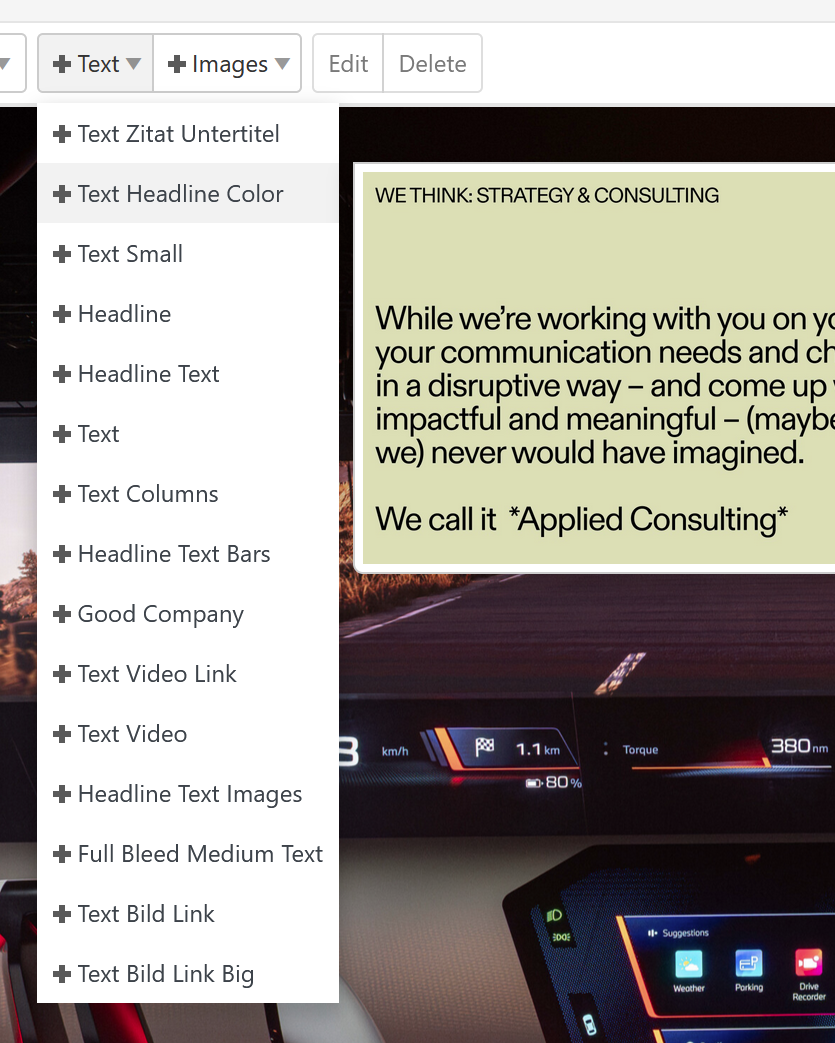
for example for this one client site i created more than 20 custom elements

Hello! It looks like you're interested in this conversation, but you don't have an account yet.
Getting fed up of having to scroll through the same posts each visit? When you register for an account, you'll always come back to exactly where you were before, and choose to be notified of new replies (either via email, or push notification). You'll also be able to save bookmarks and upvote posts to show your appreciation to other community members.
With your input, this post could be even better 💗
Register Login