Fixed Article menu
-
Hi!
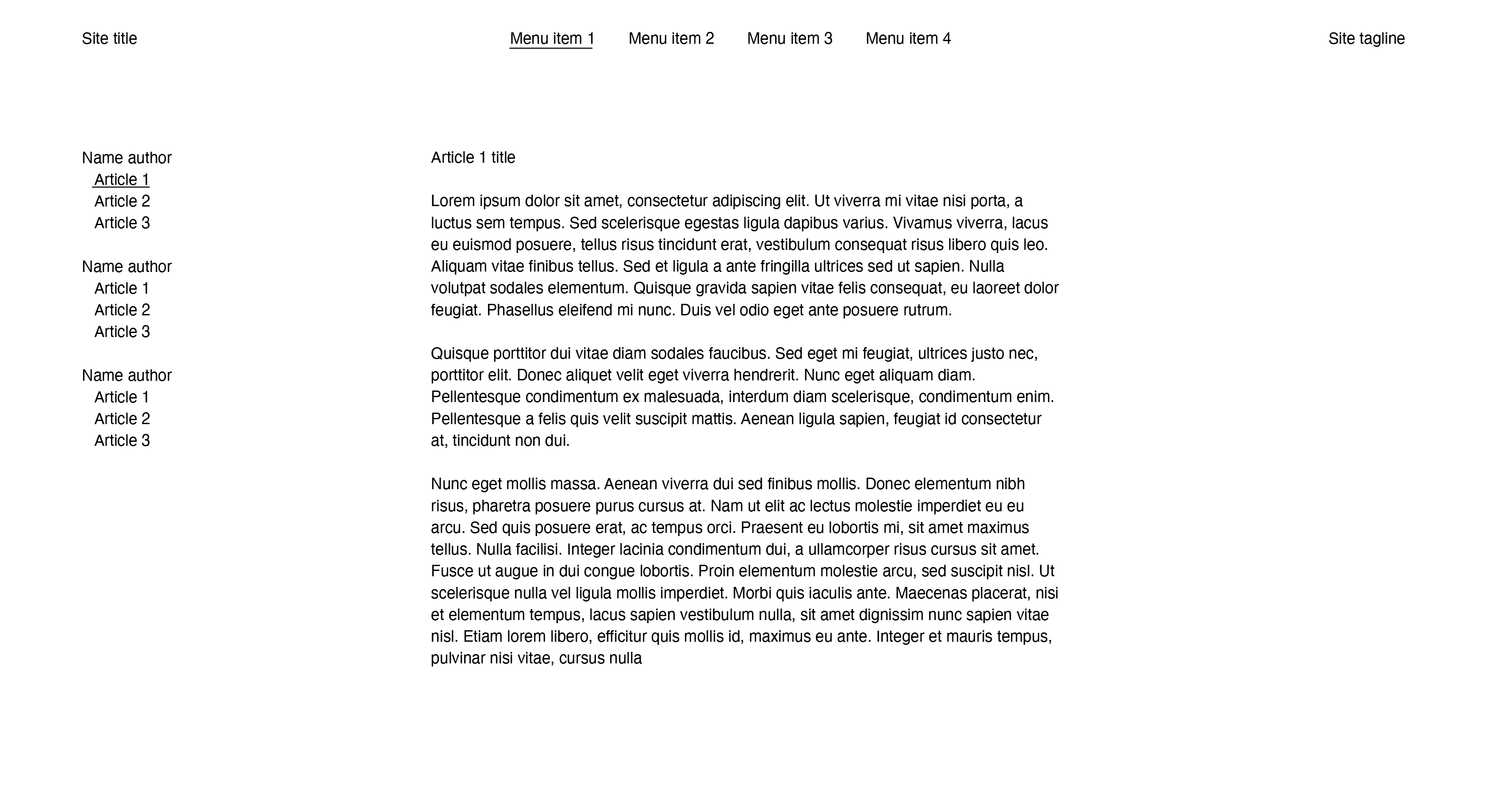
Been breaking my head over how to execute this idea in the backend. It comes down to a vertical fixed 'secondary menu' on a specific menu page that contains articles from different authors.
Selecting an article should change the middle column content, and keep the article column fixed on the left. But it should also be easy to add another author and articles...
Example:
I've tried a news item and project index as a workaround but this didn't seem practical unless I'm missing something.
Adding a secondary menu sounds too complex to add new articles to and manage the content?
If any body has an idea or can send me the right direction would be appreciated. -
well
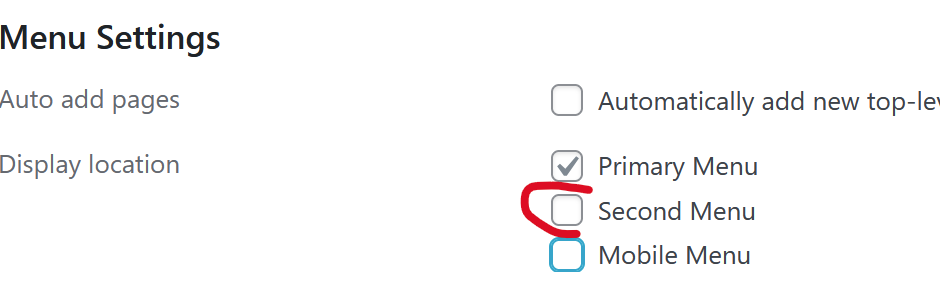
in lay options, set menu amount to two

in appearance -> menus
create the second menu and assign it to the second menu slotjust like here
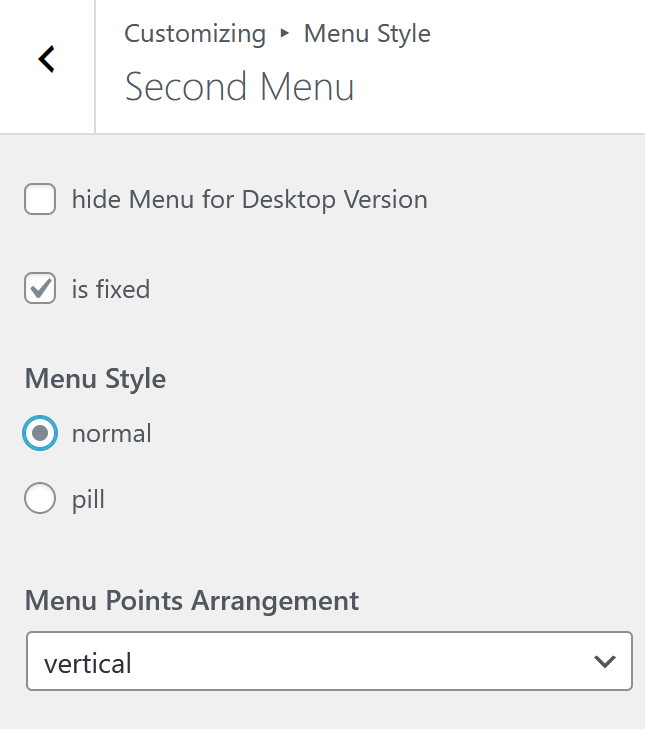
https://laytheme.com/documentation/menus.html#multiple-menusnow in customize -> menu style -> second menu
here just make the "menu points arrangement" vertical:
-
and make sure to create submenus like here
https://laytheme.com/documentation/menus.html#submenusand in customize -> menu style -> submenus
make sure to use always show
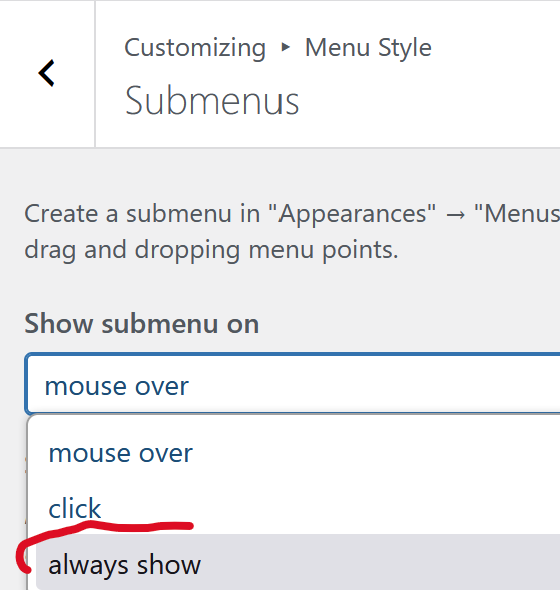
-
So I know about secondary menu's but this vertical menu needs to appear at page Menu item 1. I'm sure its possible to use css and hide this menu on other pages. But I want the "articles" to be projects which get added automatically to this vertical menu. Under different authors names.
Is there a way to automatically add these through tags or categories? Like with a project index? -
Hmm I think no!
But you could create a shortcode and use php code to then create some code to make the menu exactly like you want.
basically you could use the snippets plugin, write your own php code then use a shortcode
a little like here
https://www.youtube.com/watch?v=05qGKezYTF8u wouldnt need ACF though like i use in this video
-
i can code this for you too for 90€ per hour
