Issue with scroll animations and site transitions (settings don't apply)
-
Hey :)
I have an issue with changing the settings for scroll animations and animations when navigating.
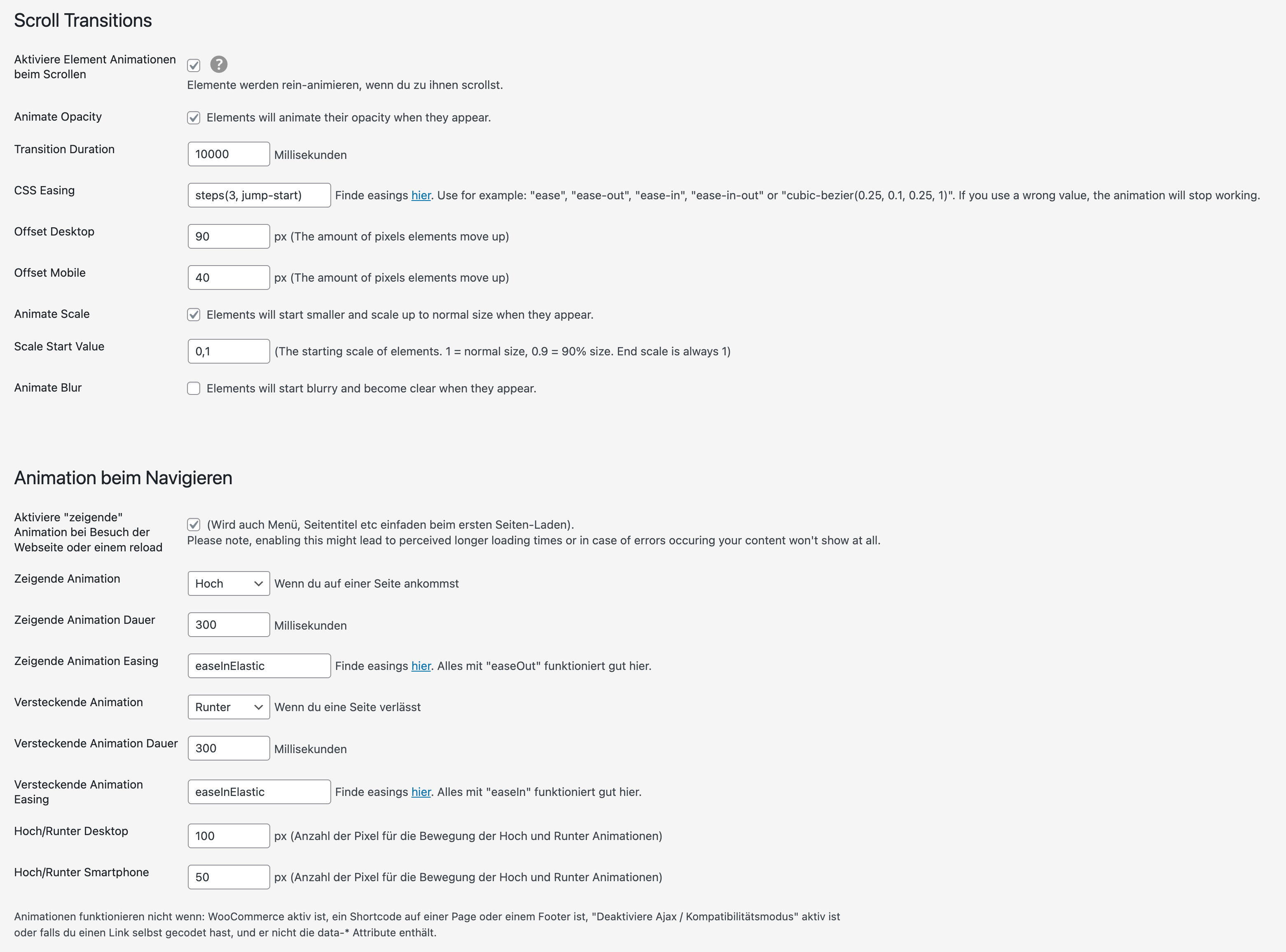
Somehow some settings don't apply.Scroll animations:
I changed the animation duration to 10 sec and the easing to something weird like "steps(3, jump-start)" to see if it has some effect.
Result --> animations still run very fast and with easeAnimations while navigating (transitions):
I can change the animation duration, but not the easing. I changed the easing to "easeInElastic"
Result --> animations still run "linear"I deactivated all plugins and custom code...
here's a screenshot of my settings
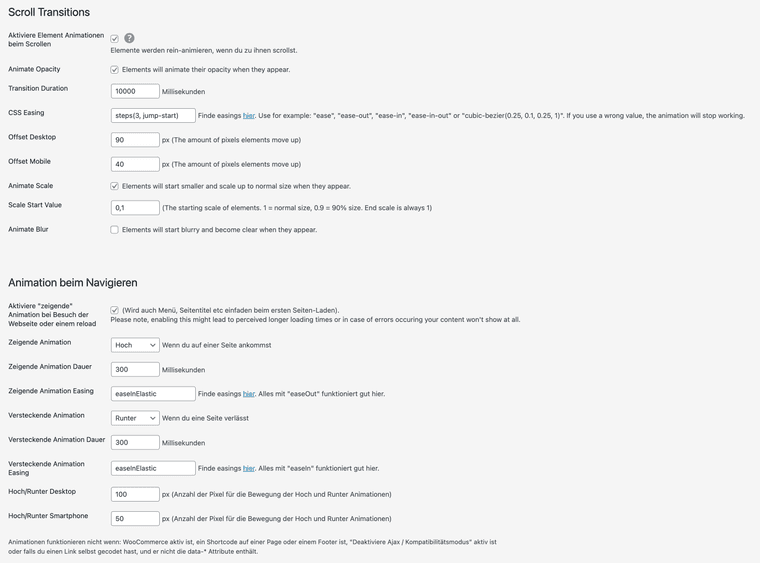
here's a link to the regarding site (settings from screenshot still applied.
www.felixfinger.deAny idea what I am doing wrong?
Best,
Felix -
hey the links always say "Find easings here"
and then the "here" is a page where u can find the easings that should work.
however, it seems that the link changed :Dhttps://animejs.com/v3/documentation/#pennerFunctions
this is the right link i will update it!
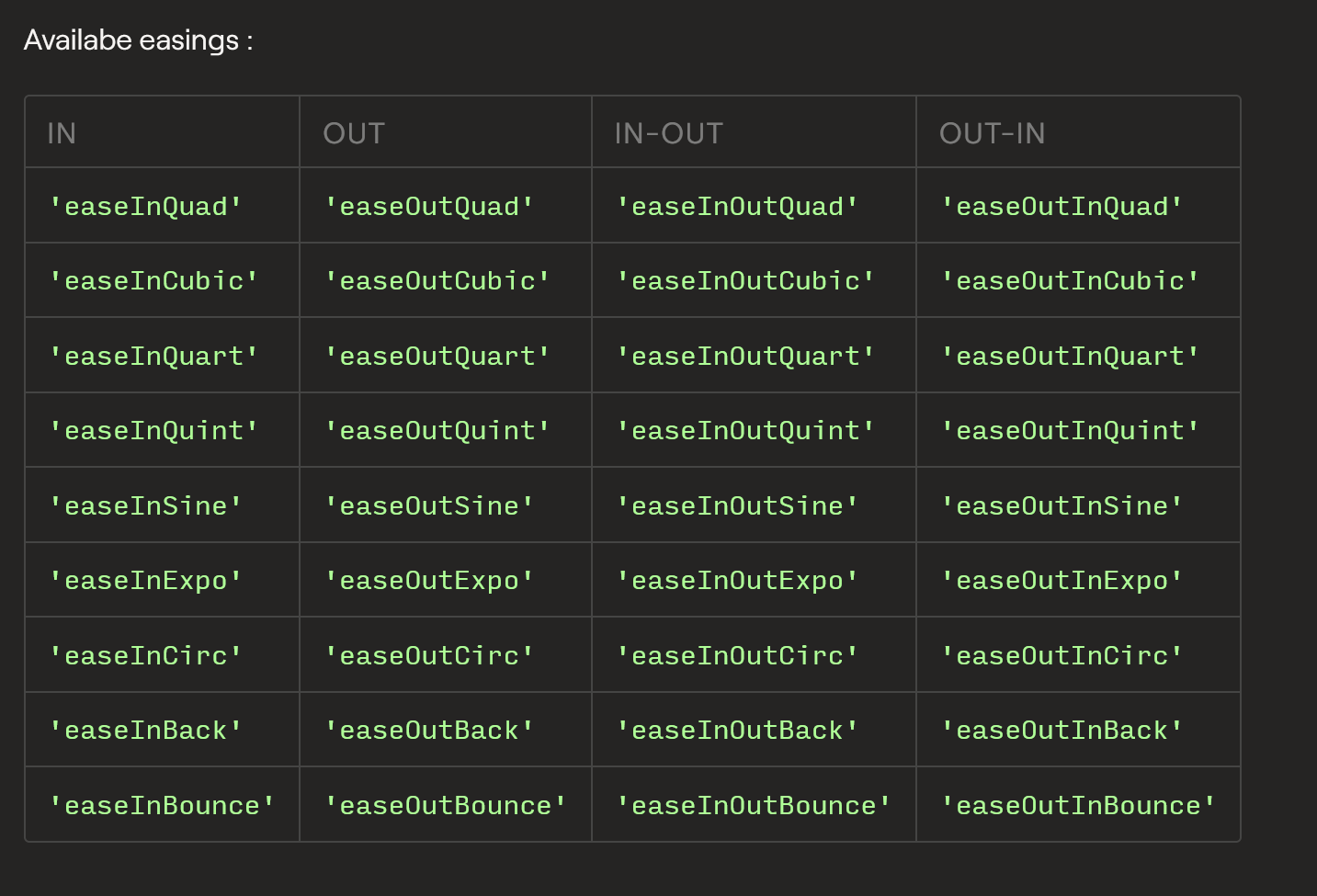
the "easeInElastic" easing simply doesnt exist as a valid easing to use. u can use the ones u see above.
I changed the animation duration to 10 sec and the easing to something weird like "steps(3, jump-start)" to see if it has some effect.
I think steps.. is not a valid easing function
-
Hey @arminunruh ,
oh yes this worked thanks! Yep I followed the links and found the easings there, but I didn't know that you can only use the penner Functions.
For the scroll animations:
I now use a cubic-bezier ease that scales from 1.1 down to 1.0. This works for images on project sites, but not for the thumbnail grid – on thumbnail grid there it still scales up when scrolling the projects and also the animation duration settings don't seem to have any effect on the thumbnail grid. Is there a separate way to control the scroll animations for thumbnail grids?Best,
Felix -


Hello! It looks like you're interested in this conversation, but you don't have an account yet.
Getting fed up of having to scroll through the same posts each visit? When you register for an account, you'll always come back to exactly where you were before, and choose to be notified of new replies (either via email, or push notification). You'll also be able to save bookmarks and upvote posts to show your appreciation to other community members.
With your input, this post could be even better 💗
Register Login