blurry Menu and collapsible overlay
-
Hello!
I have a question about a couple of layout tips for my website.
1 — I’d like to create a center menu bar that doesn’t span the full width of the site, but sits just behind my menu buttons. I want it to be transparent and blurry, like a glassmorphism effect.
2 — On my project pages, I’d like to add a collapsible info panel, also with a transparent and blurry background, that reveals project information when opened.
I’ve found a website that does something similar (https://lukasrudolph.info/) could you help me figure out how to recreate this in LayTheme?
Thanks!
-
hi! <3
1
do u think it could be a possibility for you to use the pill menu style?
https://www.instagram.com/p/DMIRnRaiDHX/it seems that lukas website:
https://lukasrudolph.info/material/uses this style, but he set the customizer settings in a way where it doesnt show the pill
probably he set the pill to opacity: 02
https://laytheme.com/documentation/overlays.htmlyou can use this feature, and with the next lay theme update i will release probably this week,
you will be able to set the background of a page with opacity and blur here
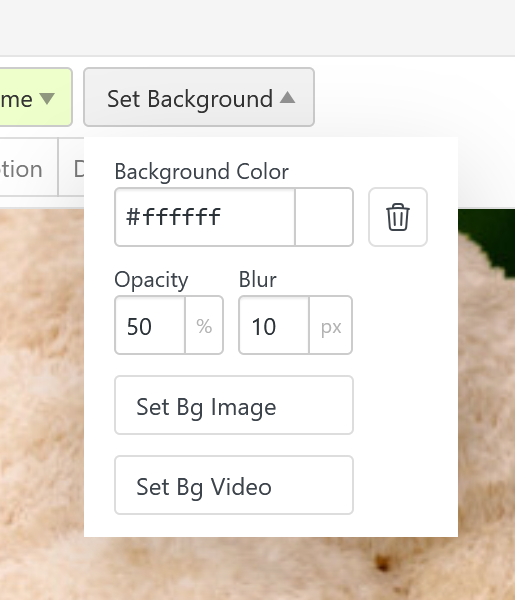
in the gridder
so that will be possible then!
-
hi! <3
1
do u think it could be a possibility for you to use the pill menu style?
https://www.instagram.com/p/DMIRnRaiDHX/it seems that lukas website:
https://lukasrudolph.info/material/uses this style, but he set the customizer settings in a way where it doesnt show the pill
probably he set the pill to opacity: 02
https://laytheme.com/documentation/overlays.htmlyou can use this feature, and with the next lay theme update i will release probably this week,
you will be able to set the background of a page with opacity and blur here
in the gridder
so that will be possible then!
@arminunruh Thank you dude !
I will try this ! But for the collapsible overlay, how does it work to have "+" and "-" on my overlay?
Thank you in advance ! <33
-
when u enable the page overlay setting in "lay options".
then when u edit a page, you can set the burger menu icon and the x close icon: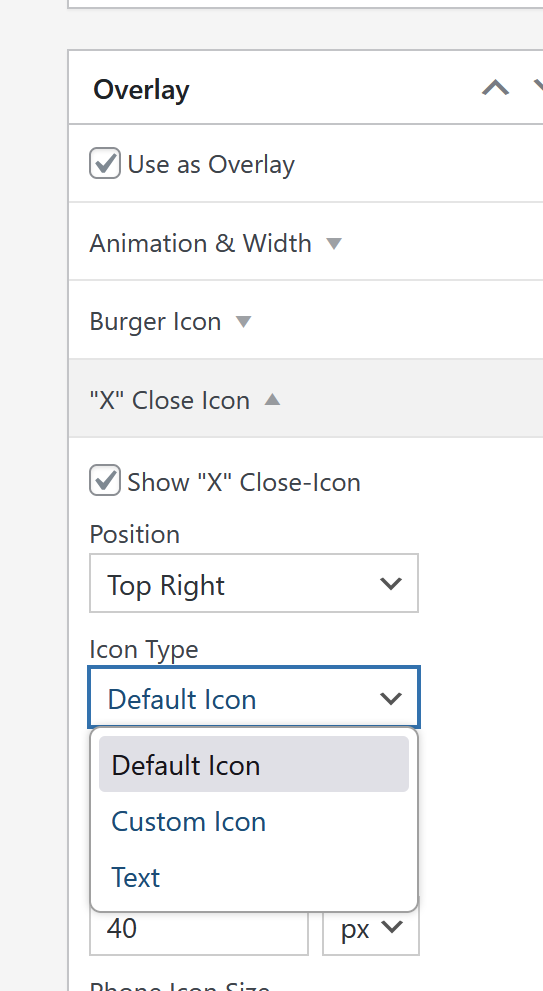
those can be text, a custom image, or the default icons
-
is this what you mean?
-
I found the accordion item ahah, that's what i wanted ! thank you

Hello! It looks like you're interested in this conversation, but you don't have an account yet.
Getting fed up of having to scroll through the same posts each visit? When you register for an account, you'll always come back to exactly where you were before, and choose to be notified of new replies (either via email, or push notification). You'll also be able to save bookmarks and upvote posts to show your appreciation to other community members.
With your input, this post could be even better 💗
Register Login