Update Redirects to Preview Page — Changes Not Saved
-
Hi everyone,
After updating today, whenever I edit a page after adding content and click “Update”, it takes me to the preview page directly, but also the preview doesn’t refresh. As a result, none of my changes get published.I’m working on Chrome but I've notice the same issue on Safari. I’ve already cleared the cache and disabled extensions, but nothing changes.
Any idea?
Thank you so much! -
Hey Ludon, my guess is probably your server is overloaded and interprets the data that is saved as the history for the undo and redo in a wrong way.
https://laytheme.com/troubleshooting.html#updating-redirects
So basically, some servers interpret the data that is being saved as a security risk and then just abort everything and redirect you.
I will implement a checkbox in Lay Options now where you can disable the undo/redo functionality. Then I will release this update, and you can see if when you disable undo/redo, if it will work.
Btw, which web host do you use?
-
-
Hello, I released the update now.
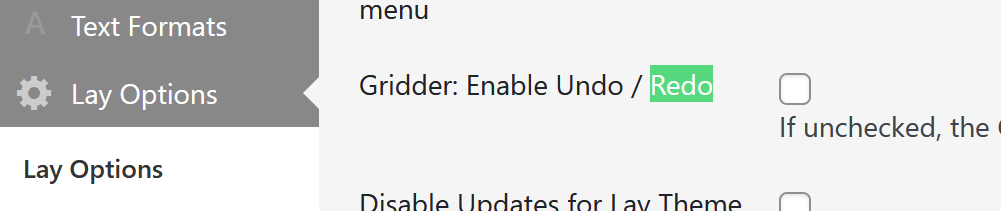
Can you please uncheck this and then click "Save." It's in the "Lay Options" section in the other section.
-
-
Hi Armin, I’m taking the opportunity to kindly ask another thing.
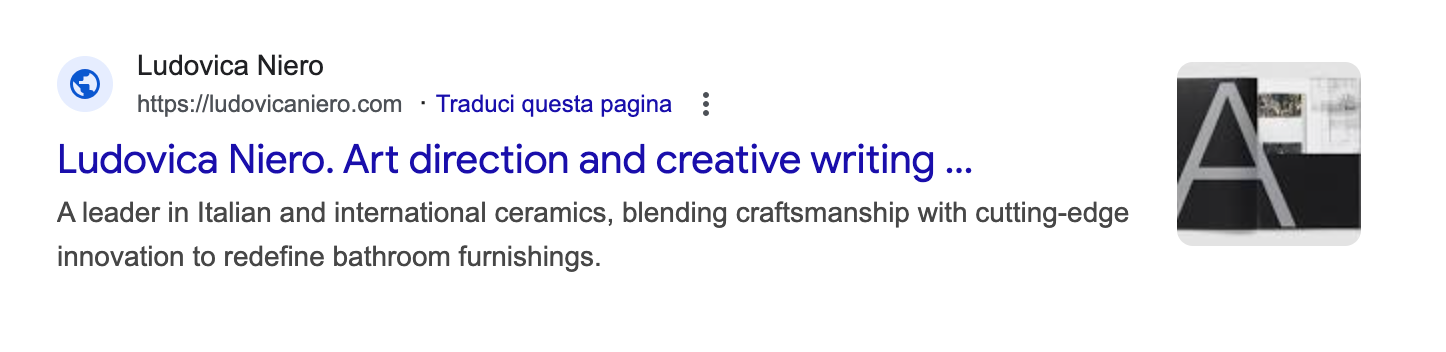
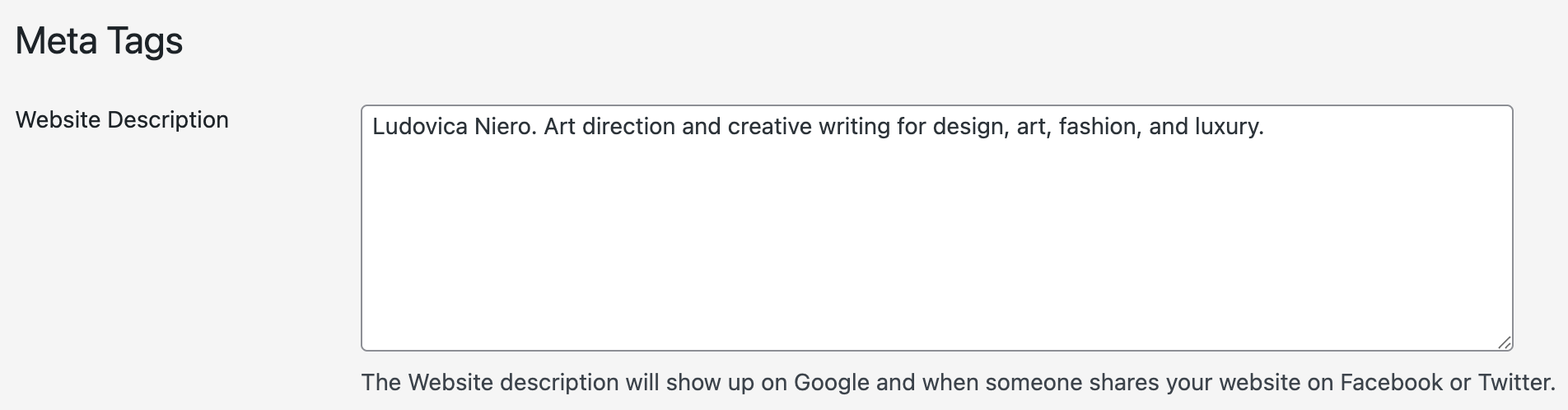
I added the meta description in the options (as shown in the screenshot), but on Google the search result still only shows the description of one specific project, see screenshot. Any idea? I added the meta description field a few weeks ago, so the change should have propagated by now.
Thank you so much in advance!
-

your meta tag is set correctly.
i found this:
Google does not guarantee that it will use your <meta name="description"> tag in search results. Even if you set it correctly, Google may choose a different snippet from your page.
so maybe if you make your text longer and more descriptive it will work in the future.

Hello! It looks like you're interested in this conversation, but you don't have an account yet.
Getting fed up of having to scroll through the same posts each visit? When you register for an account, you'll always come back to exactly where you were before, and choose to be notified of new replies (either via email, or push notification). You'll also be able to save bookmarks and upvote posts to show your appreciation to other community members.
With your input, this post could be even better 💗
Register Login