multiple bugs in Table elements
-
hi @arminunruh,
Lately, I’ve been working a lot with the Table elements and Collapsed Rows, and noticed at least three different issues. All of them can be found here —> https://inesbaptista.com/production/
-
On this page, I'm using many Expand/Collapse Row Links and Table Elements. All Tables were created in the Desktop layout and then inserted (synced) into the Mobile layout, so I expected them to behave the same way as on desktop, since the rows have exactly the same order and quantity. However, most of the Expand/Collapse Links on Mobile are not working. When I try to add them manually in the Mobile layout, some still work on Desktop while others stop working. It would be great if this could be fixed, as otherwise I would have to unsync everything and recreate the expand/collapse links manually for each layout (which seems unnecessary since the layouts are the same).
-
On the same page, I noticed an issue related to adding content to Table elements. When I edit a cell in one table, the new content is automatically added to another table I edit afterward (always in the first cell of the first column, I believe). This happens frequently and is a nightmare to correct since I have to edit one table at a time and constantly update the page to prevent it from happening again :'(
I am sending a screen recording on the link below so you can better understand the issue. -
The last problem concerns the opening/loading behavior of collapsed rows. Sometimes they open more than expected and then “jump” to the correct size afterward. I believe this is related to changes in the browser window width. I also added a screen recording of this on the same link.
Link with the screen recordings
—>https://www.swisstransfer.com/d/244edbbf-8798-41c6-b15f-b17ee86c97e0Let me know if you have any questions about this, and if you can help with these issues. Thank you!
-
-
hey thanks! im on holidays, i will take a closer look in like a week
-
hey @arminunruh, any updates on this?
-
hey im looking into it now
-
ok number 2 i fixed now and will be included with the next update
-
ok number 3:
im not a 100% sure, but i think its because u're using "scroll animation"
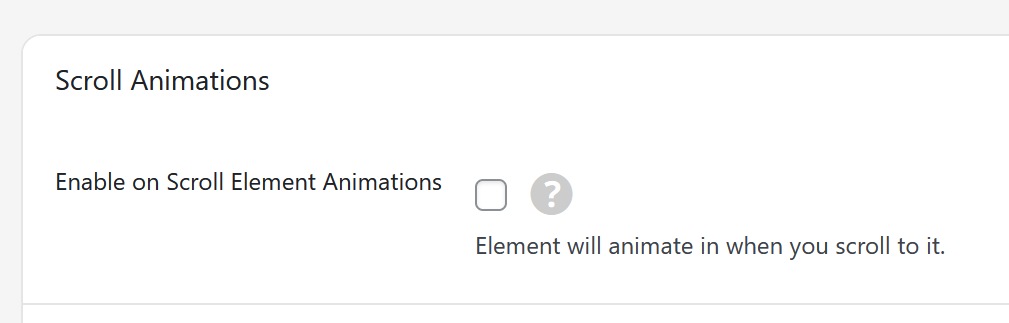
the element inside the collapsed row is displaced because of this animation, so the height is calculated wrong.
with the next update, any elements inside a collapsed row will not get this animation.
after the next update you can try if this works correctly then
-
issue 1:
expanding and collapsing rows on desktop layout and phone layout:
expand/collapse is based on the row's ID, not the row's position/index.
each row has an ID.
when you make a link expand/collapse a certain row, then that link remembers the ID of that row. and expands/collapses it based on that ID.this way, you can move around a row and it will stay the expanded/collapsed row of that link.
when you add rows to the custom phone layout, they may get different Id's than rows in the desktop layout.
so if you just copy over a link that expands a row from the desktop layout to the phone layout or the other way around, it may target a row that doesn't exist.
that is why any texts that contain a expand/collapse row are not synced between desktop and phone layoout when you change the text/link:
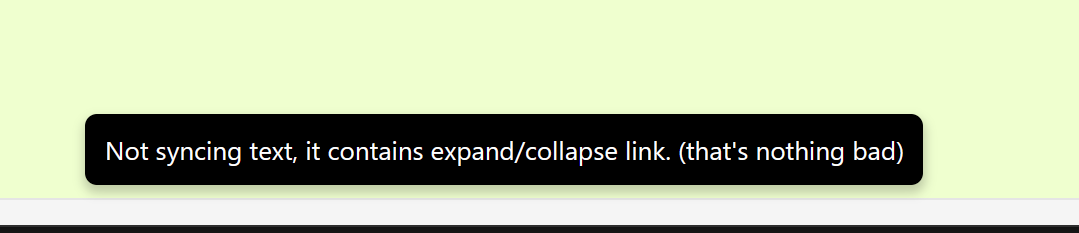
all of this means: you may need to set expand and collapse row links for desktop layout and custom phone layout separately
-
Hey @arminunruh
I think issues 2 and 3 are fixed now, thank you!Regarding the first issue:
Since all the desktop and mobile layouts have synced elements (with “Sync Element Content”), when I change the Expand/Collapse Row Links on mobile, it creates issues on desktop and vice versa. So it’s basically creating problems that the user doesn’t expect and can miss.
I understand the row ID process method, but maybe, for lack of a better one in this context, it would be more user-friendly to automatically remove the Expand/Collapse links on synced elements (of the later added layout). That way, it wouldn’t create subsequent issues on the first layout, and we would still be able to keep the text synced between layouts (we would just need to add the expand/collapse links manually on each layout).
Also, where’s that “Not syncing text” warning? I didn’t see it anywhere :/
PS: I think the Accordion element would fix pretty much all the issues (and reduce the update complexity of this page) if only it had the possibility of having more than one column. Are you thinking of adding that feature in a near future?
-
I understand the row ID process method, but maybe, for lack of a better one in this context, it would be more user-friendly to automatically remove the Expand/Collapse links on synced elements (of the later added layout). That way, it wouldn’t create subsequent issues on the first layout, and we would still be able to keep the text synced between layouts (we would just need to add the expand/collapse links manually on each layout).
yea but if you first create a custom phone layout, i think the row Ids are the same, so i think we dont need this.
Meaning if you would: delete your custom phone layout, create a new one where it copies over the layout,
then the expand collapse should work the same way in the custom phone layoutAlso, where’s that “Not syncing text” warning? I didn’t see it anywhere :/
When you click Ok after editing a text element that contains a expand/collapse link
Since all the desktop and mobile layouts have synced elements (with “Sync Element Content”), when I change the Expand/Collapse Row Links on mobile, it creates issues on desktop and vice versa. So it’s basically creating problems that the user doesn’t expect and can miss.
No, this should show the “Not syncing text” warning and then it should not sync this text
-
Thank you @arminunruh
I didn’t know that we could delete the phone layout and create a new one.
I tried that and it fixed the issue!Regarding the “Not syncing text” warning, it never appeared for me and I believe I figured out why.
That warning only appears when a text element is created in one layout, then added to the other layout with the sync option, and only after that the text is edited with an Expand/Collapse Link.
But when the text element is created in one layout, edited with an Expand/Collapse Link first, and only after that added to the other layout (with the sync option), the warning doesn’t show up and the links get synced between both layouts.
Also, even with the first method, the warning doesn't show up when the Expand/Collapse Link is inside a Table Element.
I think these are the reasons why the issue happened in my case, unfortunately.
Do you think it would be possible to make these behaviors more consistent by default? -
Hm you are right, this only works for text elements, not for any other elements that can contain texts like accordions, table etc.
But when the text element is created in one layout, edited with an Expand/Collapse Link first, and only after that added to the other layout (with the sync option), the warning doesn’t show up and the links get synced between both layouts.
True. You mean you create a text element. Then click "Insert into Phone Layout".
Then it just copies over the text mmh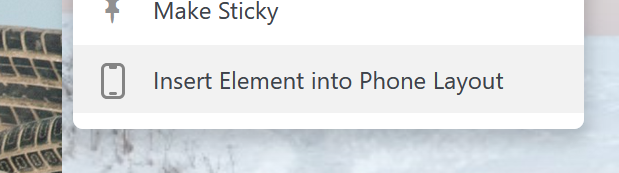
-
those things should be fixed with the next update im releasing today


Hello! It looks like you're interested in this conversation, but you don't have an account yet.
Getting fed up of having to scroll through the same posts each visit? When you register for an account, you'll always come back to exactly where you were before, and choose to be notified of new replies (either via email, or push notification). You'll also be able to save bookmarks and upvote posts to show your appreciation to other community members.
With your input, this post could be even better 💗
Register Login