Code Snippet: make captions on carousel follow mouse
-
I just coded this snippet to make captions in a carousel follow the mouse cursor.
Its for someone's Lay Theme website. I got this request by email and yea I wanted to share it here in case someone wants to do this too.It only works for type "Slide". The user had this config for their carousel:
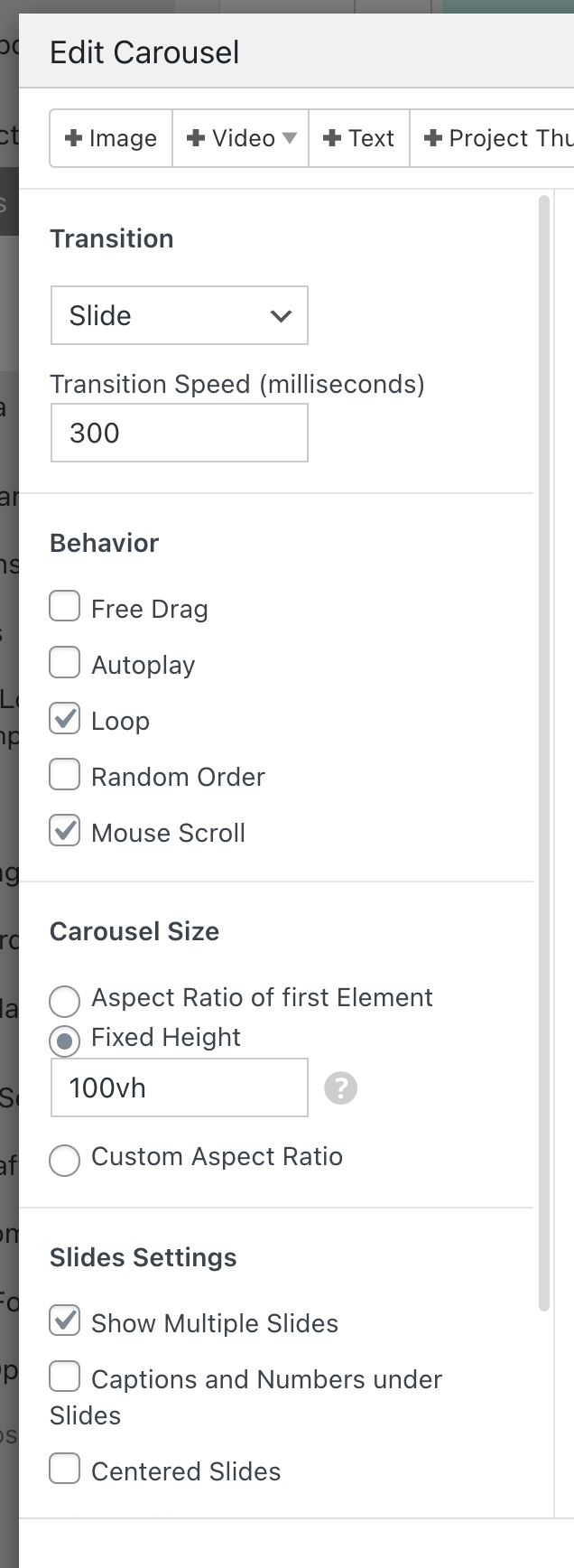
Add this javascript into "Lay Options" -> "Custom CSS & HTML" -> "Custom HTML at bottom":
<script>
    var currentIx = -1;

    var reset = function(e){
        currentIx = -1;
        jQuery(".fixed-caption").remove();
        jQuery(window).off('mousemove wheel', doFollow);
    }

    var doFollow = function(e){
        var el = document.elementFromPoint(e.clientX, e.clientY);
        var $slide = jQuery(el).closest(".lay-carousel-slide");
        if($slide.length > 0){
            var ix = $slide.attr('data-swiper-slide-index');
            if(ix != undefined && ix != currentIx){
                currentIx = ix;

                var $wrap = $slide.closest('.lay-carousel-wrap');
                var $caption = $wrap.find('.single-caption.ix-'+ix);
                jQuery(".fixed-caption").remove();
                if($caption){
                    var $clone = $caption.clone();
                    $clone.css({
                        'position': 'fixed',
                        'top': 10,
                        'left': 10,
                        'zIndex': 98,
                        'pointer-events': 'none'}).addClass('fixed-caption')
                    jQuery("body").append($clone);
                }
            }
            jQuery('.fixed-caption').css('transform', 'translate('+e.clientX+'px, '+e.clientY+'px)');
        }
    }

    window.laytheme.on('newpageshown', function(){
        if(window.utility.isTouchDevice){
            return;
        }
        reset();
        //if(jQuery("body").attr('data-id') == 282){
            jQuery(".lay-carousel-sink-parent").hide();
            jQuery(window).on('mousemove wheel', doFollow);
        //}
    })
</script>
on a touchdevice, this does nothing. as we dont have mouse cursors on touch devices :)
-
nice one! thanks, armin
-
maybe it would be cool to collect code snippets like this in the documentation section on the website, so they’re easier to find.
-

Hello! It looks like you're interested in this conversation, but you don't have an account yet.
Getting fed up of having to scroll through the same posts each visit? When you register for an account, you'll always come back to exactly where you were before, and choose to be notified of new replies (either via email, or push notification). You'll also be able to save bookmarks and upvote posts to show your appreciation to other community members.
With your input, this post could be even better 💗
Register Login