square corners instead of rounded ones border radius - sidebar

-
-
seems like you can use https://developer.mozilla.org/en-US/docs/Web/CSS/Reference/Properties/corner-shape
corner shape bevel.
if you add this css to "custom css" in lay options -> custom css and html:
.col, .col img, .col .ph{
corner-shape: bevel;
}it should transform rounded corners to these types of corners!

-
-
actually while working on this, I realized that the "sync/unsync" values button:
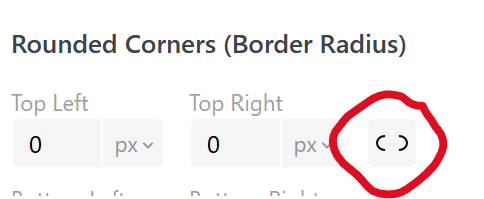
does not remember your choice when you update.
this may make it harder to set only one corner radius!im releasing an update now where this is fixed
-

Hello! It looks like you're interested in this conversation, but you don't have an account yet.
Getting fed up of having to scroll through the same posts each visit? When you register for an account, you'll always come back to exactly where you were before, and choose to be notified of new replies (either via email, or push notification). You'll also be able to save bookmarks and upvote posts to show your appreciation to other community members.
With your input, this post could be even better 💗
Register Login