Desktop menu/header is transparent and page content scrolls underneath (mobile looks fine)
-
Hi!
I’m using Lay Theme on WordPress and I’m struggling with the desktop header/navigation behavior.Problem:
On desktop, the top navigation/header area remains transparent and the page content scrolls underneath it (so text overlaps the menu area visually). On mobile/tablet the menu appears on a white background and does not have the same overlap problem.Where it happens:
https://www.fredgresch.no/priser/What I tried (no change):
Cleared cache / disabled caching (WP Super Cache) and hard-refreshed / tested in private window
Lay Options → Custom CSS & HTML → “Turn Off All Custom Code” enabled and saved
Tested again after these steps (still happens)
Goal:
I want the desktop menu/header to have a solid white background (or any background) and the content to start below the header, so nothing scrolls underneath.Questions:
Is this controlled by a Lay Theme setting (e.g. sticky/overlay header mode) rather than custom CSS?
Which selector/container is responsible for the header background on desktop in Lay?
Is there a recommended way in Lay to offset the page content to the sticky header height?
If needed I can provide screenshots from DevTools showing the header element and computed styles.
Thanks!
-
hey!
go to customize -> menu style -> menu bar
here you will find the necessary settings:
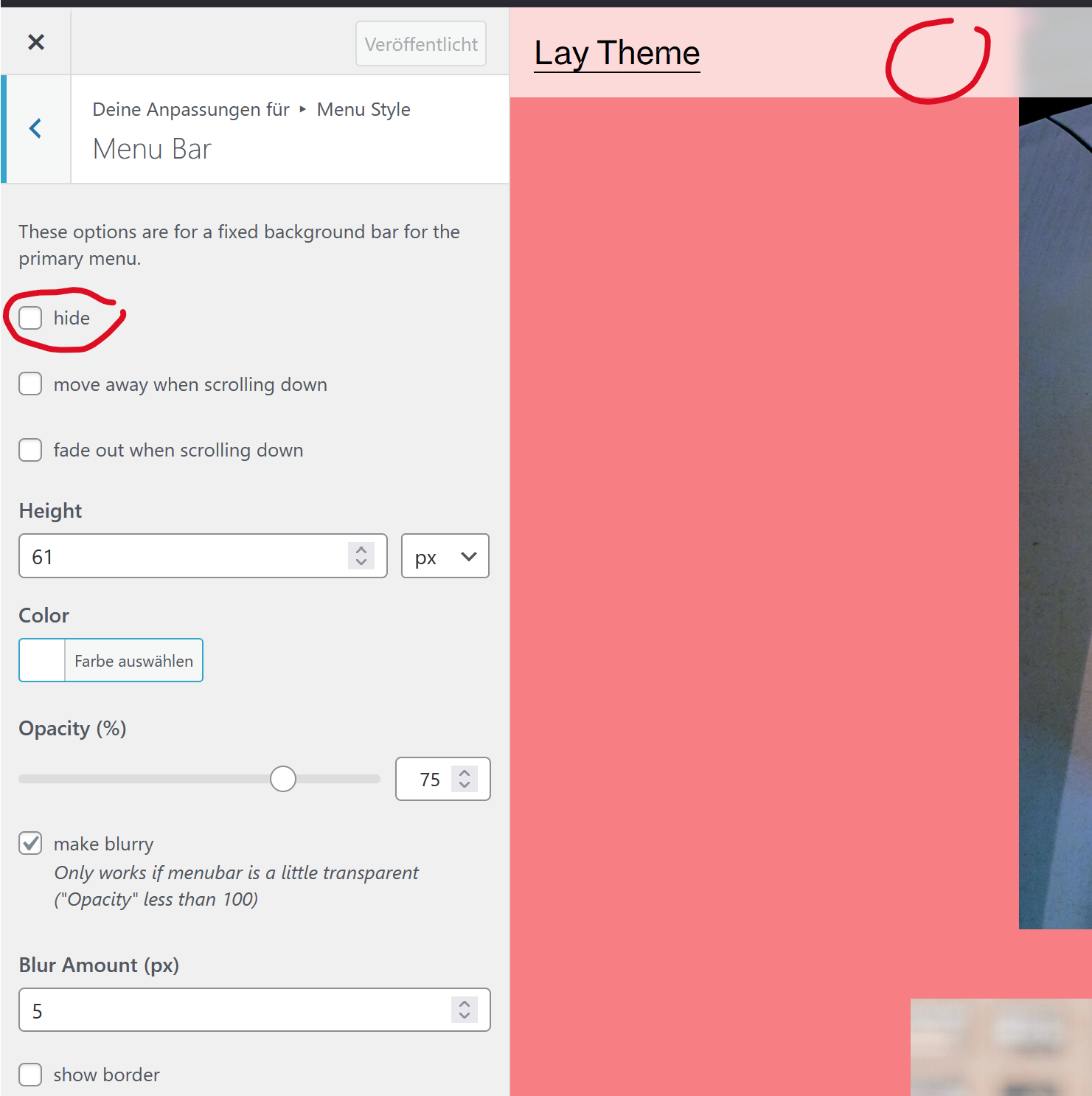
this should be the thing you're looking for i think!
-
hey!
go to customize -> menu style -> menu bar
here you will find the necessary settings:
this should be the thing you're looking for i think!
@arminunruh Thank You !, that was easy:)

Hello! It looks like you're interested in this conversation, but you don't have an account yet.
Getting fed up of having to scroll through the same posts each visit? When you register for an account, you'll always come back to exactly where you were before, and choose to be notified of new replies (either via email, or push notification). You'll also be able to save bookmarks and upvote posts to show your appreciation to other community members.
With your input, this post could be even better 💗
Register Login