Prevent Scroll Jump on Page Transition (different behavior in Chrome/Safari vs Firefox)
-
Hi @arminunruh ,
I’m trying to customize the page transitions on my site and I’m running into a scroll issue during AJAX navigation.
When switching pages, LayTheme keeps the scroll position from the previous page and then scrolls back to the top. I would like each new page to start at the top immediately, without showing any visible scroll movement.
What makes it confusing is that the behavior differs by browser:
• Firefox: works fine – the transition uses opacity and the new page appears only after it’s already at the top
• Chrome & Safari: the new page appears at the old scroll position first and then visibly scrolls to the top afterwardsSo users can actually see the page jumping/scrolling up, which looks off.
Things I already tried:
• window.scrollTo(0,0) in the Head
• forcing .scrollTop = 0 on LayTheme containers
• overriding window.scrollTo()
• custom JS on page transition eventsNone of these worked.
In DevTools I can see that frontend.app.min.js calls scrollTo() after the new page loads, which seems to override everything.My questions:
1. Is there a built-in LayTheme option to disable this automatic scroll behavior?
2. Is there a recommended way to force every new page to start at scroll position 0 with AJAX transitions?
3. Why does Firefox behave differently from Chrome/Safari here?Thanks a lot for your help!
-
hey! do you have a link?
i will fix it! i would just need to take a look at your site to see why it happens <3 -
https://energiebuero-hetschko.de/leistungen/
PW is: test -
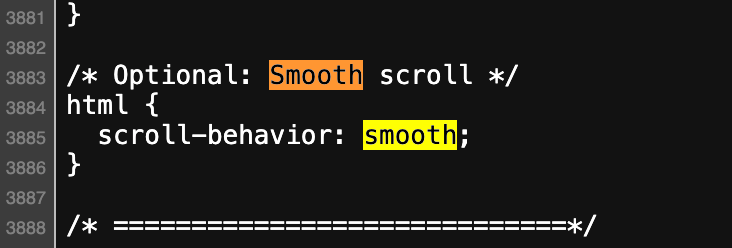
i think its because of this.if you remove this css, it will work without adding any extra code.
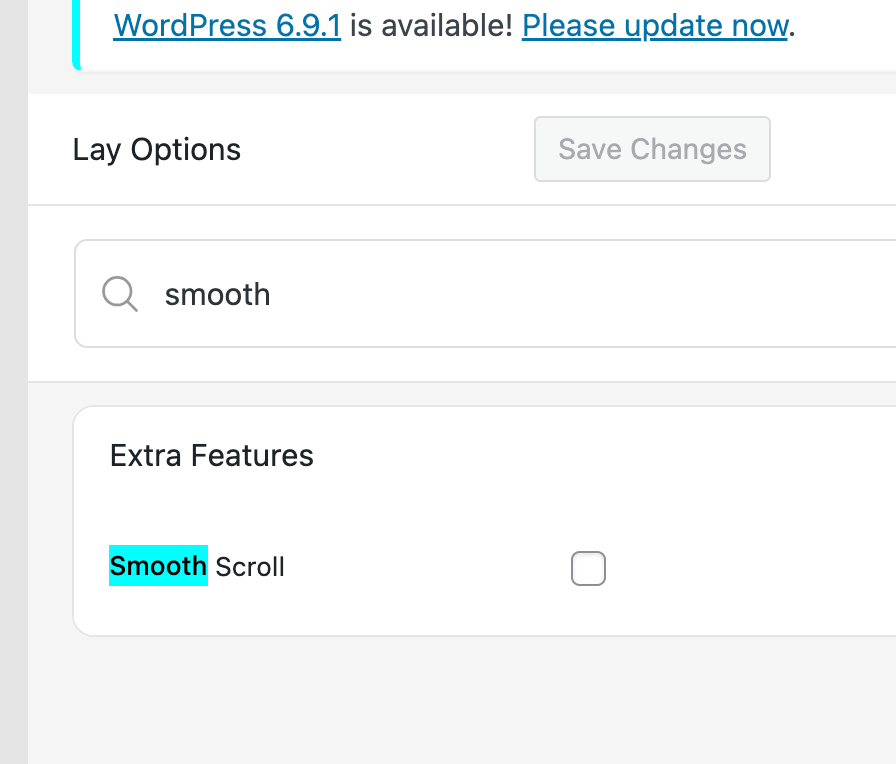
this css should be in: lay options -> custom css & htmlif you want smooth scrolling you can enable smooth scroll in lay options!
-

Hello! It looks like you're interested in this conversation, but you don't have an account yet.
Getting fed up of having to scroll through the same posts each visit? When you register for an account, you'll always come back to exactly where you were before, and choose to be notified of new replies (either via email, or push notification). You'll also be able to save bookmarks and upvote posts to show your appreciation to other community members.
With your input, this post could be even better 💗
Register Login