Carousel not showing up
-
Hi, the Carousel shows up in the Gridder, but it doesn’t appear in the preview or on the published page. Also, in the Gridder it’s cropping the photos and not resizing them the way it normally does. It seems to affect only this specific installation, because on other installations it works fine. Do you know what could be causing this?
Here’s the link to the page with the non-working carousel: http://wordpress.jakubcigler.archi/vaclavske-nasmesti/
Thanks!
-
Can you please send:
- a link to this forum topic
- your website address
- /wp-admin/ username and password
to: info@laytheme.com
-
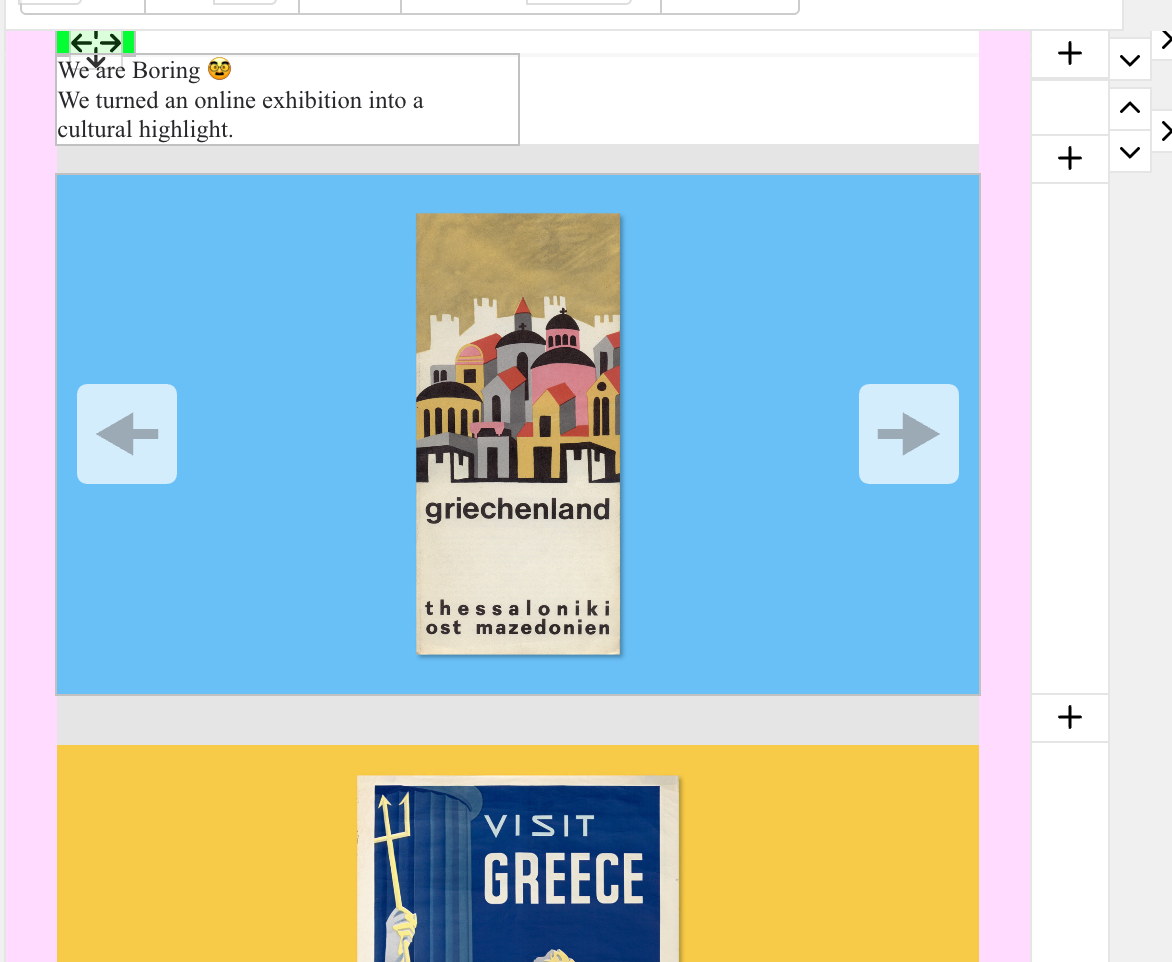
Hello, I have the same issue with the following page: https://we-are-boring.com/imagining-greece/ There is a carousel above the yellow image that doesn't show up.
-
hey billy!
your carousel version is really outdated. you can download the latest one on www.laykeymanager.com
-
hey billy!
your carousel version is really outdated. you can download the latest one on www.laykeymanager.com
@arminunruh thank you!

Hello! It looks like you're interested in this conversation, but you don't have an account yet.
Getting fed up of having to scroll through the same posts each visit? When you register for an account, you'll always come back to exactly where you were before, and choose to be notified of new replies (either via email, or push notification). You'll also be able to save bookmarks and upvote posts to show your appreciation to other community members.
With your input, this post could be even better 💗
Register Login