Project overlay – reduce delay
General Discussion
2
Posts
2
Posters
165
Views
2
Watching
-
Hello everyone,
I have a question regarding the project overlay feature.
I’m wondering if there’s a way to avoid the slight delay when opening a project, as the contents don’t appear immediately. I haven’t found any option for this in the Lay Options or in the project overlay settings.
If anyone has any suggestions on how to eliminate or reduce this delay, I’d be very grateful if you could share them with me.
Best regards,
Jule -
sure, set this setting to "immediate"
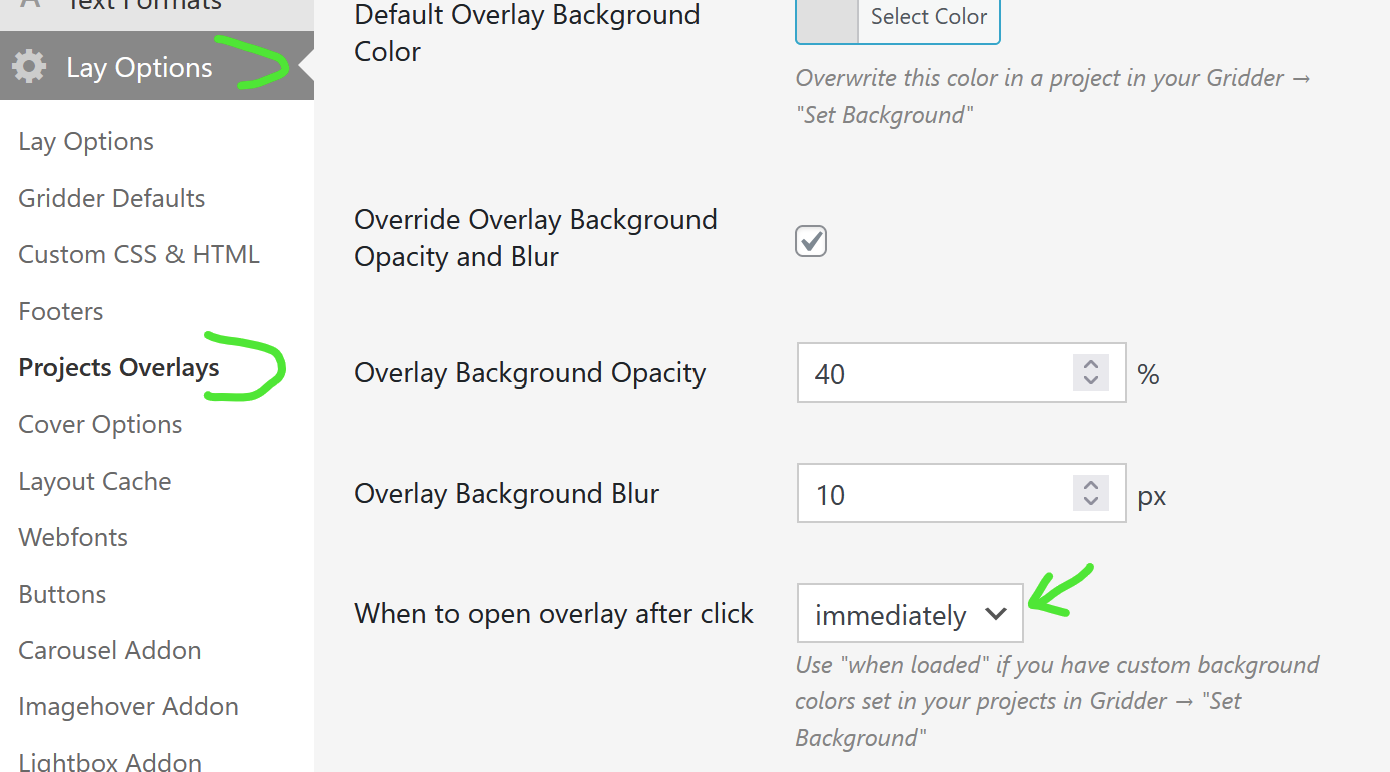
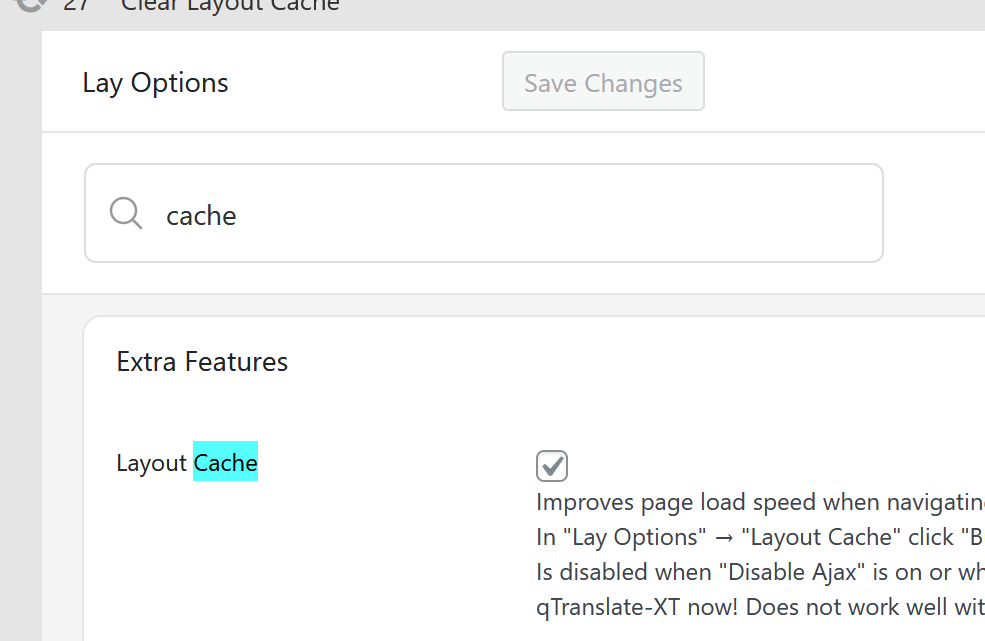
also enable this in lay options:

Online Users
Forgot your key, lost your files, need a previous Lay Theme or Addon version?
Go to www.laykeymanager.com