animation on pill menu not working when Woocommerce is enabled
-
Hi Armin,
I want to make my menu "Pill" style but the animation between pages doesn't work. The pill is not animated when i click on a menu point to change page. I saw in LayOptions that animation may be disabled due to active WooCommerce plugin. Will it be fixed soon or do you have any recommandation to make it works ?
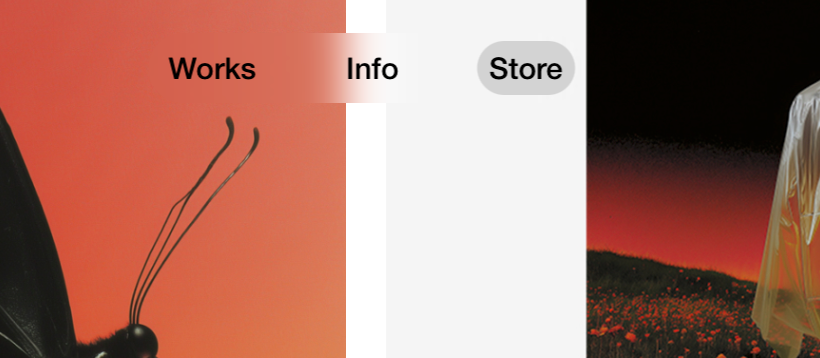
-
hey there! woocommerce doesnt work with ajax page navigations. theres nothing i can do about that :(
im thinkin about coding a "button" menu style option in the customizer. i think this would work better cause it doesnt rely on this animation
-
hey there! woocommerce doesnt work with ajax page navigations. theres nothing i can do about that :(
im thinkin about coding a "button" menu style option in the customizer. i think this would work better cause it doesnt rely on this animation
@arminunruh alright 👍🏻 thanks for the answer !
-
ok so the button menu style is released. you can configure it right where you also turned on the pill menu style in the customizer
that should work better for wocoommerce sites!


Hello! It looks like you're interested in this conversation, but you don't have an account yet.
Getting fed up of having to scroll through the same posts each visit? When you register for an account, you'll always come back to exactly where you were before, and choose to be notified of new replies (either via email, or push notification). You'll also be able to save bookmarks and upvote posts to show your appreciation to other community members.
With your input, this post could be even better 💗
Register Login