Project Overview: video only on hover / Image thumbnails by default
General Discussion
3
Posts
2
Posters
249
Views
2
Watching
-
hi,
the project overview page (https://vzt.hu/works/) loads slowly because many project thumbnails are videos. If I switch them to image thumbnails, the page loads much faster.Is it possible to have the following behavior:
- show the image thumbnails on the projects overview page
- load and play the video thumbnails only when the user hovers over the project
- before mouseover, no video should be loaded, only the image
thanks!
-
wow your website looks amazing!
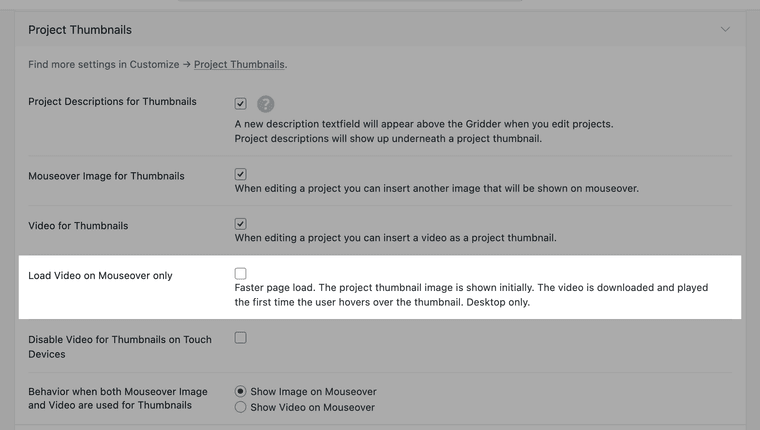
this will be a new setting in lay options, project thumbnails section
with the next updatehere is one thought i had: anywhere you can insert a mp4 video, you can also use the checkmark "external video"
here, you could insert the video URL and use bunnycdn to upload your videos there: https://bunny.net/
from bunnycdn, the videos may load faster -
also, to make your website load faster please disable

in lay options - image section

Online Users
Forgot your key, lost your files, need a previous Lay Theme or Addon version?
Go to www.laykeymanager.com