How to animate a background using text lines with the Typewriter animation
-
thanks a lot.
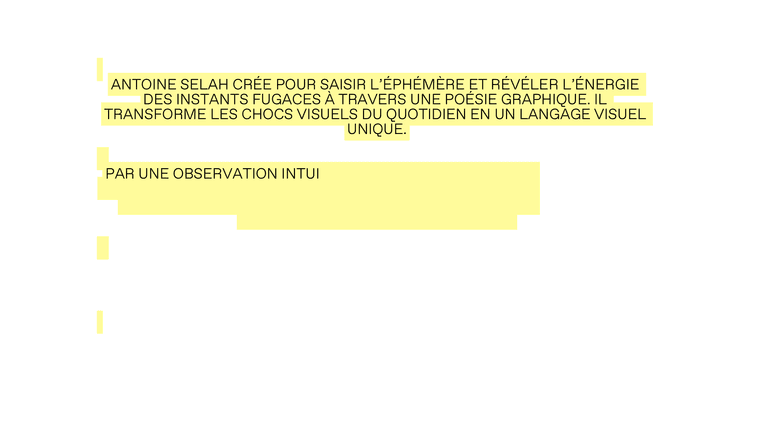
So what you can do is you go to Text Formats and create a character or a headline text format, and in the Decoration tab, enable Background. It kind of looks like this:
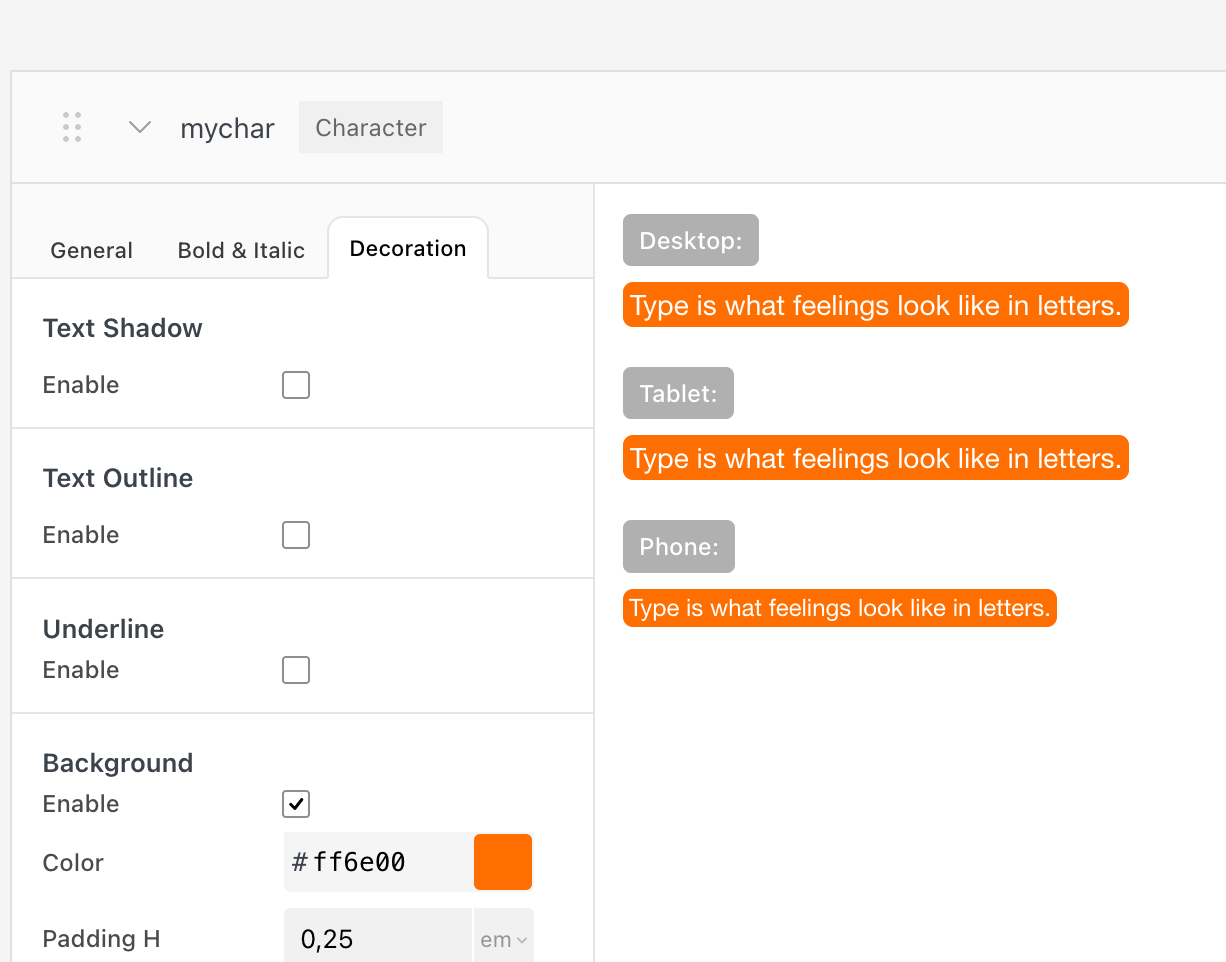
Then apply that format to your text. You may want to select your text in the text editor first and click the clear formatting button so we make sure that this character or headline format that you apply is the only one that we apply, the only text format that we apply.
The clear formatting button is the button with the eraser icon.
Okay, so now you apply this new format that has the background color.
And then with the next Lay Theme update, the animation will work as you intend it to, because right now what you will see is that the background color of the text will simply just be already visible. Only the text will animate in on top of that, but with the next Lay Theme update it will work as you wanted. Have a great day!
-
Hi Armin,
thank you for your quick reply.OK, I see – I hadn’t thought of that solution with the text style; thank you.
I’ve carried out all the settings and steps you told me to, as well as the latest update.
Unfortunately, I’m still having two problems: I can’t centre my text with a background font (the text style doesn’t seem to support it), and the text animation with the background isn’t working properly. I’ve included a link to my test here so you can see for yourself.
Thanks for your help!
Antoine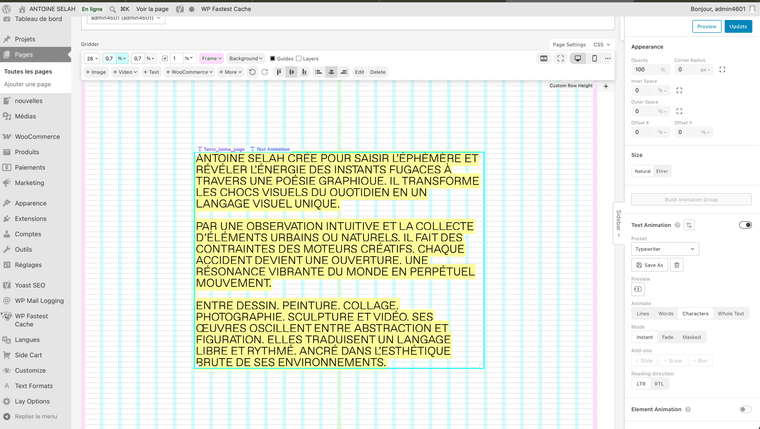
-
-
hello can you please create a test page for me where i can see this?
cause now the texts on the page have no background color -
Hi Armin,
Great, thanks for your feedback.
I’ve copied the page with the effect so you can see it: https://selah.fr/en/home-copy/ -
thank you so much. I'm gonna work on it.
-
ok it will be fixed with the next update!
-
-
-
there is no way to restore this.
you can try
animation type: typewriter
duration: 0 ms
stagger: 40 ms
stagger easing: linear
delay: 0 ms -
-
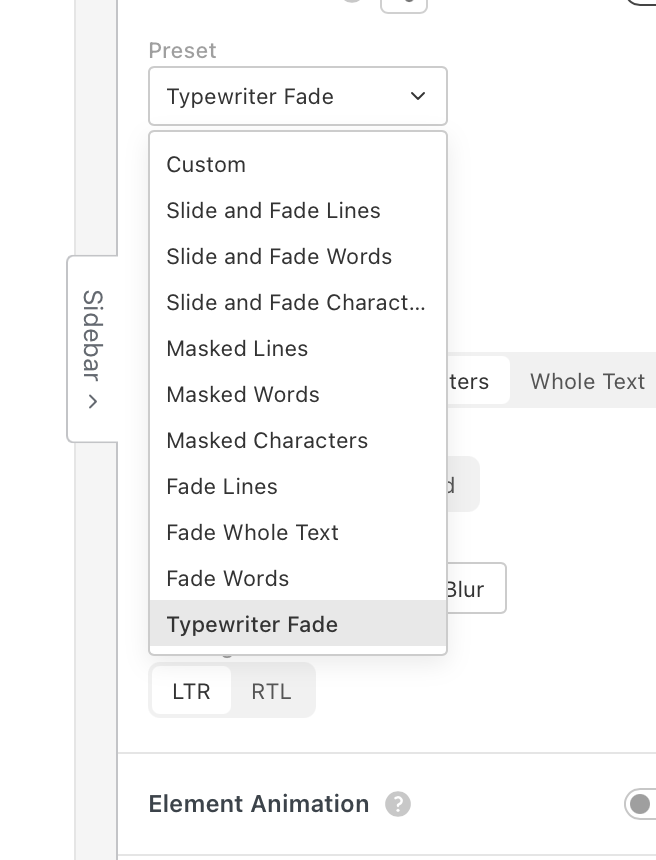
hey, in my last answer I described how to recreate the typewriter effect.
with all the settings that you have in the text animation section, you can recreate the same typewriter effect and then just click Save As and then just save it as typewriter.
<3

Hello! It looks like you're interested in this conversation, but you don't have an account yet.
Getting fed up of having to scroll through the same posts each visit? When you register for an account, you'll always come back to exactly where you were before, and choose to be notified of new replies (either via email, or push notification). You'll also be able to save bookmarks and upvote posts to show your appreciation to other community members.
With your input, this post could be even better 💗
Register Login