titles in overviews show only one language after update (qtranslate)
-
hi,
i know you are not responsible for bugs with qtranslate, but i think this has something to do with a recent laytheme update.
on the blog and projects overview page are only shown the english titles of news articles and projects, not the german ones anymore.
https://beyond.global/cases/
https://beyond.global/blog/there definitely is and was a german title set in the backend ;)
maybe you can look into that, even tho it's something related with a third party plugin
ty & very bests
-
okay, so I will release a Lay Theme update later today that may fix this. If it doesn't fix it, I would need your admin login for that website, or you would need to create a new admin user for me. Then just send it to info@laytheme.com with a link to this topic, because then I would need to take a closer look as to why this happens on your site, because I can't replicate this on my website.
-
Hi, here's a similar case, and it's working fine with the latest update
delunesadomingo.es -
hey you LLLLLLL, so for you it was fixed with the latest update?
-
-
fixed, thank you! @arminunruh
-
amazing!
@clrcrtq if you want you can also turn off:
"Animate Row Backgrounds and Gutters"
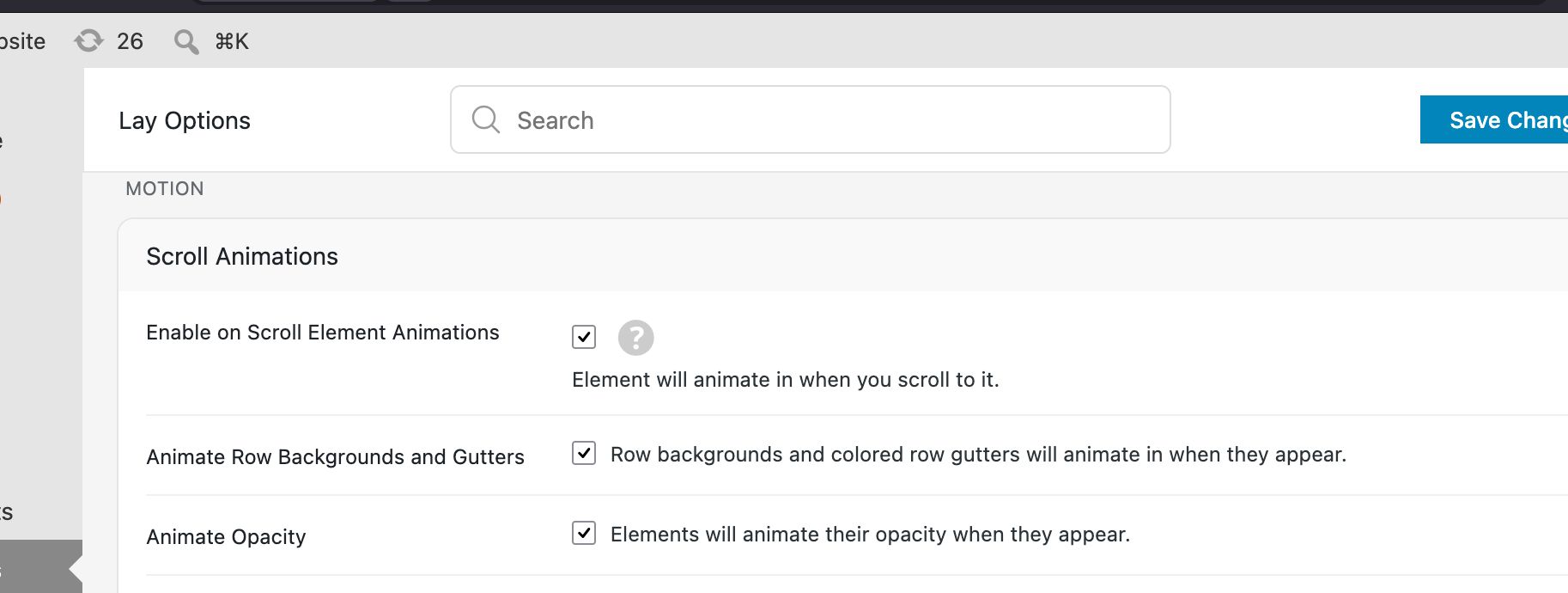
because maybe that doesnt look so good for your footer right now
-
@arminunruh oh thank you that is good to know, since it turned on with a recent update
sadly the bug was reintroduced in the last 2 updates. in v. 11.4.9 it's showing again english titles overwriting german ones, in 11.4.8 it was german titles overwriting english ones :D
-
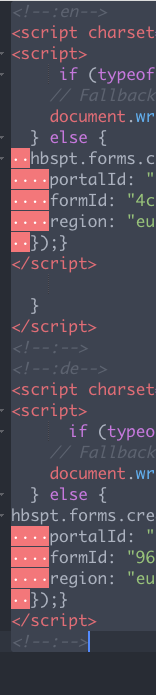
a similiar error seems to be happening now when implementing html snippets with the qtranslate function, it ignores the german one and only shows the english on the contact form. i know qtranslate can introduce their own bugs and is not part of laytheme, but it was kinda working great before 🥲
-
Hey, as with the previous problems with qtranslate, I couldn't reproduce them, so it's kind of hard for me to fix what I can't see.
So far, no one has sent me their admin login to their website, where I can actually see the issue and test it out and build a fix.
So if you could send me your admin login to my email and I could check it out there, that would be of great help, then I can fix it.
info@laytheme.com
website address, wp-admin username and pw
and a link to this topic for context pleasehave a nice day
-
hey can you update lay theme now and try again? i may have found the issue / solution
-
Hey, I found another issue that I released an update for today, and now it should really work. This was kind of hard to fix. It took a really long time because I just couldn't reproduce it, but a few days ago someone finally sent me their login on a website where this issue actually happens. There I was able to reproduce it and find out why it happened.


Hello! It looks like you're interested in this conversation, but you don't have an account yet.
Getting fed up of having to scroll through the same posts each visit? When you register for an account, you'll always come back to exactly where you were before, and choose to be notified of new replies (either via email, or push notification). You'll also be able to save bookmarks and upvote posts to show your appreciation to other community members.
With your input, this post could be even better 💗
Register Login