Costume mobile layout - menue + thumbnail
-
Hi there,
I must say I love the LAY theme. so intuitive and flexible!
I just got some questions on the mobile layout:1.) In the Customizer window I set the mobile phone menu as "Use desktop menu as mobile menu" -> looks all good but only one thing is missing: the stroke when I am on a page eg CONTACT.
2.) For my work/portfolio page I use thumbnails which show the work title (whit custom set type size/colour etc) as a mouseover.
The mobile version uses just the same thumbnails but only the type is way too big for the phone.
-> where can I customize the mobile phone version of the thumbnails?Any Ideas?
Thank you so so much!! -
Hi AJ,
great you like to use Laytheme. Very happy to hear :-)
- Without having a look at your page it is a bit difficult to help you. Sometimes you need to add a custom CSS code for the mobile. Because some things will not be active in the mobile version.
You can do this here:
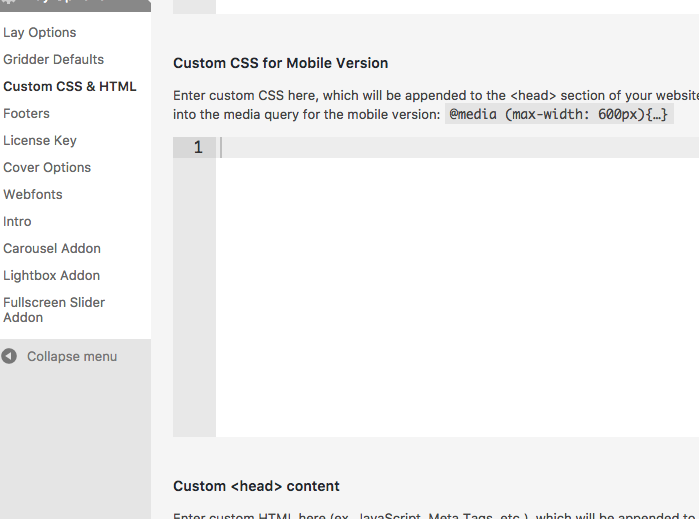
- This might be the case that you have to change the text manually in the mobile CSS (above)
Or you can try to use the LAytheme Text Formats:
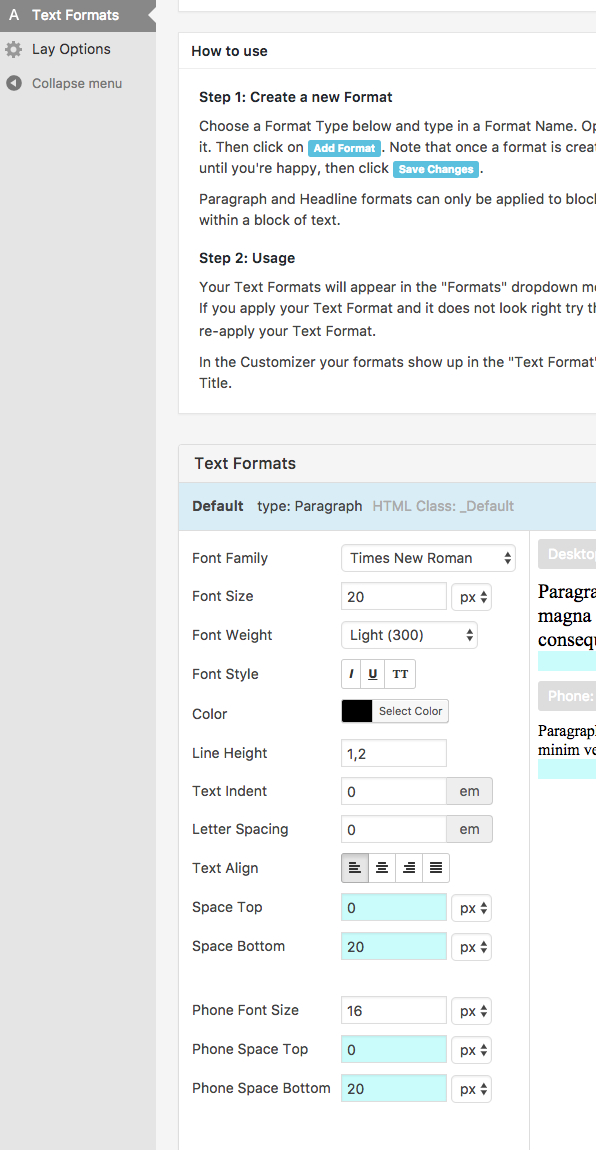
On the bottom you can see Phone Font Size.
Good luck!
Marius
