Site title & menu: type cropped at top
-
Hi Marius,
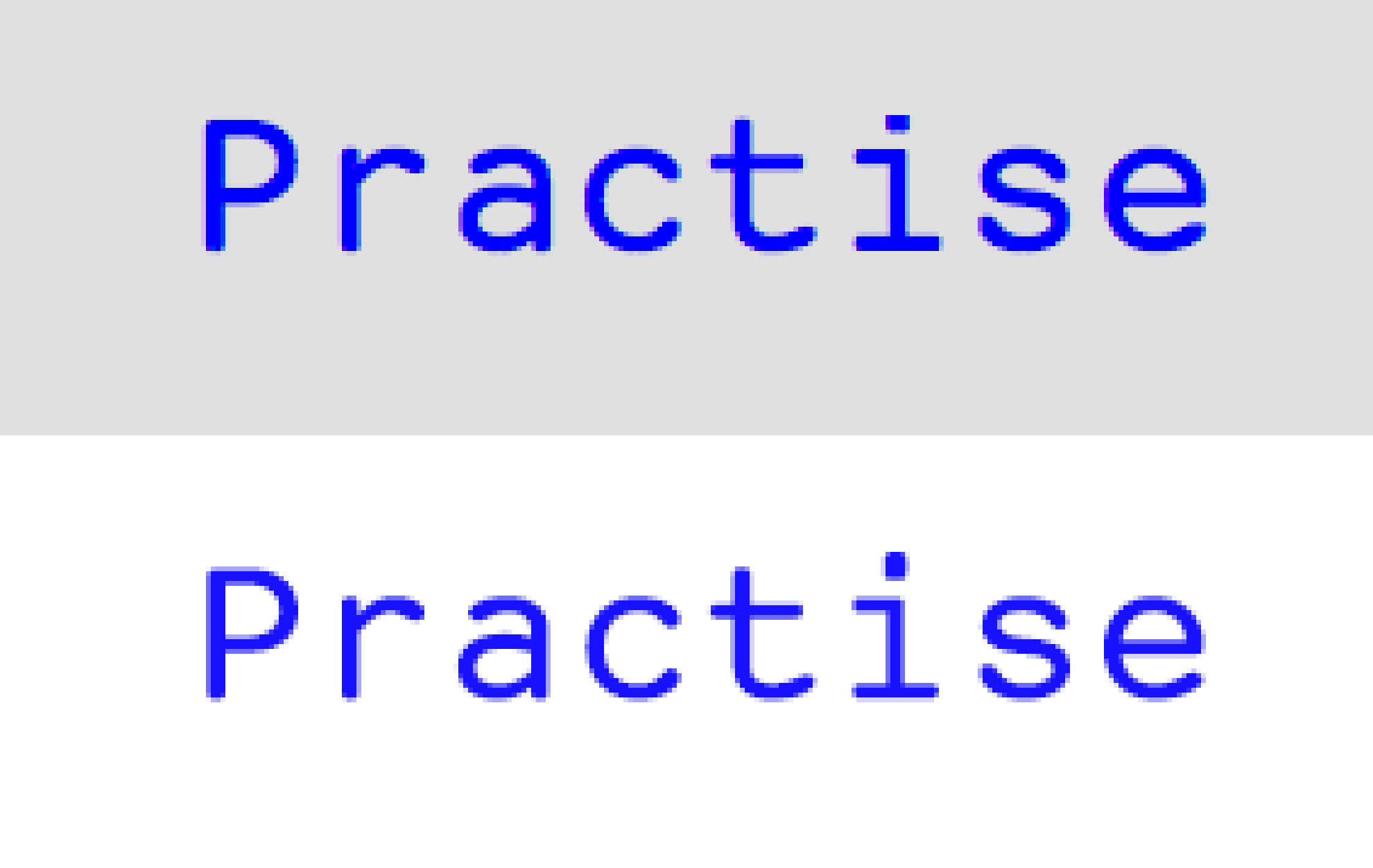
I've just launched a new site with Lay Theme, and notice that the site title and menu typography is being clipped at the top. See the attached image as an example: zoomed-in screen grab of the site title (top), and how the type should look (below). Note the clipped dot on the “i” above. There seems to be a set cap height above which any typographic detail is cut.
I hope you might have an easy fix for this? Many thanks for your help.
G
-
Hi @Georges
for me it looks fine. Which browser with which version are you using?Many wishes!
Marius
-
-
-
Oh that has to do with the font exceeding its lineheight I think.
You could try to give these areas padding top and padding bottom or more line-height with custom css. -
Oh that has to do with the font exceeding its lineheight I think.
You could try to give these areas padding top and padding bottom or more line-height with custom css.@arminunruh Thanks for your response and suggestions. Do you mind helping with an example of padding and/or line-height css, to specifically target the title? It's beyond my limited coding knowledge. Very much appreciated.
-
Hi @Georges
try to add this to your Custom CSS:.sitetitle.txt .sitetitle-txt-inner span { padding-top: 5px; }Let me know if that worked out!
All the best!
Marius
-
-
Dear @JOEYP26
Best is if you write me a PM and include your username, password and a link to this conversation.Marius


Hello! It looks like you're interested in this conversation, but you don't have an account yet.
Getting fed up of having to scroll through the same posts each visit? When you register for an account, you'll always come back to exactly where you were before, and choose to be notified of new replies (either via email, or push notification). You'll also be able to save bookmarks and upvote posts to show your appreciation to other community members.
With your input, this post could be even better 💗
Register Login