Shortcodes for ninja Forms are not working when Cover Option is active
-
Hi Armin,
I am working on a one-Page Website for a Friend. (www.danielahoelzer.de) For the contact Section I want to insert a Ninja Form you recommended via Shortcode. Unfortunately it only works when the cover Option is deactivated, but we want to use the cover Option. Maybe you have a suggestion?Thanks a lot
Maze
-
Dear @Maze
this is correct. When the cover is activated, then the Ninja-Forms does not work anymore.You could try to use CUSTOM CSS to build the cover feature yourself.
Give the first row a window-height:
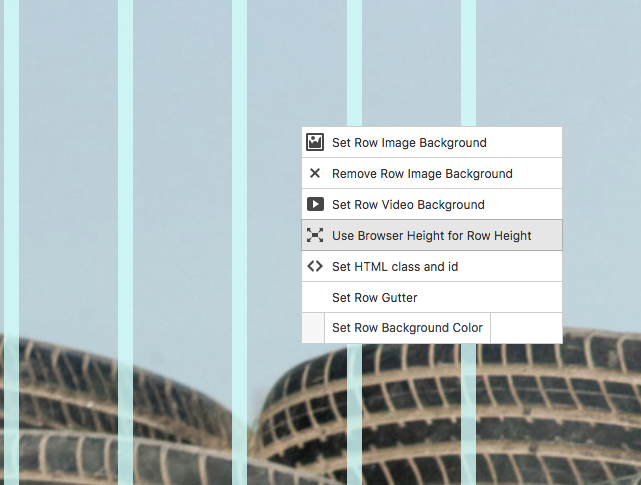
And then add that code:
._100vh .background-image {
    position:  fixed;
}

.row {
    background:  red;
}
Please not that this code is just a rough sketch. You might need to do some adjustments.
But that would be a workaround.
Hope I could help!
Marius

Hello! It looks like you're interested in this conversation, but you don't have an account yet.
Getting fed up of having to scroll through the same posts each visit? When you register for an account, you'll always come back to exactly where you were before, and choose to be notified of new replies (either via email, or push notification). You'll also be able to save bookmarks and upvote posts to show your appreciation to other community members.
With your input, this post could be even better 💗
Register Login