Skip to content
  • Recent
  • Tags
  • Popular
  • Users
  • Search
Skins
  • Light
  • Brite
  • Cerulean
  • Cosmo
  • Flatly
  • Journal
  • Litera
  • Lumen
  • Lux
  • Materia
  • Minty
  • Morph
  • Pulse
  • Sandstone
  • Simplex
  • Sketchy
  • Spacelab
  • United
  • Yeti
  • Zephyr
  • Dark
  • Cyborg
  • Darkly
  • Quartz
  • Slate
  • Solar
  • Superhero
  • Vapor

  • Default (No Skin)
  • No Skin
Collapse

Lay Theme Forum

  1. Home
  2. General Discussion
  3. latest update 2.6.8

latest update 2.6.8

Scheduled Pinned Locked Moved General Discussion
17 Posts 2 Posters 1.3k Views
  • Oldest to Newest
  • Newest to Oldest
  • Most Votes
Reply
  • Reply as topic
Log in to reply
This topic has been deleted. Only users with topic management privileges can see it.
  • T
    T
    Toby
    wrote on last edited by Toby
    #5

    Hi Marius

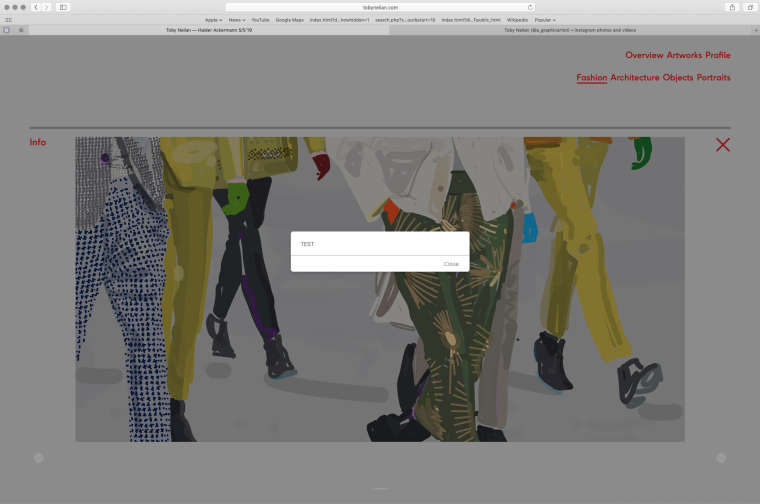
    Ok I added the above text and when I hovered over info I got this - see attachment

    0_1544443557148_TEST.jpg

    Oh and once I click close the alert reappears and I have to click again and then the search page flashes up briefly too.

    1 Reply Last reply
    0
    • mariusjopenM
      mariusjopenM
      mariusjopen
      Global Moderator
      wrote on last edited by
      #6

      Dear @Toby
      in the code which I provided I made an alert pup up to see if the mouseenter call works.

      You might want to have a look into the basics of jQuery. That might help you in the future.

      Best!

      Marius

      1 Reply Last reply
      0
      • T
        T
        Toby
        wrote on last edited by
        #7

        Thanks
        but before the upgrade I had the code working ie -

        css

        .hide {
            display: none;
        }
        
        .show {
            display: block !important;
        }


        Jquery

        
        </style>
        <script>
        jQuery(document).on("hover", ".info", function(event) {
        	 jQuery(".hide").toggleClass("show");
        });
        </script>


        so why has it stopped working now?

        1 Reply Last reply
        0
        • mariusjopenM
          mariusjopenM
          mariusjopen
          Global Moderator
          wrote on last edited by
          #8

          Dear @Toby
          I would not go for the hover but for mouseenter and mouseleave.

          Otherwise the page or the element is flickering.

          Give it a shot :-)

          Best!

          Marius

          1 Reply Last reply
          0
          • T
            T
            Toby
            wrote on last edited by Toby
            #9

            Hi Marius

            The problem is, since the upgrade the hidden text, that was revealed on "hover" in the project pages to let the viewer know more about my projects no longer works. It doesn't matter what code i use "mouseenter" - "hover" - "click", it doesn't display my text, but a page that says "search" ???

            Cheers
            Toby

            1 Reply Last reply
            0
            • mariusjopenM
              mariusjopenM
              mariusjopen
              Global Moderator
              wrote on last edited by
              #10

              Dear @Toby

              Best is if you write me a PM and include your username, password and a link to this conversation.

              Marius

              1 Reply Last reply
              0
              • T
                T
                Toby
                wrote on last edited by
                #11

                Thanks PM has been sent.

                1 Reply Last reply
                0
                • mariusjopenM
                  mariusjopenM
                  mariusjopen
                  Global Moderator
                  wrote on last edited by
                  #12
                  This post is deleted!
                  1 Reply Last reply
                  0
                  • mariusjopenM
                    mariusjopenM
                    mariusjopen
                    Global Moderator
                    wrote on last edited by
                    #13

                    Dear @Toby
                    the class hide is used for the search function now.

                    I changed it to

                    jQuery(document).on("hover", ".info", function(event) {
                    	 jQuery(".hide-info").toggleClass("show-infos");
                    });
                    

                    and used this CSS

                    .hide-info {
                        display: none;
                    }
                    
                    .show-infos {
                        display: block !important;
                    }
                    

                    And in the projects you need to change the info box class from hide to hide-info.

                    That should do the job.

                    Let us know :-)

                    Marius

                    1 Reply Last reply
                    0
                    • T
                      T
                      Toby
                      wrote on last edited by Toby
                      #14

                      Hi Maurius

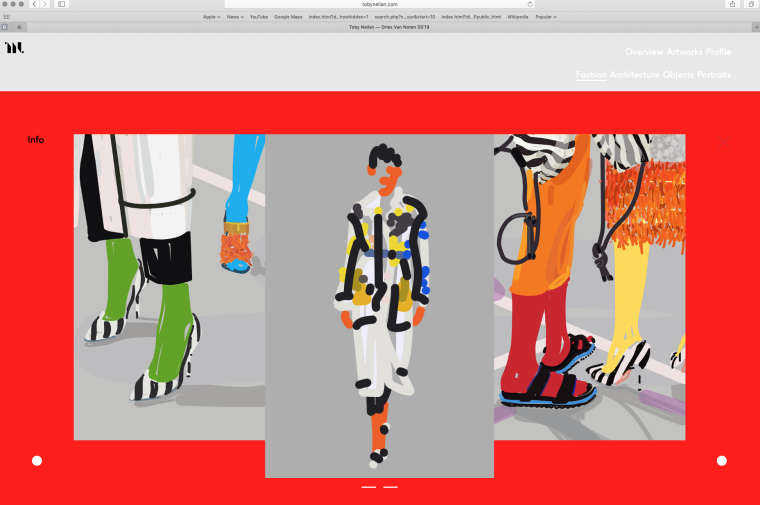
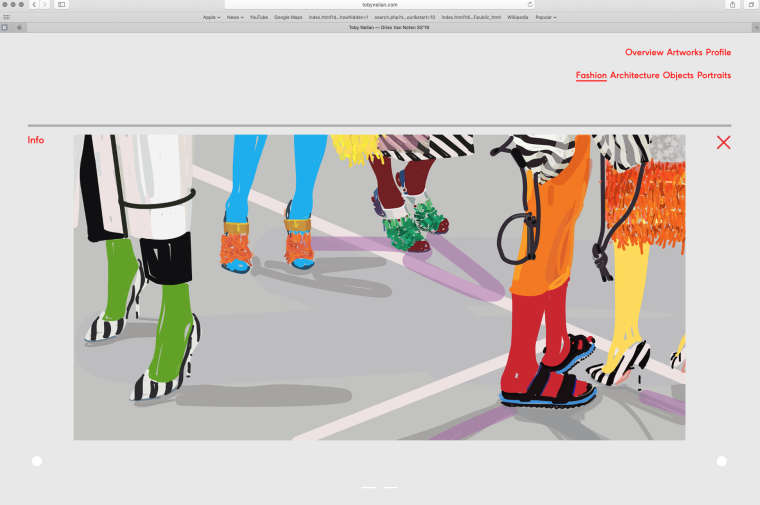
                      Thanks that code works - unfortunately still getting the carousel problem (images showing on top of one another) along with the wrong background colour and menu colours - it does however correct itself on a page refresh - see attachment.
                      www.tobyneilan.com

                      0_1545054032604_Screenshot 1a.jpg 0_1545054018541_Screenshot 1b.jpg

                      Thanks
                      Toby

                      1 Reply Last reply
                      0
                      • mariusjopenM
                        mariusjopenM
                        mariusjopen
                        Global Moderator
                        wrote on last edited by
                        #15

                        Dear @Toby
                        I cannot reproduce this error. The Carousel shows right.
                        And the page is grey all the time.

                        It helps to clean up the CUSTOM CSS code to get rid of dead-code and to have a better overview of what is going on.

                        Is the problem still there after the last update?

                        Best!

                        Marius

                        1 Reply Last reply
                        0
                        • T
                          T
                          Toby
                          wrote on last edited by
                          #16

                          Hi Marius

                          Latest update to 2.8.0 corrected the problem

                          Cheers
                          Toby

                          1 Reply Last reply
                          0
                          • mariusjopenM
                            mariusjopenM
                            mariusjopen
                            Global Moderator
                            wrote on last edited by
                            #17

                            Hi @Toby
                            great! Thank you for letting us know!

                            Marius

                            1 Reply Last reply
                            0

                            Hello! It looks like you're interested in this conversation, but you don't have an account yet.

                            Getting fed up of having to scroll through the same posts each visit? When you register for an account, you'll always come back to exactly where you were before, and choose to be notified of new replies (either via email, or push notification). You'll also be able to save bookmarks and upvote posts to show your appreciation to other community members.

                            With your input, this post could be even better 💗

                            Register Login
                            Reply
                            • Reply as topic
                            Log in to reply
                            • Oldest to Newest
                            • Newest to Oldest
                            • Most Votes


                            Online Users
                            Forgot your key, lost your files, need a previous Lay Theme or Addon version? Go to www.laykeymanager.com
                            laytheme.com
                            • Login

                            • Don't have an account? Register

                            • Login or register to search.
                            • First post
                              Last post
                            0
                            • Recent
                            • Tags
                            • Popular
                            • Users
                            • Search