Skip to content
  • Recent
  • Tags
  • Popular
  • Users
  • Search
Skins
  • Light
  • Brite
  • Cerulean
  • Cosmo
  • Flatly
  • Journal
  • Litera
  • Lumen
  • Lux
  • Materia
  • Minty
  • Morph
  • Pulse
  • Sandstone
  • Simplex
  • Sketchy
  • Spacelab
  • United
  • Yeti
  • Zephyr
  • Dark
  • Cyborg
  • Darkly
  • Quartz
  • Slate
  • Solar
  • Superhero
  • Vapor

  • Default (No Skin)
  • No Skin
Collapse

Lay Theme Forum

  1. Home
  2. Bug Reports
  3. Link opens wrong page
Link opens wrong page
Scheduled Pinned Locked Moved Bug Reports
9 Posts 2 Posters 1.5k Views
  • Oldest to Newest
  • Newest to Oldest
  • Most Votes
Reply
  • Reply as topic
Log in to reply
This topic has been deleted. Only users with topic management privileges can see it.
  • L
    L
    lucavanello
    wrote on last edited by
    #1

    Hi,
    When wanting to share the link of a page on my website, the link opens up a wrong page.

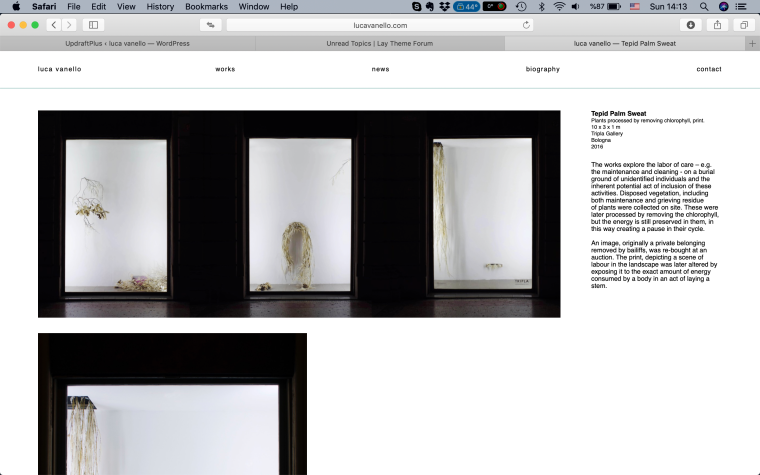
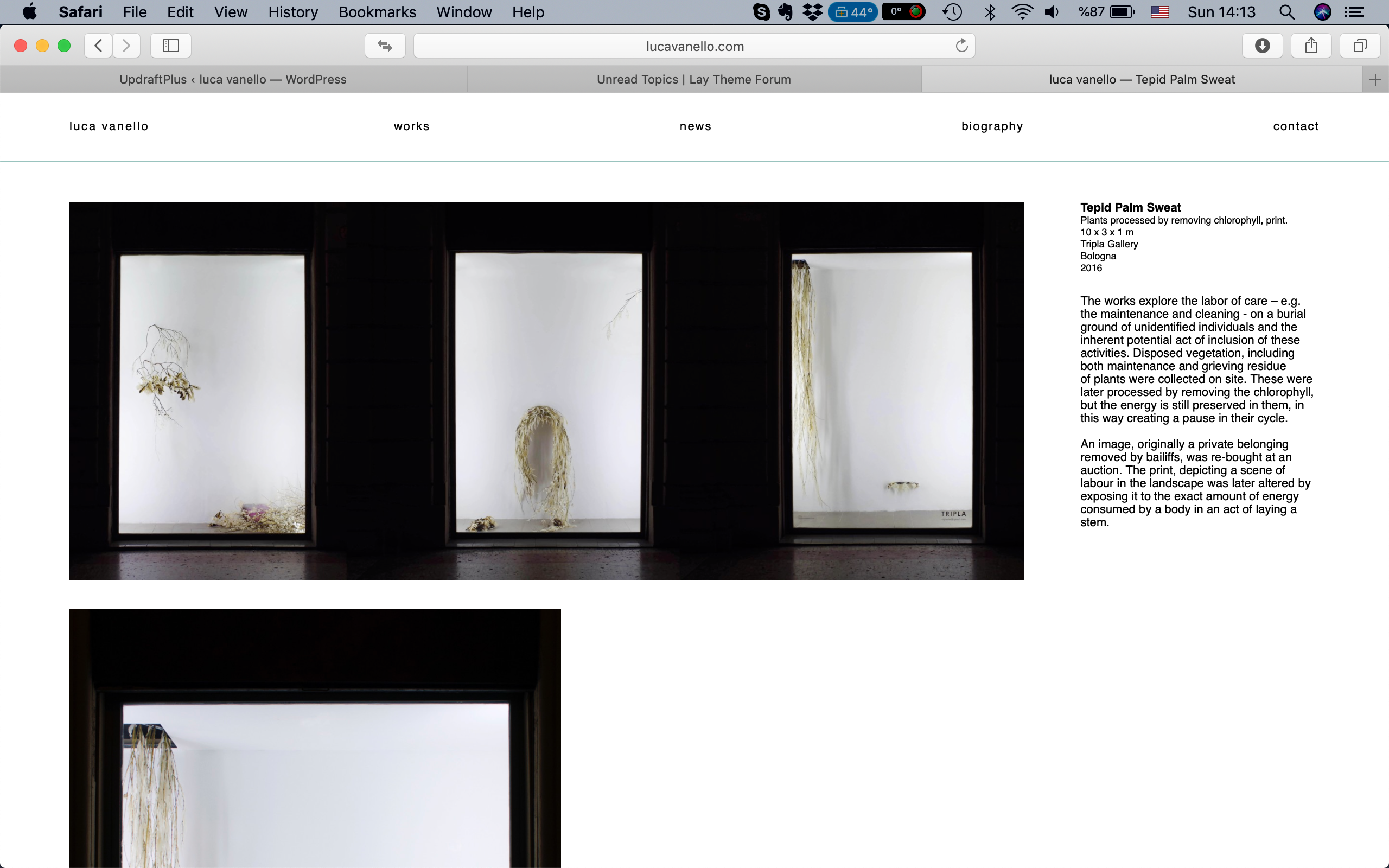
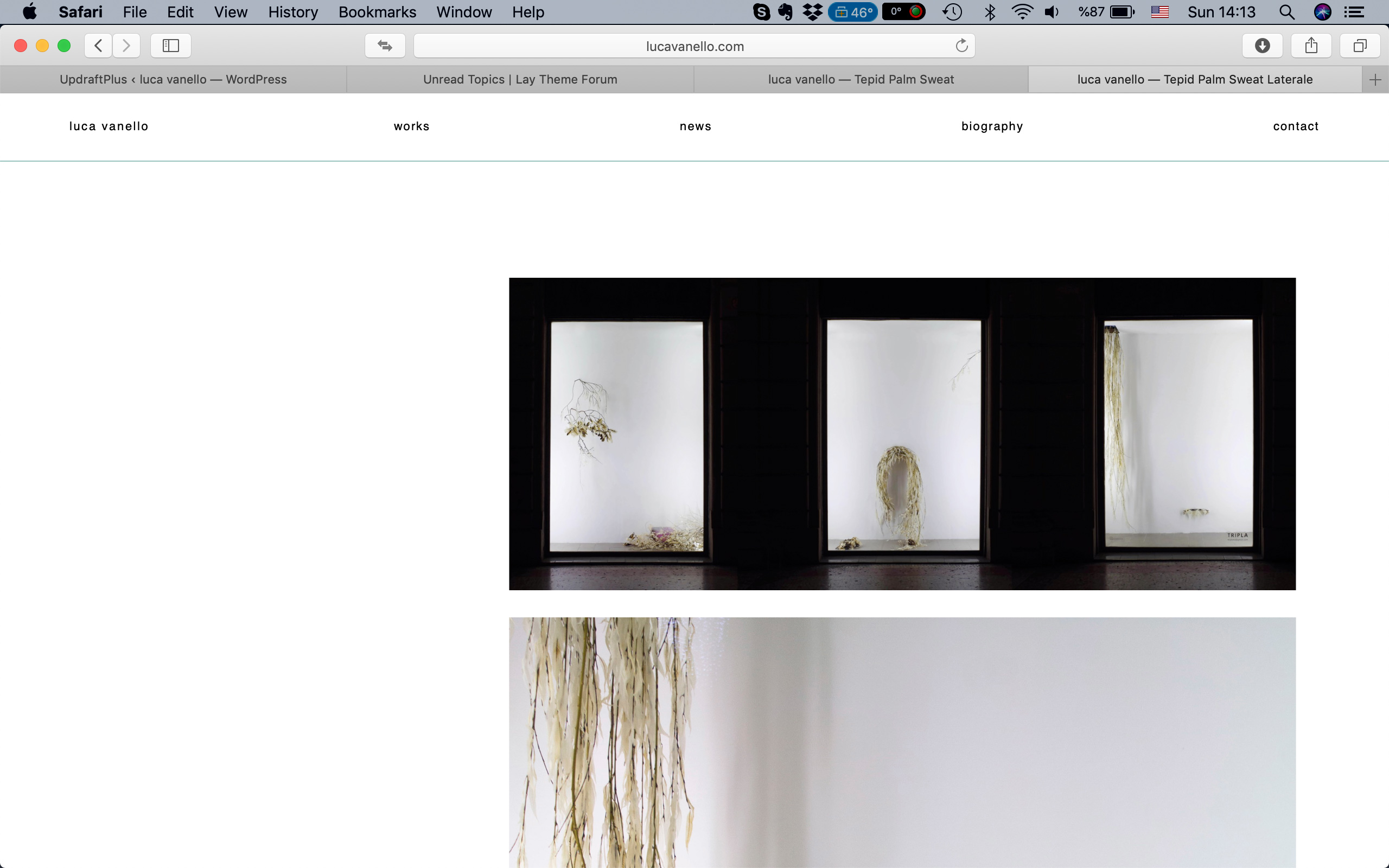
    How the page should look:

    0_1547990124433_Screen Shot 2019-01-20 at 14.13.08.png

    When copying the link in the browser: http://lucavanello.com/swallowing-spittle-4/

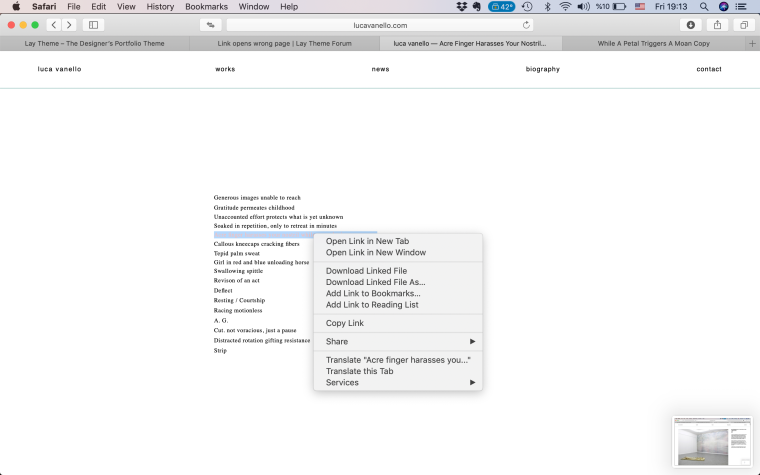
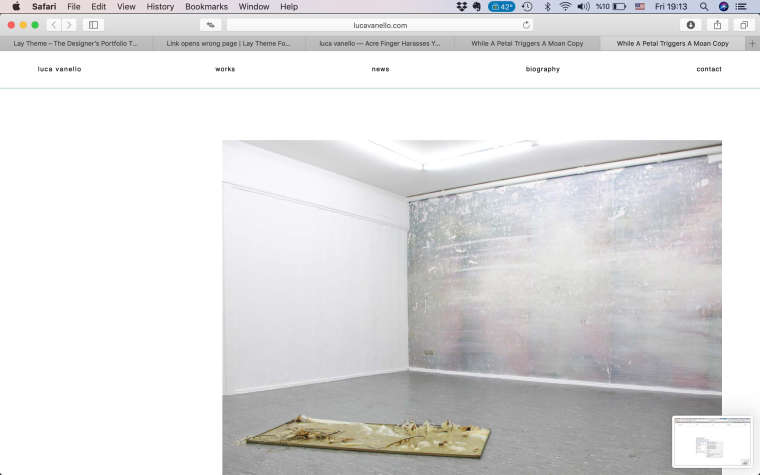
    When clicking the link, this page comes out:
    0_1547990210977_Screen Shot 2019-01-20 at 14.13.31 copy.jpg

    The wrong page that comes out is a page that exists in my lay theme but is not public. If i erase that page, then the link goes to a blank page.

    This same thing happens when right clicking on a linked page. This was problem i didn't have before.
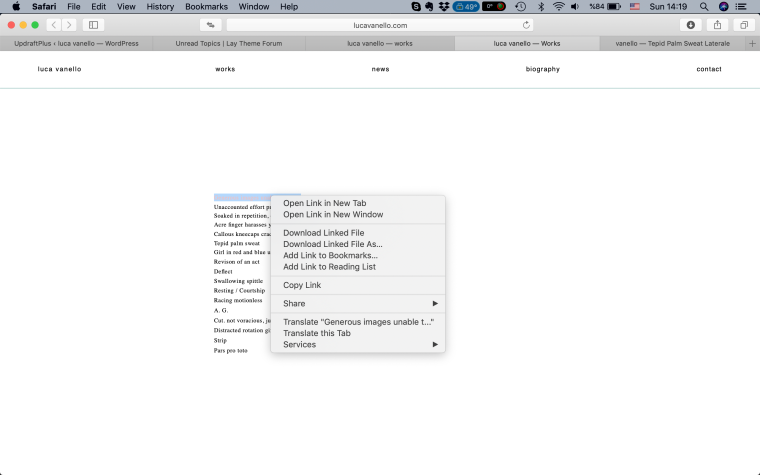
    0_1547990395871_Screen Shot 2019-01-20 at 14.19.25.png

    Could you please help?thanks

    1 Reply Last reply
    0
    • mariusjopenM
      mariusjopenM
      mariusjopen
      Global Moderator
      wrote on last edited by
      #2

      Dear @lucavanello
      can you click on SAVE CHANGES in the Permalinks settings?
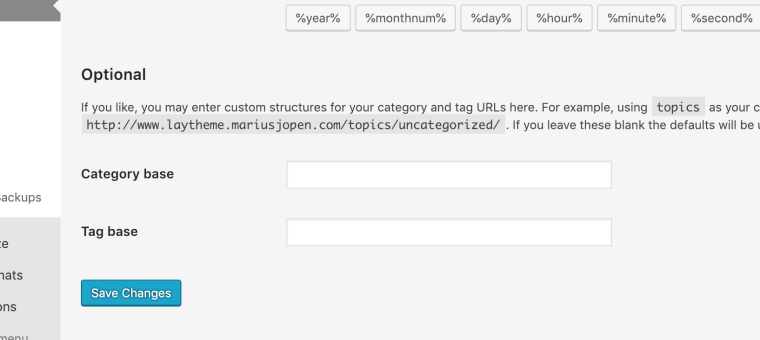
      0_1548106047949_Bildschirmfoto 2019-01-21 um 19.27.16.png

      Maybe that already helps!

      Best!

      Marius

      www.mariusjopen.world

      L 1 Reply Last reply
      0
      • mariusjopenM mariusjopen

        Dear @lucavanello
        can you click on SAVE CHANGES in the Permalinks settings?

        0_1548106047949_Bildschirmfoto 2019-01-21 um 19.27.16.png

        Maybe that already helps!

        Best!

        Marius

        L
        L
        lucavanello
        wrote on last edited by
        #3

        @mariusjopen Hi, i pressed on save changes but nothing changed. is there anything else i should select in the settings ?

        1 Reply Last reply
        0
        • mariusjopenM
          mariusjopenM
          mariusjopen
          Global Moderator
          wrote on last edited by
          #4

          Dear @lucavanello
          I need to understand better.
          Which link exactly leads to the wrong page?

          Best!

          Marius

          www.mariusjopen.world

          1 Reply Last reply
          0
          • L
            L
            lucavanello
            wrote on last edited by
            #5

            Hi,
            There are various links that act like this.
            I am sending you screenshots of one of them as an example.

            When just clicking on the link it works fine (first two screen shots) when right clicking it opens the wrong page (last two screenshots)
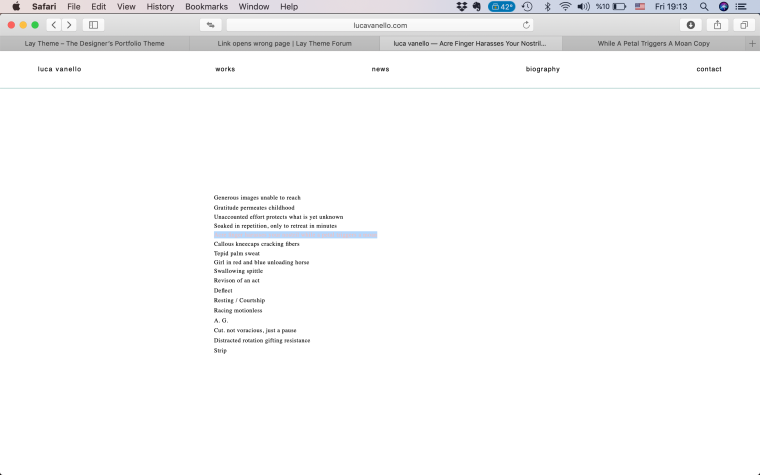
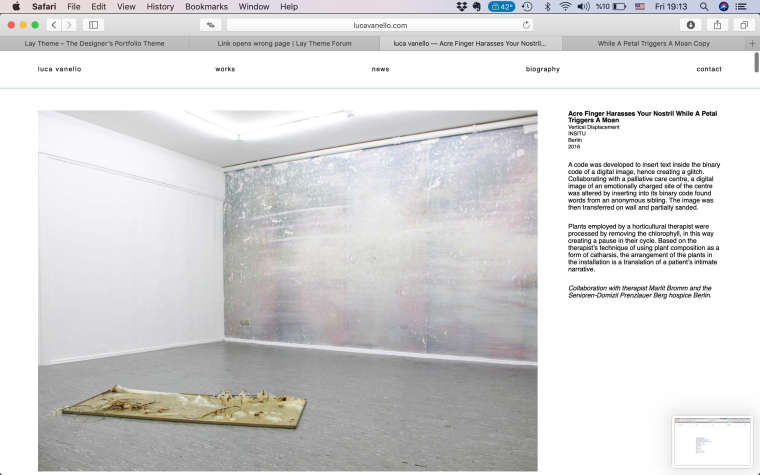
            0_1548440377866_Screen Shot 2019-01-25 at 19.13.09.png

            0_1548440395560_Screen Shot 2019-01-25 at 19.13.14 copy.jpg

            0_1548440418447_Screen Shot 2019-01-25 at 19.13.19.png

            0_1548440445236_Screen Shot 2019-01-25 at 19.13.25 copy.jpg

            I realized that one reasons is that i changed the original final part of the permalink (as i had initially made a clone of another page so i wanted the permalink to have the right ending). For the pages where i did this, the above problem appears.

            1 Reply Last reply
            0
            • L
              L
              lucavanello
              wrote on last edited by
              #6

              Dear Marius,
              Is there a way to solve the problem? Thanks

              1 Reply Last reply
              0
              • mariusjopenM
                mariusjopenM
                mariusjopen
                Global Moderator
                wrote on last edited by
                #7

                Dear @lucavanello
                true. I can see that the link goes to a different page.

                This is probably because you made a clone. Can you not delete the old pages and refresh the work list?

                Best!

                Marius

                www.mariusjopen.world

                1 Reply Last reply
                0
                • L
                  L
                  lucavanello
                  wrote on last edited by
                  #8

                  Hi Marius,
                  When deleting the old page i cloned it from and right clicking on it, the opened page says something like: page cannot be found .

                  What can i do?
                  thanks

                  1 Reply Last reply
                  0
                  • mariusjopenM
                    mariusjopenM
                    mariusjopen
                    Global Moderator
                    wrote on last edited by
                    #9

                    Dear @lucavanello
                    the link and the open the page by url both show me the same content.

                    No?

                    Best!

                    Marius

                    www.mariusjopen.world

                    1 Reply Last reply
                    0

                    Hello! It looks like you're interested in this conversation, but you don't have an account yet.

                    Getting fed up of having to scroll through the same posts each visit? When you register for an account, you'll always come back to exactly where you were before, and choose to be notified of new replies (either via email, or push notification). You'll also be able to save bookmarks and upvote posts to show your appreciation to other community members.

                    With your input, this post could be even better 💗

                    Register Login
                    Reply
                    • Reply as topic
                    Log in to reply
                    • Oldest to Newest
                    • Newest to Oldest
                    • Most Votes


                    Online Users
                    G
                    gd_mrsn
                    A
                    Anna_S
                    Forgot your key, lost your files, need a previous Lay Theme or Addon version? Go to www.laykeymanager.com
                    laytheme.com
                    • Login

                    • Don't have an account? Register

                    • Login or register to search.
                    • First post
                      Last post
                    0
                    • Recent
                    • Tags
                    • Popular
                    • Users
                    • Search