Skip to content
  • Recent
  • Tags
  • Popular
  • Users
  • Search
Skins
  • Light
  • Brite
  • Cerulean
  • Cosmo
  • Flatly
  • Journal
  • Litera
  • Lumen
  • Lux
  • Materia
  • Minty
  • Morph
  • Pulse
  • Sandstone
  • Simplex
  • Sketchy
  • Spacelab
  • United
  • Yeti
  • Zephyr
  • Dark
  • Cyborg
  • Darkly
  • Quartz
  • Slate
  • Solar
  • Superhero
  • Vapor

  • Default (No Skin)
  • No Skin
Collapse

Lay Theme Forum

  1. Home
  2. Bug Reports
  3. UNSAFE WEBSITE ("Nicht sicher") Google Search - peopledesign.de

UNSAFE WEBSITE ("Nicht sicher") Google Search - peopledesign.de

Scheduled Pinned Locked Moved Bug Reports
4 Posts 2 Posters 550 Views
  • Oldest to Newest
  • Newest to Oldest
  • Most Votes
Reply
  • Reply as topic
Log in to reply
This topic has been deleted. Only users with topic management privileges can see it.
  • D Offline
    D Offline
    danny
    wrote on last edited by
    #1

    Hi @mariusjopen,

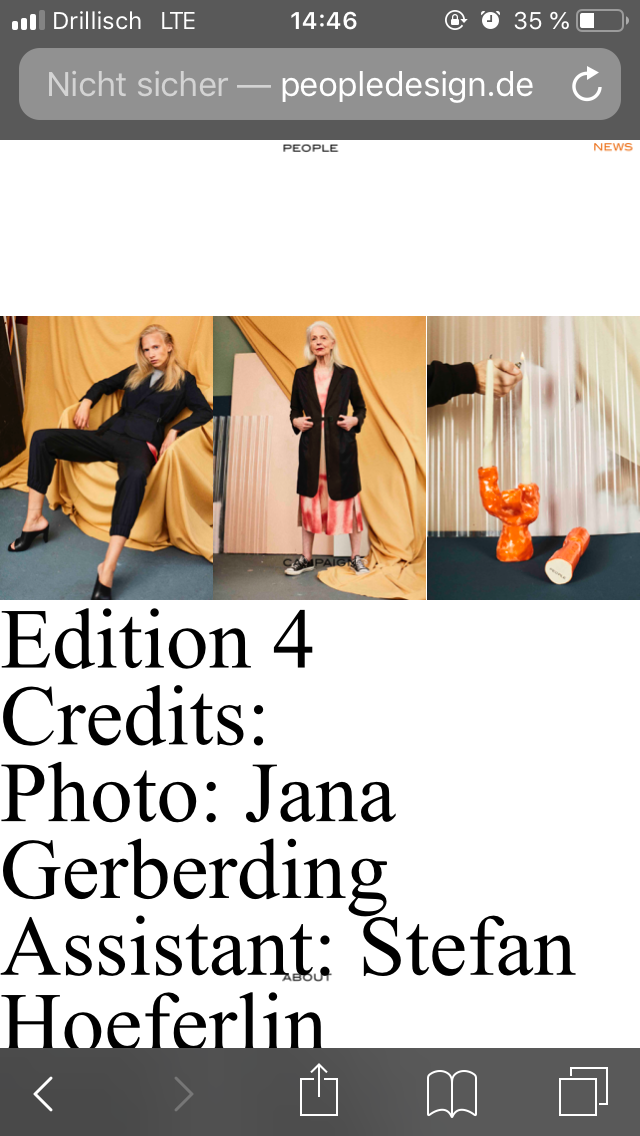
    the website peopledesign.de appears to UNSAFE (NICHT SICHER). People can't open it etc.

    What to do? This is actually really urgent.

    Thanks and best wishes

    Daniel
    0_1557925277603_IMG_3557.PNG

    1 Reply Last reply
    0
    • edgrbnzE Offline
      edgrbnzE Offline
      edgrbnz
      wrote on last edited by edgrbnz
      #2

      That’s porbably because you are using http:// instead of https://.

      Depending on your ISP you could either force https:// or get a SSL certificate. Some providers have a easy to use “Let’s encrypt” option to do so.

      Depending on how you go about this you may consider this tutorial by Armin to change some database entries to https://.

      But generally speaking your site is totally fine the way it is. It’s just Safari being pretty harsh in terms of security.

      ✦ ✦ ✦

      1 Reply Last reply
      0
      • D Offline
        D Offline
        danny
        wrote on last edited by
        #3

        Hi @edgrbnz

        thanks for this. So how would we do that? Could you provide us with some more details on how to?

        And the tutorial is about moving the website which won't happen for the moment.

        Thanks and best
        Daniel

        1 Reply Last reply
        0
        • edgrbnzE Offline
          edgrbnzE Offline
          edgrbnz
          wrote on last edited by edgrbnz
          #4

          Unfortunately that depends on your provider (domainfactory, strato, all-inkl, etc). Best is to get in contact with them and ask what steps are needed to get an SSL certificate and switch the domain to https://.

          After this is done you should indeed follow Armins tutorial to switch anything http:// to https:// in your database. Otherwise some content could get lost (I’ve been there).

          Don’t be afraid,… although all this may sound complicated it really is not.

          ✦ ✦ ✦

          1 Reply Last reply
          1
          Reply
          • Reply as topic
          Log in to reply
          • Oldest to Newest
          • Newest to Oldest
          • Most Votes


          Online Users
          Forgot your key, lost your files, need a previous Lay Theme or Addon version? Go to www.laykeymanager.com
          laytheme.com
          • Login

          • Don't have an account? Register

          • Login or register to search.
          • First post
            Last post
          0
          • Recent
          • Tags
          • Popular
          • Users
          • Search