Skip to content
  • Recent
  • Tags
  • Popular
  • Users
  • Search
Skins
  • Light
  • Brite
  • Cerulean
  • Cosmo
  • Flatly
  • Journal
  • Litera
  • Lumen
  • Lux
  • Materia
  • Minty
  • Morph
  • Pulse
  • Sandstone
  • Simplex
  • Sketchy
  • Spacelab
  • United
  • Yeti
  • Zephyr
  • Dark
  • Cyborg
  • Darkly
  • Quartz
  • Slate
  • Solar
  • Superhero
  • Vapor

  • Default (No Skin)
  • No Skin
Collapse

Lay Theme Forum

  1. Home
  2. Bug Reports
  3. headline tag <h1> <h2> bug
headline tag <h1> <h2> bug

Scheduled Pinned Locked Moved Bug Reports
14 Posts 3 Posters 2.5k Views 1 Watching
  • Oldest to Newest
  • Newest to Oldest
  • Most Votes
Reply
  • Reply as topic
Log in to reply
This topic has been deleted. Only users with topic management privileges can see it.
  • daniD
    daniD
    dani
    wrote on last edited by
    #5

    Here: https://parisitour.fr/test

    https://danielcampbell.ca

    1 Reply Last reply
    0
    • edgrbnzE
      edgrbnzE
      edgrbnz
      wrote on last edited by edgrbnz
      #6

      The classes ._h1 and ._h2 are applied to the headline element as expected.
      Looks totally fine to me… or am I missing something?

      ✦ ✦ ✦

      1 Reply Last reply
      0
      • daniD
        daniD
        dani
        wrote on last edited by
        #7

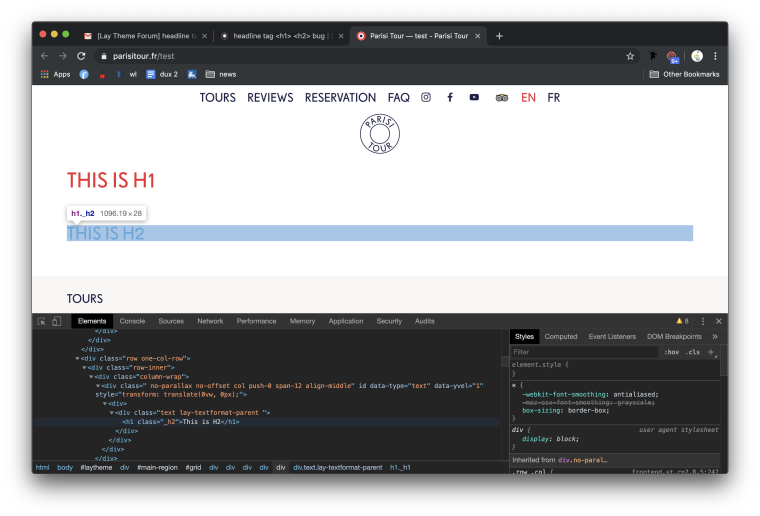
        0_1570627757708_Screen Shot 2019-10-09 at 3.28.42 PM.png
        h2 isn't h2... it's in the code as h1

        https://danielcampbell.ca

        1 Reply Last reply
        0
        • edgrbnzE
          edgrbnzE
          edgrbnz
          wrote on last edited by
          #8

          Yes, the ID is h1 but the class is h2.

          ✦ ✦ ✦

          1 Reply Last reply
          0
          • daniD
            daniD
            dani
            wrote on last edited by dani
            #9

            the tag should be h2

            https://danielcampbell.ca

            1 Reply Last reply
            0
            • edgrbnzE
              edgrbnzE
              edgrbnz
              wrote on last edited by edgrbnz
              #10

              I could be…

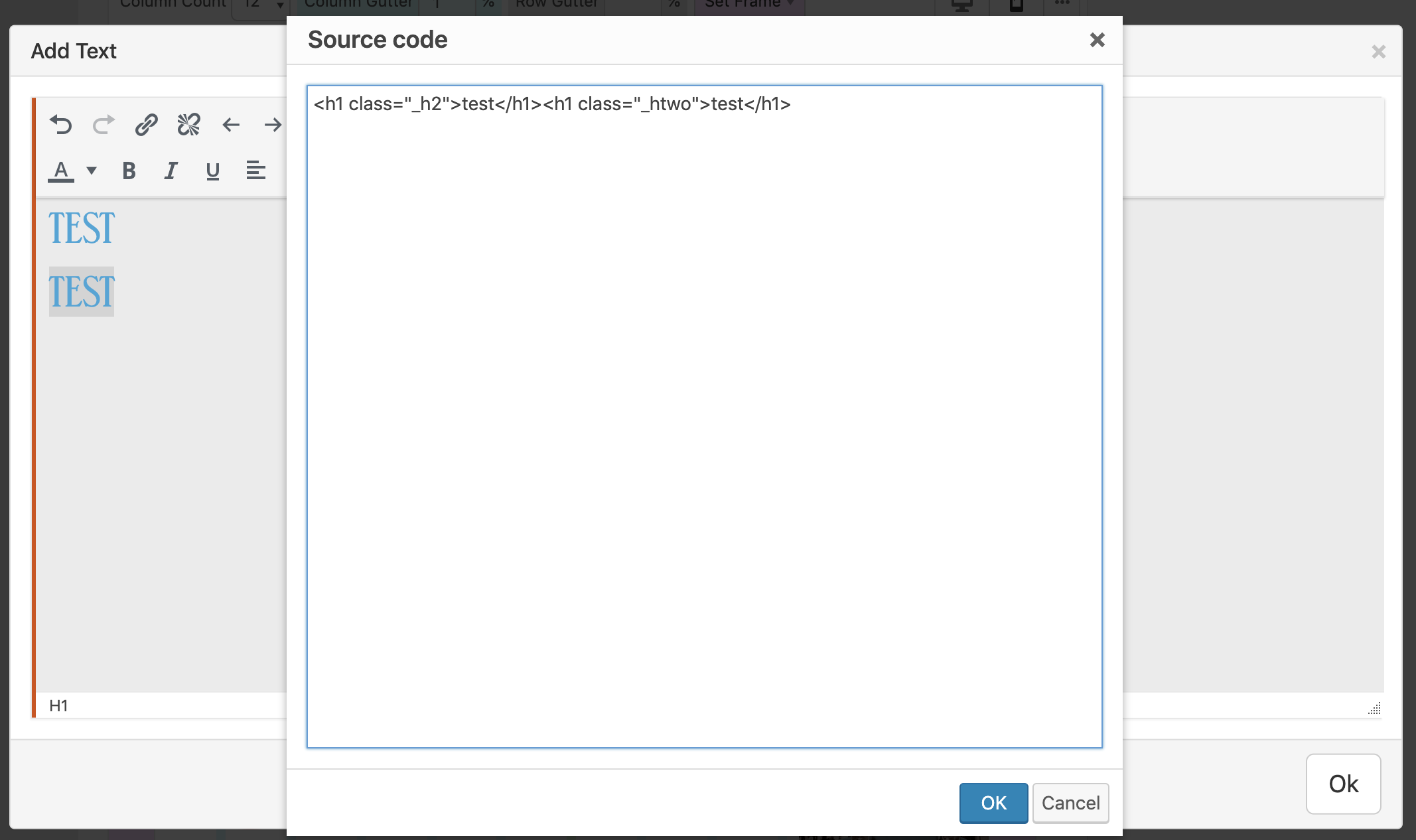
              Inside Lay Theme <h1> is the ID for a headline in general. It could also literaly be called headline. So all headlines are <h1> inside Lay. Since there is no real spot where you define how h1–h5 look like Lay cannot do it in a different manner.

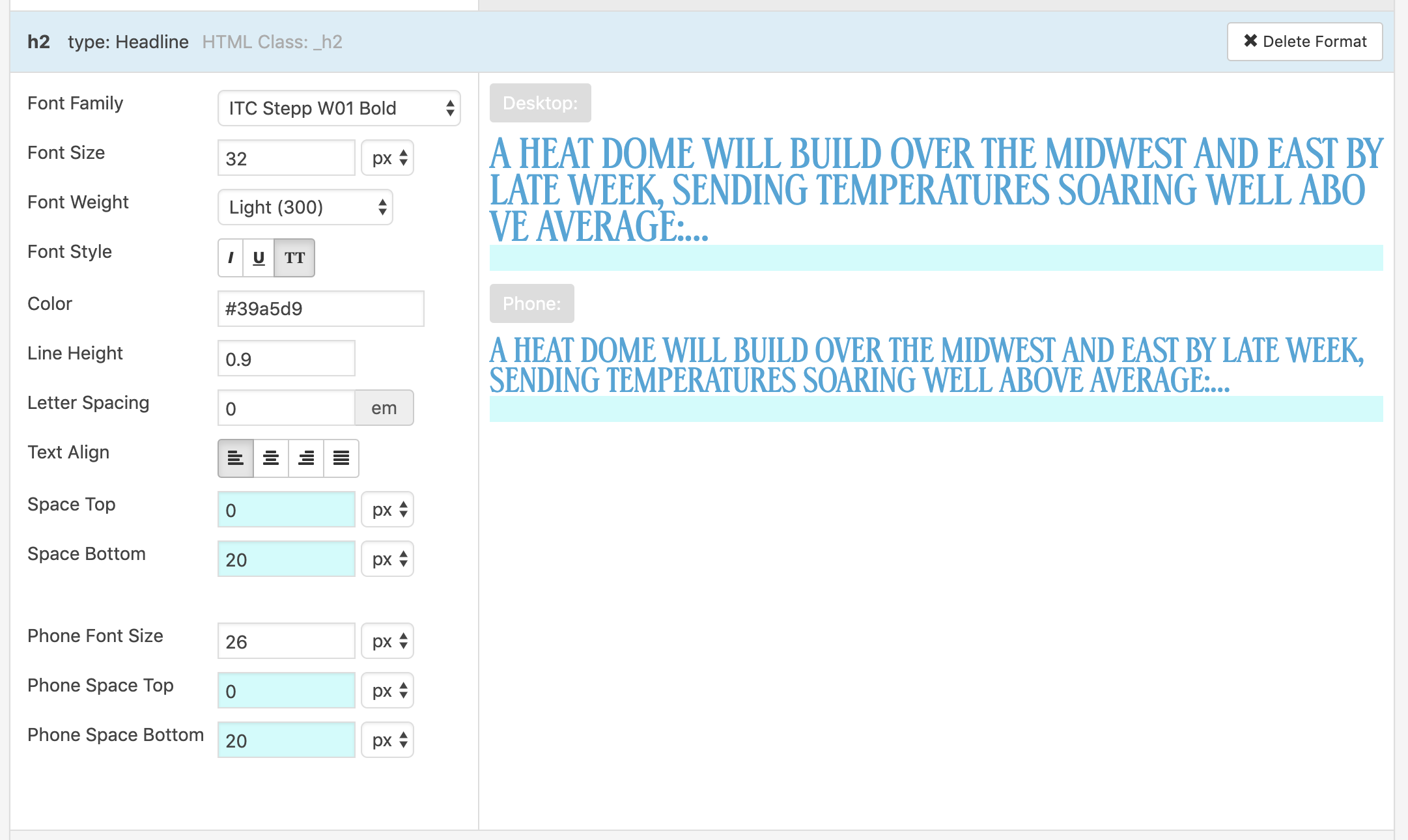
              In this case h2 is how you titled the format. If you would have titled it second-headline the code would be like: <h1 class="_second-headline"> … </h1>

              So yes the syntax is not the way one would usually expect it to be but I don’t see any big, issues with that. (If there are any I’d be happy to learn!)

              The only way this could work as you suggested would be if there was a section where one could define all the basic headlines from h1–h5 so these can be called with the respective IDs.

              As far as I know google prefers ´<h1>´ for crawling your content / website so (imho) there is no big issue aside from a markup that just looks a bit different.


              Please correct me if I’m wrong @mariusjopen and @arminunruh…

              ✦ ✦ ✦

              1 Reply Last reply
              0
              • daniD
                daniD
                dani
                wrote on last edited by
                #11

                i'm working with an SEO manager and she says it's important, for SEO, to have h1 and h2 as distinct.

                https://danielcampbell.ca

                1 Reply Last reply
                0
                • edgrbnzE
                  edgrbnzE
                  edgrbnz
                  wrote on last edited by
                  #12

                  Well… I guess there’s no way to do this rn 🤷‍♀️It works as described in my last post.

                  You can however install plugins like Yoast to SEO optmise your site. Since these plugins are prone to cause errors and siginificantly will increase your websites loading time I personally wouldn’t recommend to do so…

                  Perhaps @mariusjopen or @arminunruh can give some more insight into this.

                  ✦ ✦ ✦

                  1 Reply Last reply
                  0
                  • daniD
                    daniD
                    dani
                    wrote on last edited by
                    #13

                    yoast is installed, but since i'm not managing the SEO i'm just trying to follow the chain of command.

                    https://danielcampbell.ca

                    1 Reply Last reply
                    0
                    • mariusjopenM
                      mariusjopenM
                      mariusjopen
                      Global Moderator
                      wrote on last edited by
                      #14

                      Dear @dani
                      yes. YOAST is a good way to start.
                      Probably it is not possible to follow ALL SEO tricks :-)

                      But YOAST might help out a lot!

                      Best!

                      Marius

                      www.mariusjopen.world

                      1 Reply Last reply
                      0

                      Hello! It looks like you're interested in this conversation, but you don't have an account yet.

                      Getting fed up of having to scroll through the same posts each visit? When you register for an account, you'll always come back to exactly where you were before, and choose to be notified of new replies (either via email, or push notification). You'll also be able to save bookmarks and upvote posts to show your appreciation to other community members.

                      With your input, this post could be even better 💗

                      Register Login
                      Reply
                      • Reply as topic
                      Log in to reply
                      • Oldest to Newest
                      • Newest to Oldest
                      • Most Votes


                      Online Users
                      A
                      alasdair17
                      Forgot your key, lost your files, need a previous Lay Theme or Addon version? Go to www.laykeymanager.com
                      laytheme.com
                      • Login

                      • Don't have an account? Register

                      • Login or register to search.
                      • First post
                        Last post
                      0
                      • Recent
                      • Tags
                      • Popular
                      • Users
                      • Search