Skip to content
  • Recent
  • Tags
  • Popular
  • Users
  • Search
Skins
  • Light
  • Brite
  • Cerulean
  • Cosmo
  • Flatly
  • Journal
  • Litera
  • Lumen
  • Lux
  • Materia
  • Minty
  • Morph
  • Pulse
  • Sandstone
  • Simplex
  • Sketchy
  • Spacelab
  • United
  • Yeti
  • Zephyr
  • Dark
  • Cyborg
  • Darkly
  • Quartz
  • Slate
  • Solar
  • Superhero
  • Vapor

  • Default (No Skin)
  • No Skin
Collapse

Lay Theme Forum

  1. Home
  2. Bug Reports
  3. Unpredictable distance between paragraphs
Unpredictable distance between paragraphs
Scheduled Pinned Locked Moved Bug Reports
13 Posts 3 Posters 2.0k Views 1 Watching
  • Oldest to Newest
  • Newest to Oldest
  • Most Votes
Reply
  • Reply as topic
Log in to reply
This topic has been deleted. Only users with topic management privileges can see it.
  • arminunruhA
    arminunruhA
    arminunruh
    Global Moderator
    wrote on last edited by
    #4

    no that's no problem, the files are the same, just the key is different

    1 Reply Last reply
    0
    • J
      J
      jw
      wrote on last edited by
      #5

      Hello,

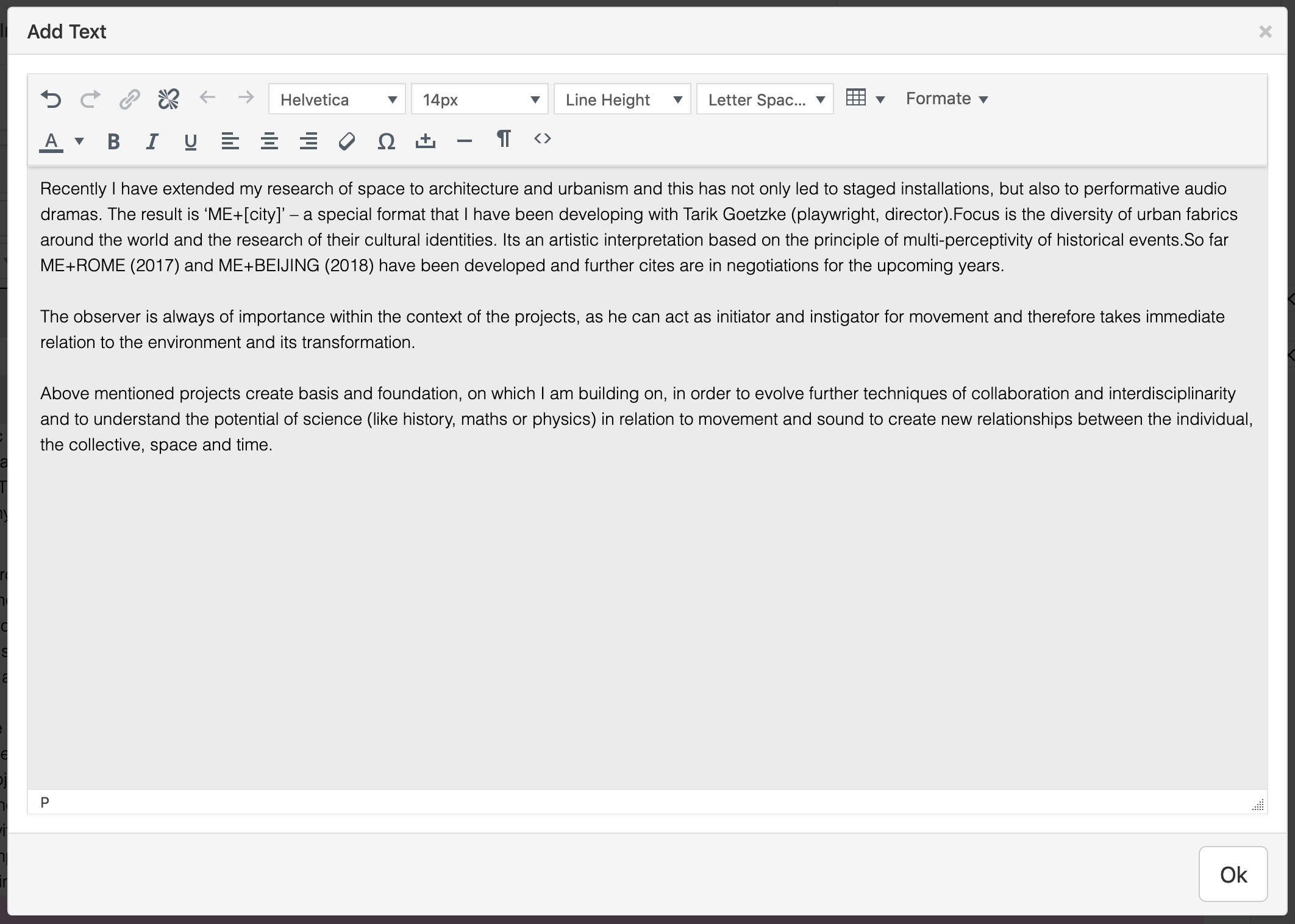
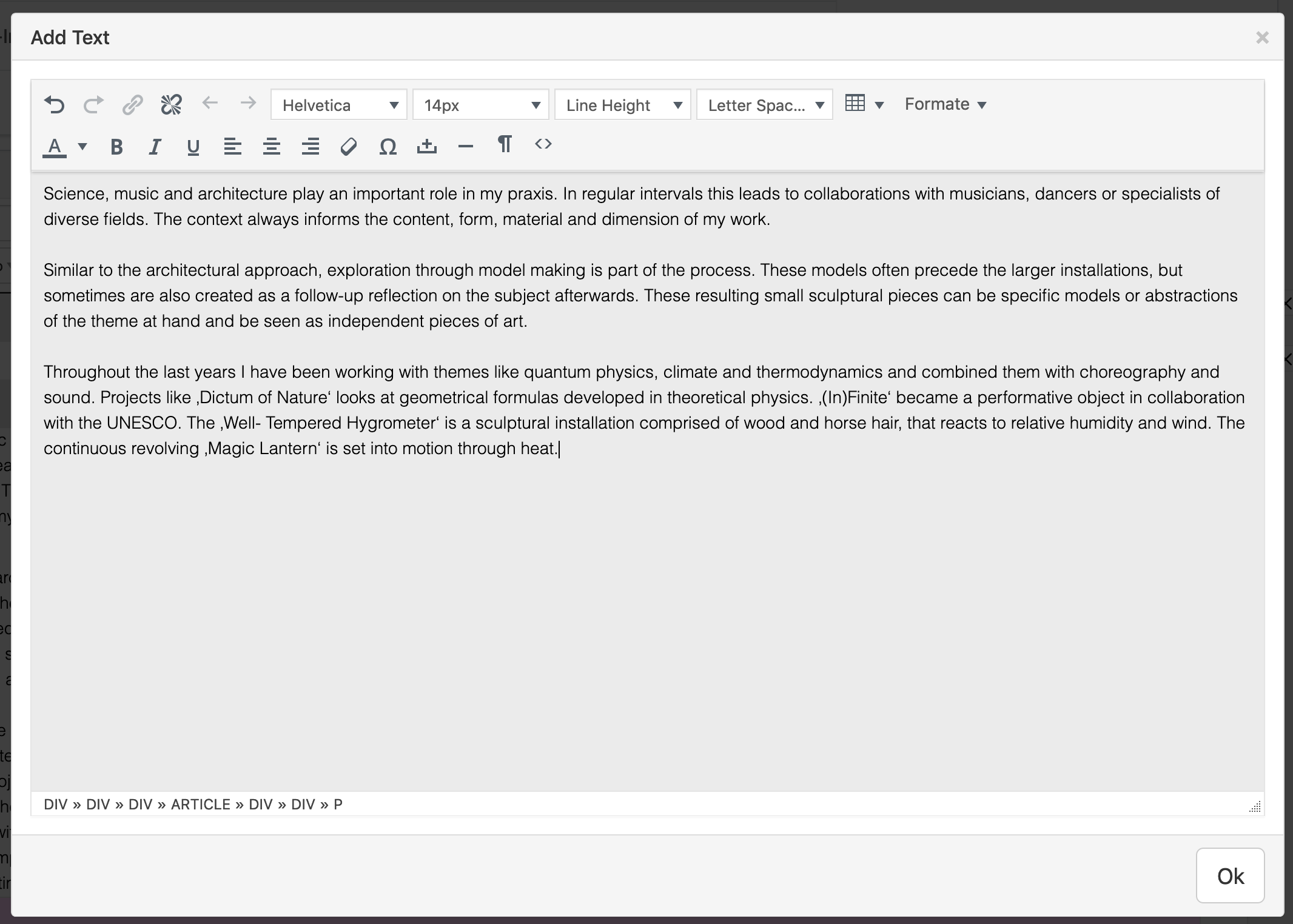
      once again this problem has come up, but in a different context. While most of the entries in the tables look fine, some of them have different line heights despite my efforts to copy the content from a unformatted text editor.

      https://www.annakubelik.com/cv2

      Is this a bug or am I doing something wrong? Is there a way to clear all formatting of a table cell?

      Best
      Julius

      1 Reply Last reply
      0
      • mariusjopenM
        mariusjopenM
        mariusjopen
        Global Moderator
        wrote on last edited by
        #6

        Dear @jw
        we recommend to remove the formatting of the lines with the wrong settings. Then apply them again. Maybe something collided before?
        Best!
        Marius

        www.mariusjopen.world

        1 Reply Last reply
        0
        • J
          J
          jw
          wrote on last edited by
          #7

          Hey Marius,

          yes, this is why I copied all of the lines to a unformatted text editor file before copying them into the table again. I gave it another try and noticed that despite the table field being empty, there still was an invisible <p> in the field which I deleted with an extra backspace. I saw this in the breadcrumb style tag list at the bottom of the text editor field. After deleting the invisible tag, it looks like it should.

          Still, this is a problem that keeps coming back. It would be nice if it was possible to somehow remove the formatting of a text inside lay.

          Best
          Julius

          1 Reply Last reply
          0
          • J
            J
            jw
            wrote on last edited by
            #8

            Another update to this:

            I recently updated my personal website to 3.3.0 and now the Thumbnail project description has a double line break instead of one prior to the update. See www.winckler.net for reference. I think this might be down to a similar problem but caused no issues before my recent update. I deleted all of the formatting but the problem still remains.

            How can I downgrade back to a previous version of Lay Theme until this issue is resolved?

            1 Reply Last reply
            0
            • mariusjopenM
              mariusjopenM
              mariusjopen
              Global Moderator
              wrote on last edited by
              #9

              Dear @jw
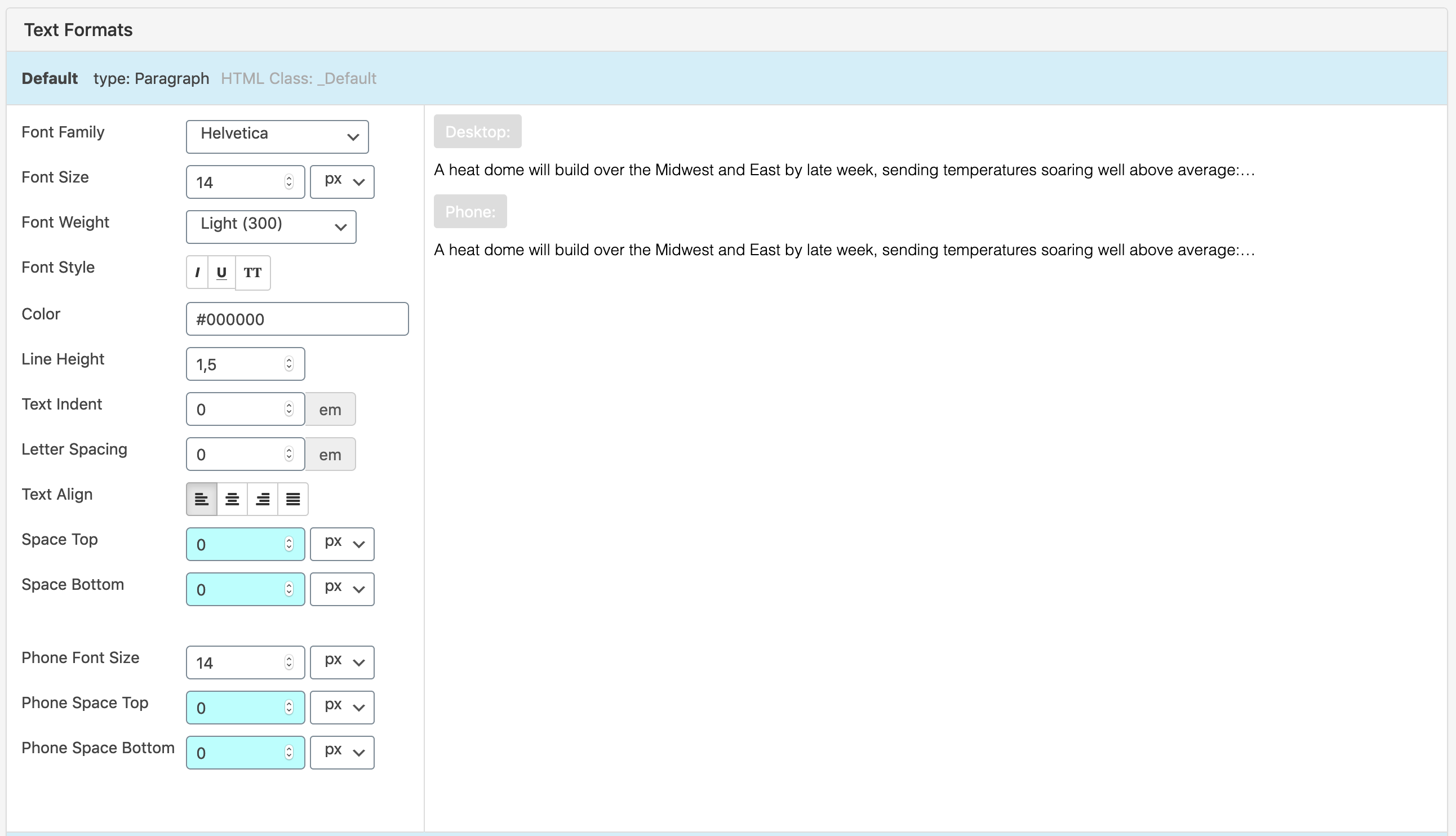
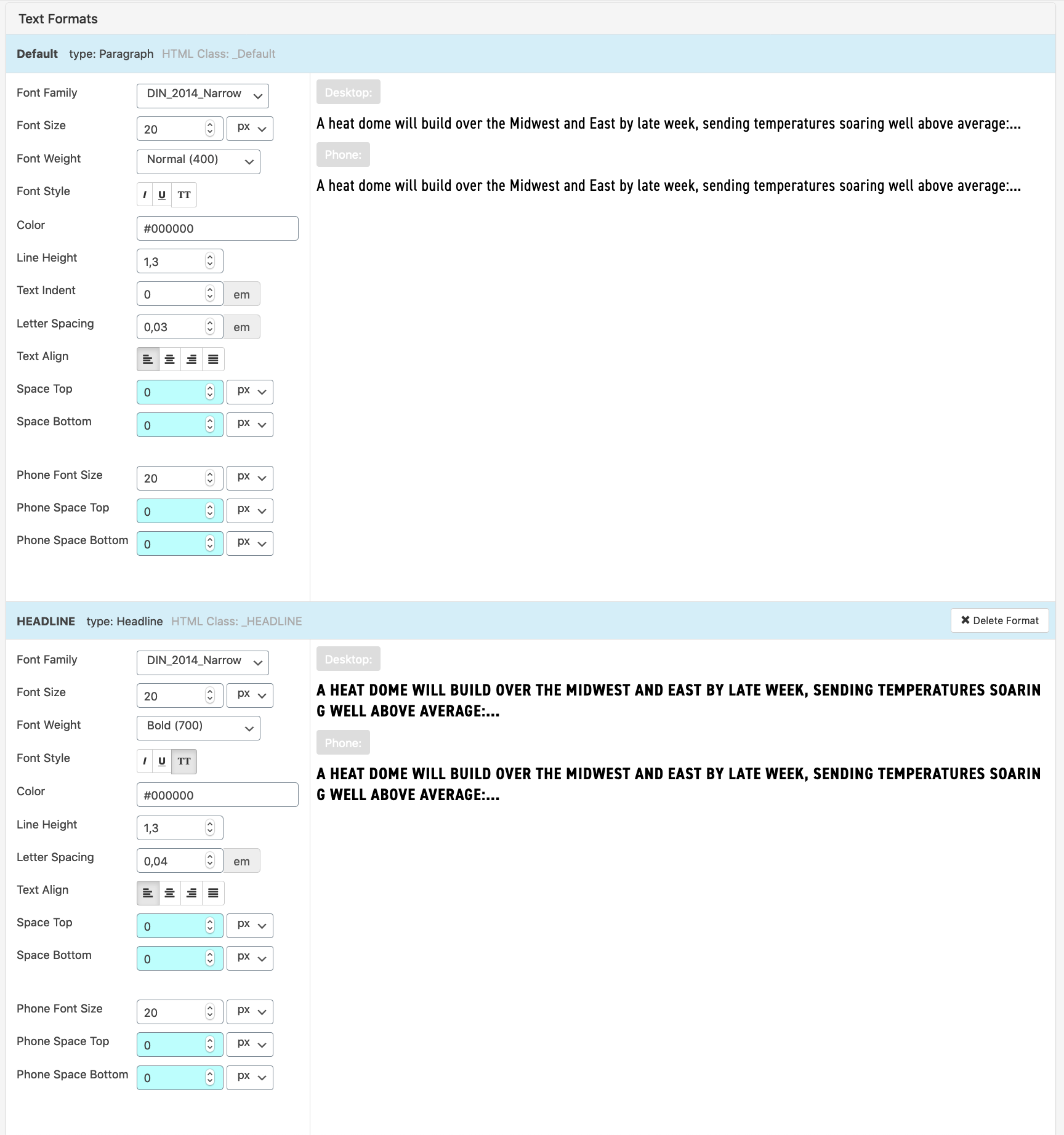
              there is not a double line break. You added some margin-top to the text-format.
              Best!
              Marius

              www.mariusjopen.world

              1 Reply Last reply
              0
              • J
                J
                jw
                wrote on last edited by
                #10

                That's odd, neither my text formats nor my custom CSS does this – what could be the reason? This problem only came up with the update to 3.3.0 without me (knowingly) changing anything.

                Cheers
                Julius

                .top-padding{
                    padding-top: 100px;
                }
                
                .infotext{
                    max-width: 600px;
                    /*position: fixed;*/
                }
                
                td{
                    vertical-align: top;
                    padding-bottom: 20px;
                    padding-right: 15px;
                }
                
                /*.WIP{
                    <h1 class="_HEADLINE WIP">work in progress</h1>
                    position: absolute;
                    top: 34px;
                    right: 5%;
                    text-align: right;
                    color: #ff5500;
                }*/
                

                Bildschirmfoto 2020-06-03 um 11.49.41.png

                1 Reply Last reply
                0
                • mariusjopenM
                  mariusjopenM
                  mariusjopen
                  Global Moderator
                  wrote on last edited by
                  #11

                  Dear @jw
                  did you look in the CUSTOMIZER?
                  Otherwise you can use CUSTOM CSS to get rid of it.
                  Best!
                  Marius

                  www.mariusjopen.world

                  1 Reply Last reply
                  0
                  • J
                    J
                    jw
                    wrote on last edited by
                    #12

                    I couldn't find anything in the customizer either but solved it through the custom CSS. Still odd that this only came up with the latest update. Thanks for the help, @mariusjopen!

                    Best,
                    Julius

                    1 Reply Last reply
                    0
                    • mariusjopenM
                      mariusjopenM
                      mariusjopen
                      Global Moderator
                      wrote on last edited by
                      #13

                      Dear @jw
                      Nice!
                      Thank you for letting us know!
                      Best and have a wonderful day!
                      Marius

                      www.mariusjopen.world

                      1 Reply Last reply
                      0

                      Hello! It looks like you're interested in this conversation, but you don't have an account yet.

                      Getting fed up of having to scroll through the same posts each visit? When you register for an account, you'll always come back to exactly where you were before, and choose to be notified of new replies (either via email, or push notification). You'll also be able to save bookmarks and upvote posts to show your appreciation to other community members.

                      With your input, this post could be even better 💗

                      Register Login
                      Reply
                      • Reply as topic
                      Log in to reply
                      • Oldest to Newest
                      • Newest to Oldest
                      • Most Votes


                      Online Users
                      P
                      prazzo101
                      Forgot your key, lost your files, need a previous Lay Theme or Addon version? Go to www.laykeymanager.com
                      laytheme.com
                      • Login

                      • Don't have an account? Register

                      • Login or register to search.
                      • First post
                        Last post
                      0
                      • Recent
                      • Tags
                      • Popular
                      • Users
                      • Search
