Margins for Frame vary per Project but all settings are same
-
I've set the margins for the frames on the Gridder Defaults, and in each project to 4%
Each project starts with title text of same formatting, no breaks, but they appear at different positions when published? -
hey!
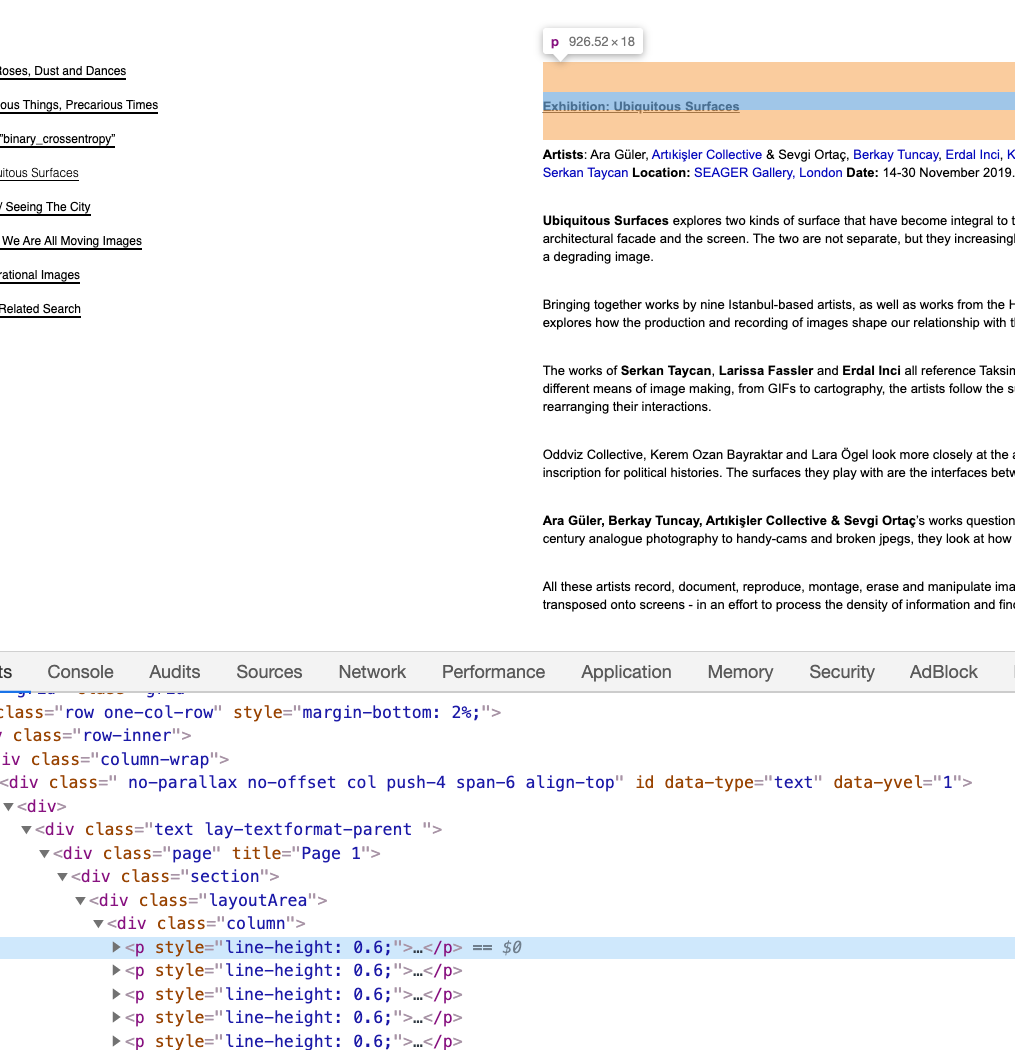
the frame top setting is correct
for each page, please copy your text and paste ur text into your standard texteditor
i use sublime text
then copy the text from the texteditor and paste it into the texteditor in the gridder
this way you will have removed all the html,
look at the screenshot, theres all types of html markup in your text that changes the formatting and spacinggood luck

Hello! It looks like you're interested in this conversation, but you don't have an account yet.
Getting fed up of having to scroll through the same posts each visit? When you register for an account, you'll always come back to exactly where you were before, and choose to be notified of new replies (either via email, or push notification). You'll also be able to save bookmarks and upvote posts to show your appreciation to other community members.
With your input, this post could be even better 💗
Register Login