Font is cut
-
Hi There!
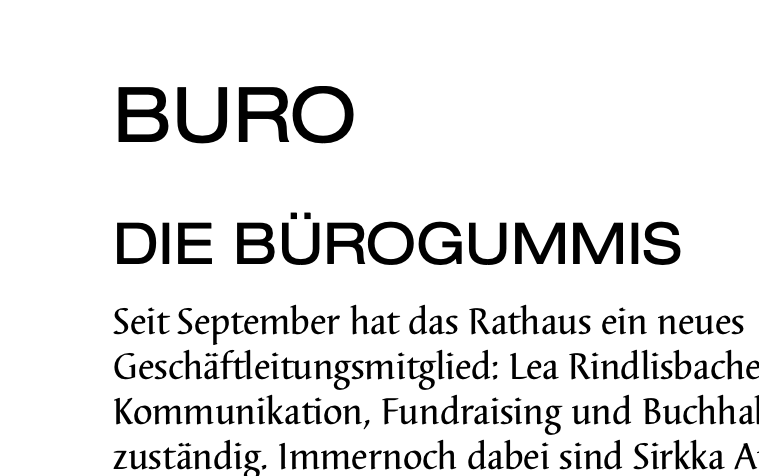
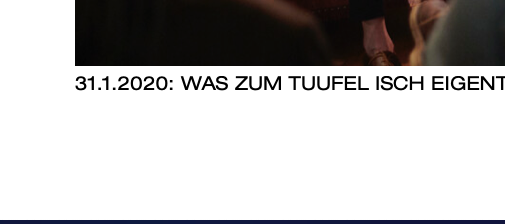
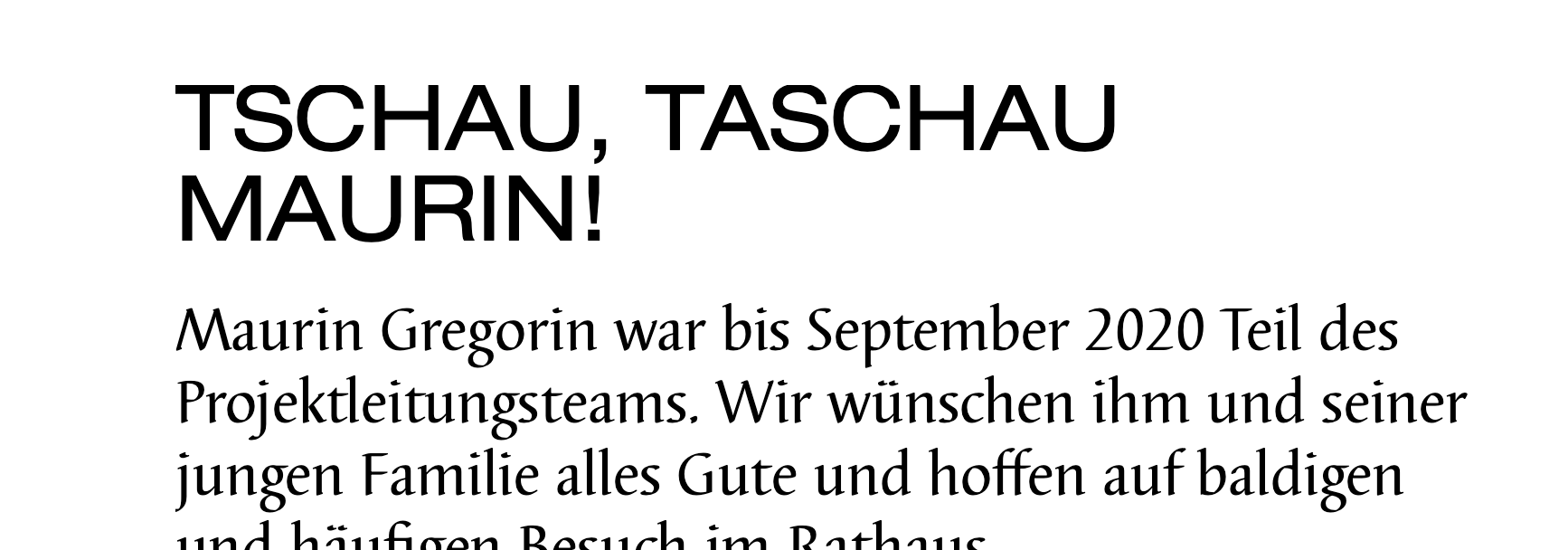
I have an other problem with my page (http://jahresbericht.fun). Sometimes in Safari and also in Chrome (although the problem accures less there) the Font is cut at the top. See Screenshots: It should say «BÜRO» with ü. Not «Buro». You can also see it in the top of the letter «S». And the word «Tuufel» should be «Tüüfel».
Do you know, what I could do against it? It's not the first time I have this problem.
Thank you!
Sirkka
-
Dear @Sirkka-Ammann
Im having trouble getting the 'cut' off to occur in Safari or Chrome - i dont think reloading will cause the bug.
I can see the 'cut' happening in the screenshot above also your 'Umlaut's" do they appear? this could be an issue with stylistic sets of the font-type
to be sure:
-
Wordpress, Lay Theme & Laytheme's Addons are all up to date ?
-
Any Custom CSS or JS that may interfere is temporarily removed.
-
Any third-party plugins de-activated to see if this resolves the issue.
-
If using a WordPress Cache plugin, disable it or clear your cache.
-
If your WordPress Dashboard shows a warning "PHP Update required"
please update your PHP version in your webhost control panel. -
Additionally please take a look at https://laytheme.com/troubleshooting.html for known problems.
Talk soon & best wishes
Richard -
-
Hi
Thank you for your fast answer. It's really weird. Suddenly it worked but now a few minutes later it's the same problem… My «Umlaute» appear elsewhere in the texts.
Thank you for your help
Liebe Grüsse
Sirkka -
Dear @Sirkka-Ammann
Im having trouble getting the 'cut' off to occur in Safari or Chrome - i dont think reloading will cause the bug.
I can see the 'cut' happening in the screenshot above also your 'Umlaut's" do they appear? this could be an issue with stylistic sets of the font-type
to be sure:
-
Wordpress, Lay Theme & Laytheme's Addons are all up to date ?
-
Any Custom CSS or JS that may interfere is temporarily removed.
-
Any third-party plugins de-activated to see if this resolves the issue.
-
If using a WordPress Cache plugin, disable it or clear your cache.
-
If your WordPress Dashboard shows a warning "PHP Update required"
please update your PHP version in your webhost control panel. -
Additionally please take a look at https://laytheme.com/troubleshooting.html for known problems.
Talk soon & best wishes
Richard@Richard-K
Hi
It'seems that I found the problems solution: As soon as I changed the line hight to 1.1 the problem was gone. With line hight 1.0 the top of the font was cut.
For me the line hight 1.1 is fine too.
Thank you for your help!
Sirkka -
-
Dear Sirkka @Sirkka-Ammann
Great! :)
Happy to hear is working now and you can continue with your project.Have a wonderful day :)
Richard

Hello! It looks like you're interested in this conversation, but you don't have an account yet.
Getting fed up of having to scroll through the same posts each visit? When you register for an account, you'll always come back to exactly where you were before, and choose to be notified of new replies (either via email, or push notification). You'll also be able to save bookmarks and upvote posts to show your appreciation to other community members.
With your input, this post could be even better 💗
Register Login