Carousel: responsive height without changing position of captions
-
Hi,
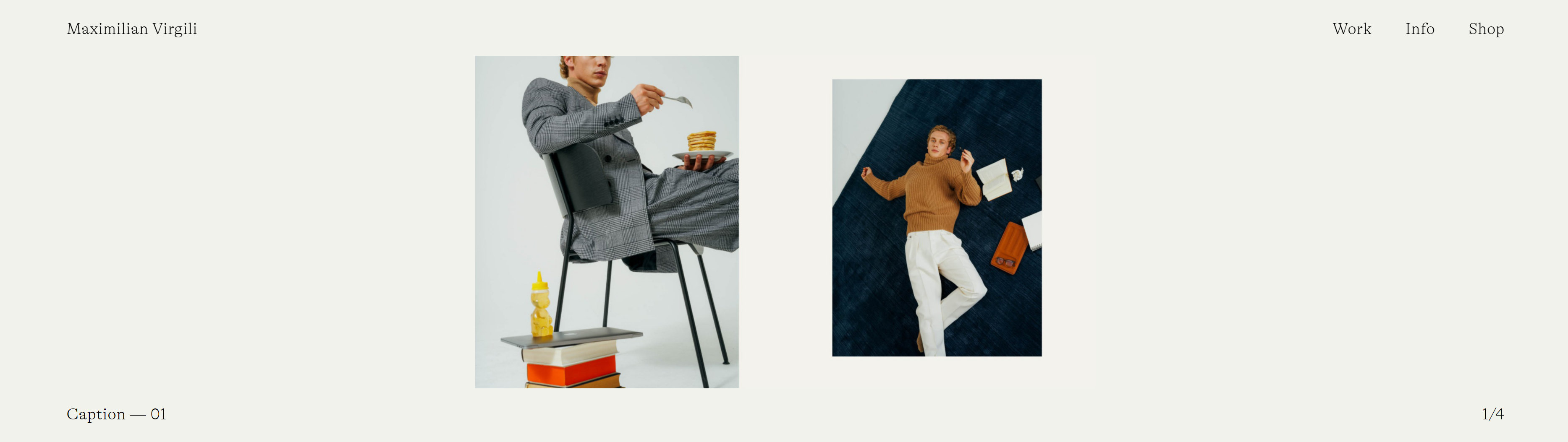
I am searching for a way to constrain the height of the carousel to browser height without the positioning of numbers and image captions being affected, and without filling the slides. I can temporally replicate this in the browser by changing the computed paddin-bottom style on the .lay-carousel element. Am I missing something?
Any help much appreciated!
Thanks!
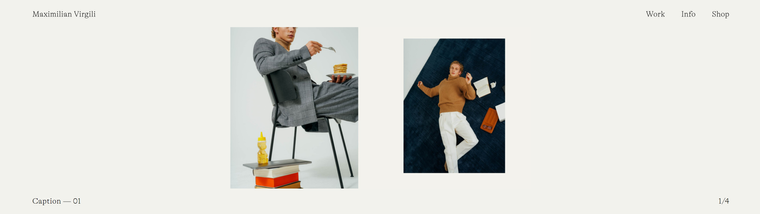
AnnaThis is how I would like it to look like:
-
Dear Anna @billo3D
I think i understand, apologies if i dont :)
If you are able to get the desired result by altering the .lay-carousel element, can you not add this into:
Lay Options > Custom CSS & HTML > Custom CSS
E.g
.lay-carousel{
padding-bottom:insert-desired-%-or-px-here;
}
Or it must come strictly through built in options?
I think you find like i do that the Captions element, being contained within the Larger Carousel Container element means that they will move together.Talk soon & best wishes Anna :)
Richard
-
Hi Richard,
thanks so much for your quick response!
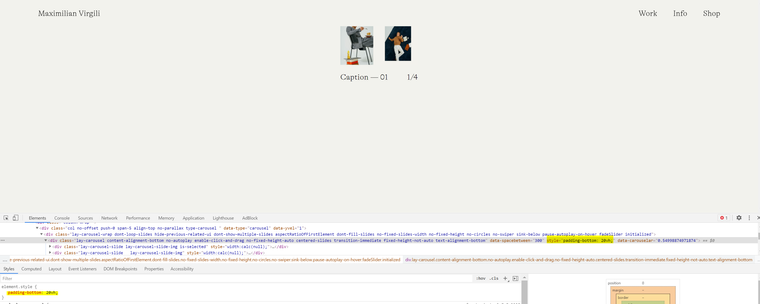
Unfortunately the CSS doesn't affect anything. I guess a built-in padding-bottom overwrites any CSS.I then tried to manipulate via javascript:
var element = document.getElementsByClassName('lay-carousel');
        console.log(element[0]);
        element[0].style.paddingBottom  = '20vh';
This overwrites the built-in function, however shifts captions and numbers
Thanks for help!!
Have a good day,
Anna -

Hello! It looks like you're interested in this conversation, but you don't have an account yet.
Getting fed up of having to scroll through the same posts each visit? When you register for an account, you'll always come back to exactly where you were before, and choose to be notified of new replies (either via email, or push notification). You'll also be able to save bookmarks and upvote posts to show your appreciation to other community members.
With your input, this post could be even better 💗
Register Login